
Achieving defensible patient record compliance requires seven concrete steps: (1) establish governance and assign roles, (2) document policies, procedures, and required records, (3) perform a security risk analysis, (4) build and implement an action plan covering administrative, physical, and technical safeguards, (5) manage and mitigate risk day-to-day through vendor oversight and workforce training, (6) schedule retention, secure disposal, and patient access/amendment handling, and (7) monitor, audit, and respond to incidents. These patient record compliance steps rest on four federal authorities: the HHS Office for Civil Rights (OCR), the Centers for Medicare & Medicaid Services (CMS), the Office of the National Coordinator for Health IT (ONC), and NIST risk methodology.
Step owners at a glance:
- Step 1 — Governance: Compliance officer
- Step 2 — Documentation: Privacy officer + record custodian
- Step 3 — Risk analysis: IT security lead + compliance officer
- Step 4 — Action plan: IT security lead + department heads
- Step 5 — Ongoing risk management: Compliance officer + HR
- Step 6 — Retention, disposal, patient access: Record custodian + privacy officer
- Step 7 — Monitoring and breach response: IT security lead + compliance officer
Key Takeaways
Defensible patient record compliance requires seven assigned, evidenced steps — governance through monitoring — executed continuously, not just at audit time.
| Point | Details |
|---|---|
| Seven steps, seven owners | Assign a named individual to each step; governance without named accountability produces no audit trail. |
| Six-year documentation retention | HIPAA requires six years for compliance records; patient records follow the longest of state law or CMS program rules. |
| Risk analysis drives priorities | Score threats by likelihood × impact; fix High-scored findings before addressing Medium or Low items. |
| Evidence during operations | Collect proof (training logs, audit exports, BAA signatures) during normal workflows, not before audits. |
| Smartadmissions for intake compliance | The platform auto-files consent forms, clinical assessments, and eligibility verifications with EHR-integrated audit trails. |
Table of Contents
- At-a-Glance Compliance Checklist You Can Assign Today
- Step 1 — Who Owns Compliance and How to Organize Your Governance Structure
- Step 2 — Documenting the Policies, Procedures, and Records Auditors Expect
- Step 3 — How to Perform a HIPAA-Focused Security Risk Analysis
- Step 4 — Building Your Action Plan: Administrative, Physical, and Technical Safeguards
- Step 5 — Day-to-Day Risk Management: Vendors, Training, and Sanctions
- Step 6 — Retention Schedules, Secure Disposal, and Patient Access Requests
- Step 7 — Monitoring, Audit Controls, and Breach Notification
- Appendix — Admissions SOP Template and Intake Compliance Checklist
- A Compliance Officer’s Practical Notes on What to Fix First
- Keeping Intake Documentation Compliant Is Easier with the Right Platform
- Sources
At-a-Glance Compliance Checklist You Can Assign Today
Use this table to run a rapid gap check. Assign each row to an owner, confirm the evidence exists, and set a calendar reminder for the review cadence.
| Step | Task owner | Minimum evidence to store | Review cadence |
|---|---|---|---|
| 1. Governance | Compliance officer | Charter, role descriptions, meeting minutes | Quarterly |
| 2. Documentation | Privacy officer | Signed policies, training logs, BAAs | Annual + on change |
| 3. Risk analysis | IT security lead | Risk register, threat/vulnerability list, scores | Annual minimum |
| 4. Action plan | IT security lead | Remediation tracker, safeguard configs | Ongoing |
| 5. Vendor/workforce | Compliance officer + HR | BAA inventory, training completion records | Annual |
| 6. Retention/access | Record custodian | Retention schedule, destruction certificates, access-request log | Per request + annual |
| 7. Monitor/audit | IT security lead | Audit-log reports, incident tickets, breach notifications | Monthly log review |
Quick wins to complete this week:
- Confirm every active business associate has a signed, current BAA on file.
- Run one audit-log query to verify who accessed ePHI in the past 30 days.
- Confirm your risk analysis document is dated within the past 12 months.
- Verify that your written sanctions policy is approved and accessible to all staff.
Step 1 — Who Owns Compliance and How to Organize Your Governance Structure
Governance is not a committee; it is a set of named individuals with documented authority and clear escalation paths. Without it, accountability diffuses across departments and auditors find no one who can produce a decision trail.
Required roles:
- Compliance officer: Program owner; accountable for the full compliance plan, OCR correspondence, and corrective action.
- Privacy officer: Manages patient rights, access requests, amendment workflows, and Notice of Privacy Practices.
- IT security lead: Owns technical safeguards, audit logs, encryption, and incident detection.
- Record custodian: Maintains the retention schedule, destruction certificates, and physical/electronic filing systems.
- Departmental documentation champions: One per clinical unit; responsible for ensuring notes are signed, dated, and complete before end of shift.
Governance cadence and outputs:
- Weekly triage: IT security lead reviews audit-log alerts and open incident tickets.
- Monthly risk review: Compliance officer, privacy officer, and IT security lead assess new threats, open remediation items, and policy gaps. Output: signed meeting minutes.
- Quarterly executive report: Compliance officer presents risk posture, training completion rates, and open findings to leadership. Output: approved report filed in the compliance folder.
Minimum governance artifacts: program charter, role descriptions with named individuals, escalation matrix, and a log of decisions and approvals.
Pro Tip: The most common governance failure is assigning compliance to a role rather than a person. Name the individual in the charter. When that person leaves, the charter triggers a formal handoff — which prevents the “nobody knew” defense from surfacing during an OCR investigation.
Step 2 — Documenting the Policies, Procedures, and Records Auditors Expect
Written documentation is not optional under the HIPAA Security Rule, which requires policies and procedures to be retained for six years from creation or last effective date. That six-year clock applies to risk analyses, training logs, BAAs, and every other compliance record your program produces.
CMS documentation requirements tie record maintenance directly to Medicare and Medicaid program participation. Missing or incomplete records can affect reimbursement and trigger enrollment reviews. Thus, documentation quality is both a compliance and a revenue issue.
Mandatory documentation under the HIPAA Security Rule and OCR expectations:
- Written information security policies and procedures (one per required standard)
- Security risk analysis and risk management plan
- Workforce training records (date, attendee, topic, trainer)
- Business associate agreements for every vendor that creates, receives, maintains, or transmits ePHI
- Sanction policy and evidence of enforcement actions
- Contingency plan (backup, disaster recovery, emergency access)
- Audit-log review records
Evidence-based clinical documentation practices show that common failures — unsigned notes, copy-forward errors, missing authentication — are preventable with structured templates and consistent workflows. Your documentation standards should address these explicitly.
| Document type | Retention rule | Owner | Storage location |
|---|---|---|---|
| Policies & procedures | 6 years (HIPAA) | Compliance officer | Compliance folder (SharePoint/DMS) |
| Risk analysis | 6 years (HIPAA) | IT security lead | Compliance folder |
| Training logs | 6 years (HIPAA) | HR / compliance officer | HRIS + compliance folder |
| BAAs | 6 years (HIPAA) | Privacy officer | Vendor management folder |
| Patient medical records | Longest of state law, CMS rule | Record custodian | EHR + secure archive |
| Destruction certificates | 6 years minimum | Record custodian | Compliance folder |
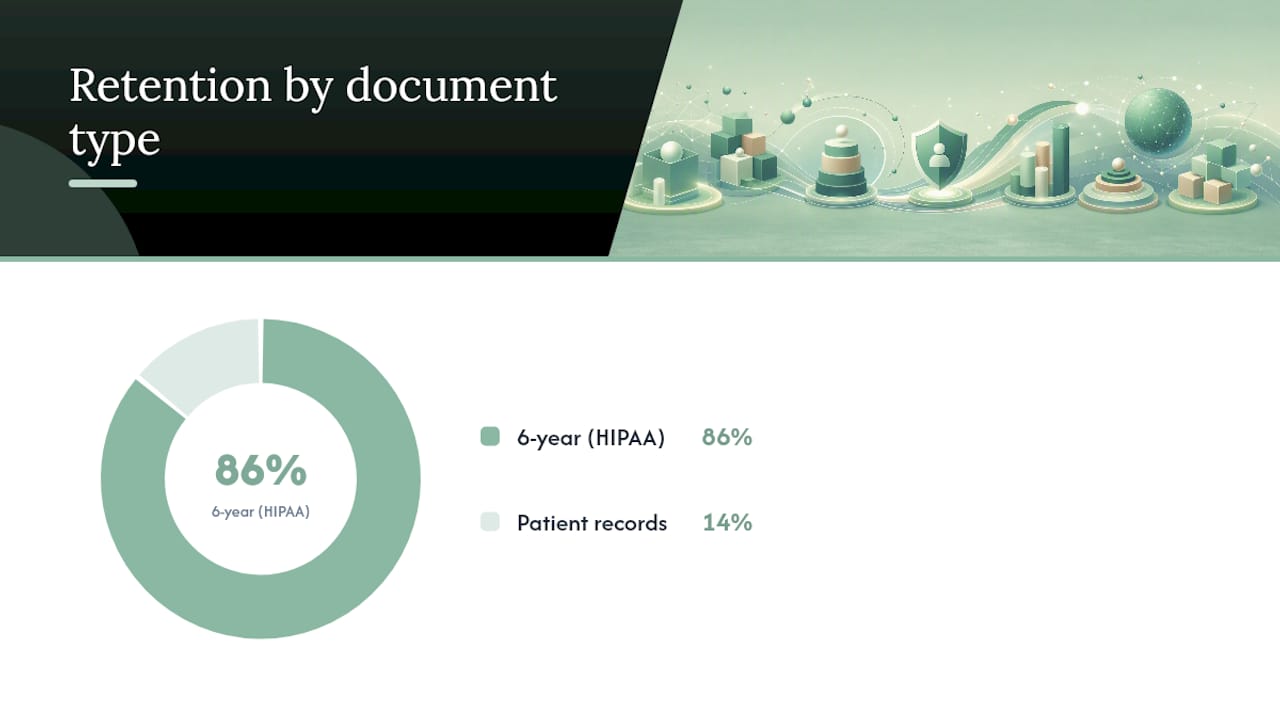
Version control rules: date every policy with an effective date and a next-review date; use a naming convention such as POL-SEC-001_v2_2026-01-15; archive superseded versions rather than deleting them. For practical templates and naming standards, the Smartadmissions guide on documentation best practices for healthcare teams covers field-level requirements and audit-ready folder structures.
Step 3 — How to Perform a HIPAA-Focused Security Risk Analysis
A security risk analysis is the foundation of every other compliance step. NIST SP 800-66r2 provides a recommended methodology: prepare, identify threats, analyze likelihood and impact, determine risk level, and document results in a register. The ONC seven-step guide places risk analysis at Step 3 of the operational program, after governance and documentation are in place.
A risk analysis must be specific to your facility’s environment and workflows. It is an ongoing program, not a one-time checklist.
Risk-assessment checklist:
- Prepare: Define scope (all systems, applications, and data flows that create, receive, maintain, or transmit ePHI); identify applicable regulations; assemble the assessment team.
- Identify threats: List realistic threat sources (ransomware, insider misuse, physical theft, natural disaster, vendor breach) and threat events for each system in scope.
- Identify vulnerabilities: For each threat, identify the control gaps that would allow it to succeed (unpatched software, shared credentials, unlocked workstations, missing BAAs).
- Determine likelihood: Score each threat/vulnerability pair on a 1–3 scale (Low/Medium/High) based on historical frequency and current controls.
- Determine impact: Score potential harm to ePHI confidentiality, integrity, and availability on the same 1–3 scale.
- Calculate risk level: Multiply likelihood × impact to produce a risk score; map to Low (1–2), Medium (3–4), or High (6–9).
- Document in a risk register: Record threat, vulnerability, likelihood score, impact score, risk level, current controls, and assigned remediation owner with target date.
Sample risk matrix:
Pro Tip: A small single-site facility can scope the analysis to three to five core systems (EHR, billing, email, network, physical storage). A multi-site enterprise should run a facility-level analysis at each site and then roll findings into an enterprise risk register. Keeping the scope bounded makes the exercise repeatable annually without consuming the entire compliance budget.
Step 4 — Building Your Action Plan: Administrative, Physical, and Technical Safeguards
Risk findings without a remediation plan are just a list of problems. The action plan converts your risk register into prioritized work across three safeguard categories.

Administrative safeguards
These are the policies, training programs, and workforce controls that govern how people interact with ePHI.
- Written information access management policy with role-based assignments
- Workforce training program (onboarding + annual refresher)
- Sanctions policy with documented enforcement procedures
- Security awareness communications (phishing simulations, policy reminders)
- Contingency plan with tested backup and recovery procedures
Physical safeguards
Physical controls protect the spaces and devices where ePHI is created or stored.
- Facility access controls: badge readers, visitor logs, and locked server rooms
- Workstation use policy: screen locks, privacy screens in patient-facing areas
- Device and media controls: encrypted laptops, tracked removable media, secure disposal procedures
Technical safeguards
Technical controls are the system-level protections that restrict and record access to ePHI. Healthcare data security best practices consistently identify least-privilege access, strong authentication, encryption, and audit logging as the highest-priority technical controls.
- Unique user IDs and role-based access control (RBAC)
- Multi-factor authentication (MFA) for all remote access and privileged accounts
- Encryption of ePHI at rest and in transit
- Automatic session timeout on workstations
- Audit logging for all ePHI access, modification, and export events
- Integrity controls to detect unauthorized alteration of records
For admissions-specific technical safeguard guidance, the Smartadmissions patient data security in admissions guide maps these controls directly to intake workflows.
Implementation tiers:
Step 5 — Day-to-Day Risk Management: Vendors, Training, and Sanctions
Compliance does not hold itself. The controls established in Step 4 require active management through vendor oversight, workforce education, and routine operational checks.
Vendor lifecycle process:
- Inventory: Maintain a current list of all business associates with access to ePHI, including cloud storage providers, billing services, and referral platforms.
- BAA verification: Confirm a signed, current BAA exists before any vendor accesses ePHI. Store the BAA in the vendor management folder with the contract.
- Access record: Document what systems and data each vendor can access and under what conditions.
- Periodic revalidation: Review vendor access rights annually or after any significant contract change.
- Offboarding checklist: On contract termination, revoke access within 24 hours, retrieve or certify destruction of any ePHI held by the vendor, and file the offboarding record.
Workforce training program:
- Onboarding: HIPAA Privacy Rule, Security Rule, facility policies, and role-specific documentation requirements before the employee accesses any ePHI.
- Annual refresher: Updated threat landscape, policy changes, and scenario-based exercises. Keep attendance records with date, topic, and trainer name.
- Targeted microlearning: Deploy within 72 hours of any security incident or policy violation to the affected team or department.
- Evidence to retain: Training completion certificates, quiz scores, and acknowledgment signatures — all retained for a substantial period.
Sanctions policy template outline:
- Purpose and scope
- Prohibited conduct (with examples)
- Escalation tiers (verbal warning → written warning → termination → law enforcement referral)
- Investigation procedure and documentation requirements
- Appeal process
- Effective date and review cadence
Routine operational checks:
- Weekly: IT security lead runs an audit-log query for unusual access patterns (off-hours access, bulk ePHI export, failed login spikes).
- Quarterly: Compliance officer conducts random chart audits (five to ten records per unit) to verify documentation completeness, signature compliance, and correct access.
HHS-OIG compliance program guidance identifies internal monitoring and prompt corrective action as two of the core components of an effective compliance program. Routine checks are how you demonstrate both.
Step 6 — Retention Schedules, Secure Disposal, and Patient Access Requests
Setting defensible retention periods
HIPAA requires six-year retention for compliance documentation. Patient medical records are a different category: HIPAA defers to state law and CMS program rules. CMS guidance ties record maintenance to Medicare participation and notes that some program rules require retention for up to seven years. The practical rule: map each record type to the longest applicable authority (state statute, CMS rule, or program-specific requirement) and set your retention schedule to that period.
Retention workflow:
- Inventory all record types (clinical notes, billing records, consent forms, imaging, correspondence).
- Map each type to its governing authority and identify the trigger date (last date of service, discharge date, or date of creation).
- Set the retention period to the longest applicable rule.
- Automate archival at the trigger date using your EHR or document management system.
- Before destruction, run a litigation hold check: confirm no active legal matter, audit, or regulatory inquiry covers the record.
Secure destruction
Paper records: cross-cut shredding by a certified destruction vendor. Electronic media: degaussing or physical destruction for hard drives; certified wipe for reusable media. Retain a certificate of destruction for every batch, filed in the compliance folder for six years.
Handling patient access requests
Under HIPAA’s right of access rules, your facility must provide access within 30 days of a request, with one allowed 30-day extension if you send written notice of the delay before the initial deadline expires.
Operational workflow:
- Receive request and log it with date and requester identity.
- Verify identity proportionately (government-issued ID for in-person; secure portal verification for electronic requests).
- Triage: determine which records are in scope and which systems hold them.
- Assemble and redact: remove information about third parties; apply any applicable exceptions.
- Deliver in the format the patient requests (electronic preferred under HIPAA).
- Document the decision, delivery method, and date. Retain the request and response record.
For amendment requests, log the request, review the record, and respond within 60 days. If you deny the amendment, provide a written explanation and inform the patient of their right to submit a statement of disagreement.
Step 7 — Monitoring, Audit Controls, and Breach Notification
What your audit logs must capture
Audit controls are a required technical safeguard under the HIPAA Security Rule. Every audit log should record: who accessed or modified ePHI (user ID), what action was taken (view, edit, export, delete), when (timestamp), where (workstation ID or IP address), and how (application name).
Audit-log coverage checklist:
- Authentication events (successful and failed logins)
- Privileged account actions (admin changes, permission grants)
- ePHI export, print, and download events
- Configuration changes to security settings
- Record deletion and restoration events
- Remote access sessions
Retain audit logs for six years. Review them monthly at minimum; automated alerting for anomalies (off-hours bulk access, repeated failed logins) reduces the manual burden.
Incident response playbook
| Phase | Key actions | Evidence to document |
|---|---|---|
| Detection | Identify the event; classify as incident or breach | Incident ticket with timestamp |
| Containment | Isolate affected systems; revoke compromised credentials | Containment actions log |
| Root cause | Investigate how the event occurred; identify affected ePHI | Root-cause analysis report |
| Notification | Notify HHS OCR and affected individuals per breach rules | Notification letters, OCR submission |
| Remediation | Implement corrective controls; update risk register | Updated risk register, policy changes |
| Lessons learned | Debrief team; update training and procedures | Lessons-learned memo |
Breach notification timelines and triggers
The HIPAA Breach Notification Rule requires notification to affected individuals without unreasonable delay and no later than 60 days after discovery. Breaches affecting 500 or more individuals in a state require simultaneous notification to prominent media outlets. All breaches must be reported to HHS OCR: breaches of 500 or more individuals are reported immediately; smaller breaches are logged and reported annually by March 1 of the following year.
An effective breach report to OCR must include: the nature of the PHI involved, the types of individuals affected, the number of individuals affected, a description of what happened, steps taken to mitigate harm, and contact information for follow-up.
Appendix — Admissions SOP Template and Intake Compliance Checklist
SOP template structure
Every admissions SOP should follow this structure:
- Purpose: What the procedure accomplishes and why it exists.
- Scope: Which staff, locations, and record types are covered.
- Roles and responsibilities: Named role for each step (admissions coordinator, clinical reviewer, compliance officer).
- Stepwise procedure: Numbered steps with decision points and escalation triggers.
- Evidence: What to document, where to file it, and who signs off.
- Review cadence: Annual review date and owner.
Admissions intake compliance checklist
| Required document | Required fields | EHR task | Signs and stores |
|---|---|---|---|
| Consent to treat | Patient name, date, signature | Upload to EHR consent module | Admissions coordinator |
| Notice of Privacy Practices | Acknowledgment signature, date | Scan and attach to patient record | Admissions coordinator |
| Insurance eligibility verification | Payer, policy number, effective date, authorization | Enter in billing module | Admissions coordinator |
| Clinical assessment | Diagnosis, functional status, care plan | Complete in EHR clinical section | Admissions nurse/clinician |
| Physician orders | Order type, date, physician signature | Attach to EHR orders section | Clinical reviewer |
| BAA (if applicable) | Vendor name, effective date, authorized signatures | File in vendor management folder | Privacy officer |
Document naming convention: [RecordType]_[PatientID]_[YYYY-MM-DD]_[Version] — for example, ConsentToTreat_12345_2026-03-10_v1. This convention prevents orphaned records and makes retrieval auditable during an OCR investigation or CMS survey.
For a full centralization playbook, the Smartadmissions guide on how to centralize patient records covers folder architecture, EHR integration points, and retrieval workflows that align with these SOP requirements.
A Compliance Officer’s Practical Notes on What to Fix First
Most compliance programs fail not because the regulations are unclear, but because teams try to fix everything at once and finish nothing. Three priorities consistently separate programs that pass audits from those that don’t.
Evidence over promises. An auditor cannot credit a verbal assurance. If your training happened but the attendance sheet is missing, it did not happen for compliance purposes. Build evidence collection into normal operations — sign-in sheets at every training session, automated audit-log exports on a schedule, BAA countersignature workflows that file the document automatically. Collecting proof during day-to-day activity is far easier than reconstructing it before an audit.
Fix high-risk exposures first. Your risk register tells you where to start. Unencrypted ePHI on portable devices, shared login credentials, and missing BAAs for active vendors are the findings that generate OCR corrective action plans. Medium and low risks matter, but they do not belong at the top of the work queue when high risks are open.
Automate proof collection wherever possible. Manual processes produce inconsistent evidence. When your EHR automatically timestamps every record access, when your training platform emails completion certificates, and when your document management system enforces naming conventions, your compliance posture holds even during staff turnover.
One practical heuristic for triage: ask “Can I produce this evidence in 48 hours if OCR calls?” If the answer is no for any of the seven steps, that gap moves to the top of the remediation list. Front-line admissions staff are often the fastest path to closing documentation gaps — a five-minute end-of-shift checklist reviewed weekly by the departmental documentation champion catches unsigned notes and missing consents before they become audit findings.
Keeping Intake Documentation Compliant Is Easier with the Right Platform
Admissions documentation failures — missing consent forms, unsigned clinical notes, orphaned referral records — are among the most common findings in CMS surveys and OCR investigations. They are also among the most preventable when your intake workflow captures and files evidence automatically.
Smartadmissions is built specifically for skilled nursing facilities, rehabilitation centers, and post-acute care providers that need intake documentation to be complete, retrievable, and audit-ready without adding manual steps for already-stretched admissions teams. The platform integrates directly with your existing EHR systems, so consent forms, clinical assessments, and eligibility verifications are timestamped and filed in the patient record at the moment of completion. Audit trails are generated automatically. Missing-document alerts fire before a patient is admitted, not after a surveyor arrives.
For facilities working through the compliance steps in this guide, EMR integration is the single technical control that closes the most documentation gaps with the least additional staff effort. To see how Smartadmissions maps to your intake compliance requirements, explore the step-by-step intake process guide or request a demo directly at Smartadmissions.
Sources
Keep these bookmarked as your primary authorities for ongoing compliance work.
- HHS: HIPAA Security Rule — laws & regulations
- Chapter 6, Guide to Privacy and Security of Electronic Health Information
- NIST SP 800-66r2 (HIPAA Security guidance mapping)
- How to keep good clinical records — PMC
- CMS MLN: Complying with medical record documentation requirements
This article is general information, not a substitute for advice from a qualified lawyer. Consult a qualified legal professional about your own circumstances before acting on anything here.