
Manual documentation slows down patient admissions at skilled nursing facilities, creating backlogs that delay care and reduce bed occupancy. Automating documentation transforms these workflows by eliminating repetitive data entry and accelerating referral processing. This guide walks you through preparing, implementing, and measuring automation success to improve intake efficiency and revenue.
Table of Contents
- Prerequisites And What You Need Before Starting
- Step 1: Assess Current Documentation Workflows And Identify Automation Opportunities
- Step 2: Select And Integrate Automated Documentation Tools
- Step 3: Customize Workflows And Train Staff For Success
- Step 4: Test, Launch Pilot, And Scale Automation Gradually
- Common Mistakes And How To Avoid Them
- Expected Results And Outcomes
- Explore Smart Admission Automation Solutions
- Frequently Asked Questions
Key takeaways
| Point | Details |
|---|---|
| Automation impact | Referral review time drops by up to 40% when facilities adopt AI-powered documentation tools. |
| Staff engagement critical | Inadequate staff training causes 35% of automation failures, making comprehensive change management essential. |
| Phased rollout reduces risk | Pilot projects before full deployment cut implementation failure risk by 30%. |
| Compliance non-negotiable | HIPAA violations from poor data security average $50,000 per incident, requiring encrypted systems. |
Prerequisites and what you need before starting
Before launching automation, facilities must establish technical and organizational foundations to avoid integration failures. Rushing implementation without proper groundwork causes costly delays and staff frustration.
Start by verifying your EMR system supports API integration and can exchange data with automation platforms. Skipping prerequisite system checks causes integration issues that derail projects. Standardize patient data formats across departments so automated tools receive consistent inputs. Inconsistent data creates errors that undermine accuracy gains.
Ensure your IT infrastructure can support new automation tools without performance degradation. Assess network bandwidth, server capacity, and security protocols. Prepare administrative and clinical staff with initial training sessions explaining how automation will change their daily workflows. Early communication prevents resistance.
Establish a compliance framework aligned with HIPAA regulations and state-specific healthcare laws before processing any patient data through automated systems. Document your security protocols, access controls, and audit procedures. These prerequisites create the foundation for successful automation and help you streamline administrative tasks in healthcare admissions without technical setbacks.
Step 1: Assess current documentation workflows and identify automation opportunities
Understanding existing processes reveals where automation delivers maximum impact. Map every step of your admission and referral documentation workflows in detail. Document who handles each task, how long it takes, and where information transfers between systems or people.
Identify bottlenecks where work piles up and error-prone manual entries that require frequent corrections. Common problem areas include insurance eligibility verification, clinical assessment data entry, and referral status tracking. These repetitive, high-volume tasks drain staff time and introduce mistakes.
Prioritize automation opportunities based on volume, error rates, and time consumption. Tasks performed dozens of times daily offer bigger efficiency gains than occasional processes. Use workflow analysis to establish baseline metrics for referral processing time, documentation accuracy, and staff hours spent on manual entry.
This assessment creates your efficiency baseline for measuring automation impact later. Track current performance in specific metrics like average referral review time, percentage of incomplete documentation requiring follow up, and daily referral volume processed per staff member. Clear before-and-after data proves ROI and guides ongoing optimization. Learn more about how to assess and optimize intake process for your facility’s specific needs.
Step 2: Select and integrate automated documentation tools
Choosing the right automation platform determines implementation success. Select AI-powered platforms with proven EMR compatibility and documented integration success at similar facilities. Request case studies and reference contacts from vendors serving skilled nursing environments.
Ensure tools support real-time patient eligibility verification by connecting directly to insurance portals. This integration cuts manual insurance checks by more than 50%, freeing staff for higher-value tasks. Verify the platform provides APIs that connect seamlessly with your existing EMR system without custom coding.
Plan technical integration steps collaboratively with your IT team and automation vendors. Define data flows, establish security protocols, and create testing environments before touching production systems. Schedule integration work during low-volume periods to minimize disruption.
Pro Tip: Validate platform APIs and data security features before signing contracts. Request technical documentation showing encryption standards, access controls, and audit logging capabilities. Confirm the vendor maintains HIPAA compliance certifications and provides regular security updates. Poor security choices create legal liability that outweighs any efficiency gains. Resources on how to integrate EMR with referrals can guide your technical planning.
Step 3: Customize workflows and train staff for success
Generic automation fails because every facility has unique referral patterns and staffing structures. Customize AI automation to match your specific referral sources, documentation requirements, and approval workflows. Configure the system to route different referral types to appropriate staff members automatically.

Engage staff early with tailored training sessions that address their specific roles and concerns. Most common failure point in documentation automation projects is inadequate staff engagement, which occurs in approximately 35% of implementations and stems from poor change management. Staff who understand how automation helps them personally adopt tools faster.
Use this stepwise training schedule:
- Introduce automation benefits and address concerns in group meetings
- Provide hands-on training with realistic referral scenarios
- Assign mentors or champions who master the system first
- Schedule follow-up sessions to address questions after initial use
- Create quick reference guides for common tasks and troubleshooting
Provide ongoing technical support through dedicated help channels and regular check-ins. Staff need assurance they can get help quickly when issues arise. Identify clinical and administrative champions who embrace the technology and can encourage colleagues.
Pro Tip: Involve clinical and admin champions to foster adoption by having respected colleagues demonstrate benefits and share success stories. Champions answer peer questions more effectively than IT staff because they understand workflow context. Explore why use AI admission tools to build compelling champion talking points.
Step 4: Test, launch pilot, and scale automation gradually
Starting small reduces risk and builds confidence before full deployment. Implement pilot automation on selected documentation tasks like insurance verification or initial referral screening. Choose high-volume processes where quick wins demonstrate value.
Gather metrics comparing AI accuracy against manual processes during the pilot. Studies show clinical documentation accuracy improves to 95% with AI versus 75% manual entry, but validate these results in your specific environment. Track processing time, error rates, and staff satisfaction.
Follow this rollout approach:
- Select one or two documentation workflows for initial pilot
- Run automated and manual processes in parallel for two weeks
- Compare accuracy, speed, and staff feedback between methods
- Refine automation settings based on pilot results
- Expand to additional workflows once pilot proves successful
- Monitor performance continuously and adjust as needed
Use stepwise rollout to reduce failure risk by 30% compared to facilities attempting immediate full-scale deployment. Gradual expansion lets you identify and fix issues before they affect all operations. Analyze pilot data to refine workflows iteratively, adjusting routing rules, validation criteria, and user interfaces.
Expand gradually to full admissions processes after pilot success demonstrates measurable improvements. This measured approach builds organizational confidence and lets you pilot and scale admission automation effectively.
| Metric | Pilot Week 1 | Pilot Week 2 | Target |
|---|---|---|---|
| Referrals processed | 45 | 68 | 75+ |
| Average review time | 38 min | 24 min | 20 min |
| Documentation errors | 8% | 4% | <3% |
| Staff satisfaction | 6.5/10 | 8.2/10 | 8.5/10 |
Common mistakes and how to avoid them
Avoiding frequent pitfalls protects your automation investment and ensures sustainable benefits. Many facilities rush implementation without adequate preparation, leading to technical failures and staff resistance.
Avoid these critical mistakes:
- Skipping system readiness and integration checks causes technical failures that delay benefits by months
- Neglecting staff involvement with poor communication creates resistance that leads to 35% failure rate in automation projects
- Implementing weak security controls results in HIPAA fines averaging $50,000 per violation plus breach remediation costs
- Failing to validate vendor compliance certifications exposes facilities to legal liability
- Ignoring ongoing training needs as staff turnover occurs
Maintain active staff involvement with regular communication and refresher training sessions. Schedule quarterly reviews where staff share feedback and suggest improvements. Implement and audit HIPAA compliance continuously by reviewing access logs, updating security protocols, and conducting vulnerability assessments.
Use encryption and access controls to reduce data security risks by 12% according to healthcare IT security studies. Limit system access to authorized personnel only and maintain detailed audit trails. Regular compliance reviews catch issues before they become violations.
Ignoring compliance can cost facilities tens of thousands in fines and breach remediation.
Stay current with changing regulations and update your systems accordingly. Learn from common pitfalls to avoid documentation mistakes that compromise efficiency and compliance.
Expected results and outcomes
Well-executed automation delivers measurable improvements across multiple performance indicators. Facilities typically see initial benefits within weeks, with full impact emerging over three to six months.
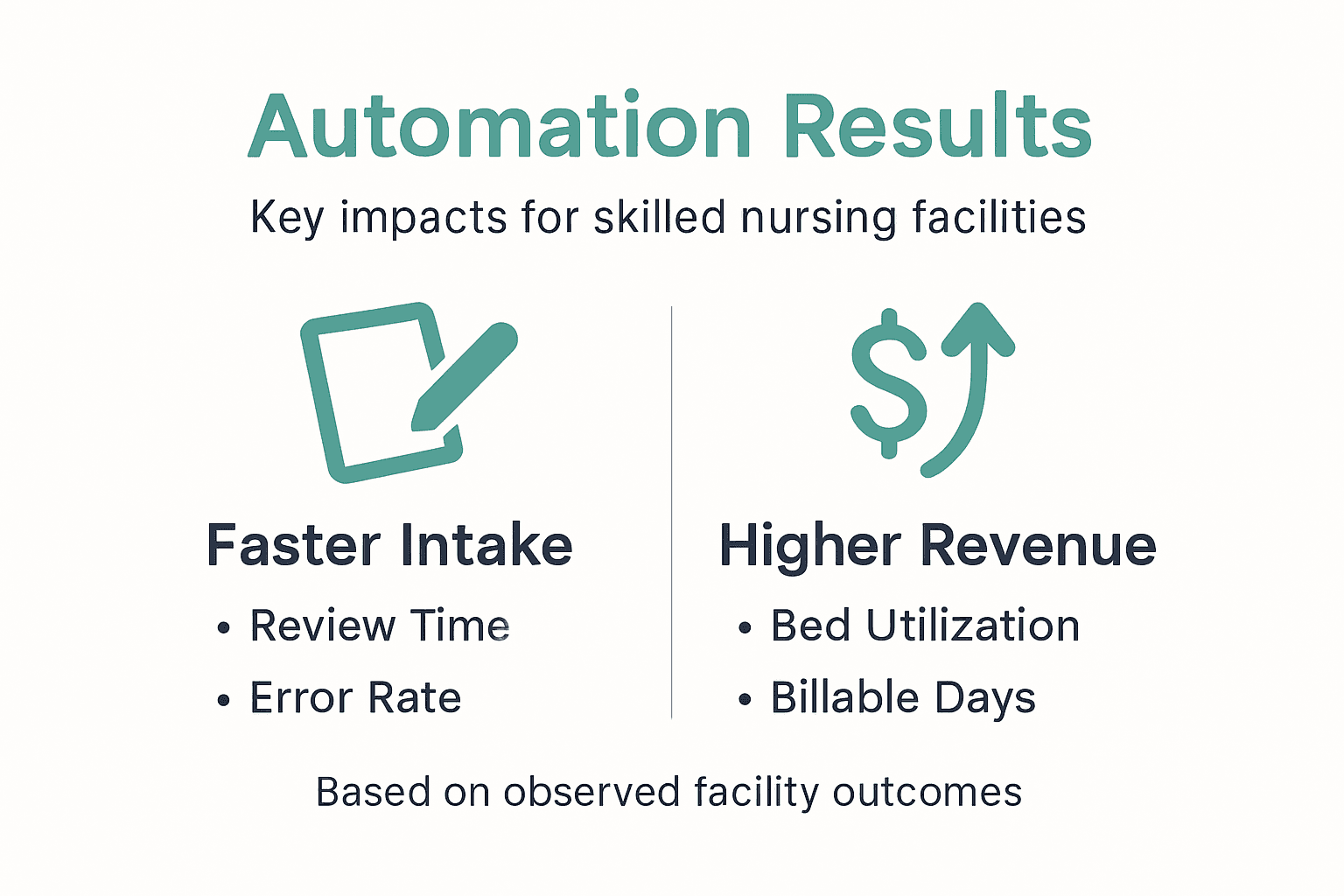
Referral review times can drop by up to 40% when AI handles initial screening, eligibility checks, and documentation validation. This acceleration directly improves bed fill rates by moving patients through intake faster. Bed occupancy rates increase 15 to 20% within six months post-automation as faster processing captures more referrals.
Manual insurance eligibility checks reduce by more than 50% when automation queries payer portals directly and updates referral records in real time. Staff redirect saved hours toward patient interaction and complex cases requiring human judgment. Clinical documentation accuracy improves to 95% with AI versus 75% manual entry, reducing costly errors and compliance risks.
Revenue per bed increases as higher occupancy rates generate more billable days without proportional staffing increases. Facilities report ROI within 8 to 12 months including software costs, implementation expenses, and training time. Administrative costs per admission decrease 25 to 30% as automation handles routine tasks.
| Performance Metric | Manual Process | AI Automation | Improvement |
|---|---|---|---|
| Average referral review time | 45 minutes | 27 minutes | 40% faster |
| Documentation accuracy | 75% | 95% | 27% better |
| Insurance checks per day | 30 | 65 | 117% more |
| Bed occupancy rate | 82% | 96% | 17% higher |
These results demonstrate tangible operational and financial benefits that justify automation investments. Track your specific outcomes to refine processes and maximize value. Discover more about automation results healthcare admissions achieves in real facilities.
Explore smart admission automation solutions
Implementing the strategies outlined above transforms your admissions efficiency and financial performance. Smart Admissions provides AI-powered intake automation for healthcare admissions that integrates seamlessly with existing EMR systems and insurance portals.
Our platform reduces referral review times, automates insurance eligibility verification, and maintains HIPAA compliance through enterprise-grade security. Facilities using Smart Admissions report faster bed fills, reduced administrative burden, and improved staff satisfaction.
Explore our patient referral software overview to see how the platform streamlines every step of your intake workflow. Review referral management systems examples showing real implementations at facilities like yours. Contact our team to discuss tailored solutions that address your specific admissions challenges and workflow requirements.
Frequently asked questions
What are the first steps to prepare my facility for documentation automation?
Verify EMR system compatibility and API capabilities first. Standardize patient data formats across departments and assess IT infrastructure capacity. Prepare staff with initial training explaining workflow changes and establish HIPAA-compliant security protocols before processing any patient data.
How long does it take to see improvements after automating patient intake?
Most facilities observe measurable improvements within two to four weeks of pilot launch. Full benefits including 40% faster referral review times and 15 to 20% occupancy increases typically emerge within three to six months as staff master the system and workflows optimize.
Are AI documentation tools compliant with HIPAA regulations?
Reputable AI platforms maintain HIPAA compliance through encryption, access controls, and regular security audits. Always verify vendor certifications and review their Business Associate Agreement before implementation. Facilities remain responsible for ensuring proper configuration and ongoing compliance monitoring.
How can staff be encouraged to adopt new automation technology?
Engage staff early by explaining personal benefits like reduced repetitive work and less overtime. Provide comprehensive training with realistic scenarios and assign champions who master the system first. Maintain open communication channels for questions and regularly share success metrics demonstrating positive impact.
What metrics should we track to measure automation success?
Track referral review time, documentation accuracy rates, insurance verification speed, bed occupancy percentages, and staff satisfaction scores. Compare pre- and post-automation data monthly. Monitor cost per admission, revenue per bed, and time spent on manual tasks to calculate ROI and identify optimization opportunities.