
A practical FHIR referral integration starts with two resources: ServiceRequest to carry the referral order and Task to track fulfillment and status changes, exchanged over a RESTful API with Subscriptions handling notifications. From there, we recommend publishing a CapabilityStatement and building against US Core, the Da Vinci implementation guides, and the CMS Post-Acute FHIR Orders (PAO) guidance before writing a single endpoint.
TL;DR:
- Create a Task only when fulfillment begins; set requester to the initiator, update owner at every handoff, and use output for documents or appointment confirmations.
- Use messaging or FHIR Operations only to bridge systems that cannot expose conformant APIs; keep polling as a fallback until partners support Subscriptions reliably.
- For payer authorization, combine Da Vinci CRD, PAS, and DTR; inspect each profile’s mustSupport elements because technically valid payloads can still fail partner validation.
- Publish a CapabilityStatement listing supported resources, interactions, and search parameters, and validate payloads against partner profiles before production exchange.
Table of Contents
- Where FHIR Fits in the Referral Lifecycle
- Key FHIR Resources for Referral Workflows
- Choosing REST, Messaging, or Subscriptions
- Standards and Implementation Guides to Follow
- Developer Checklist for a Working Integration
- Conformance Testing and Validation Before Go-Live
- Mapping Direct, Indirect, and Closed-Loop Referral Flows
- What We’d Prioritize First
- How Smart Admissions Speeds Up Referral Integration
- FAQ
- Sources
Where FHIR Fits in the Referral Lifecycle
A referral moves through a predictable sequence of actors and handoffs, and FHIR resources map cleanly onto each step once your team agrees on who owns what.
The placer, typically the referring provider or hospital discharge team, creates the referral intent. The filler, often a skilled nursing facility or rehabilitation provider, receives and acts on it. Intermediaries or health information exchanges may relay messages between the two, and payer systems or community-based organizations (CBOs) sometimes join the loop for authorization or social support coordination.
A Task should be created the moment a referral moves from intent to active fulfillment, not before. Task.requester identifies who initiated the work, while Task.owner identifies who currently holds responsibility for completing it, and that owner changes as the referral passes from intermediary to filler.
- The placer creates a ServiceRequest describing the clinical need and target service.
- A Task references that ServiceRequest and tracks its progress through the workflow.
- Task.owner updates each time responsibility shifts to a new party.
- Task.output captures the resources produced as fulfillment proceeds, such as documents or appointment confirmations.
This structure gives every party in the chain a single source of truth for where a referral stands, which matters as much for compliance as for speed.
Key FHIR Resources for Referral Workflows
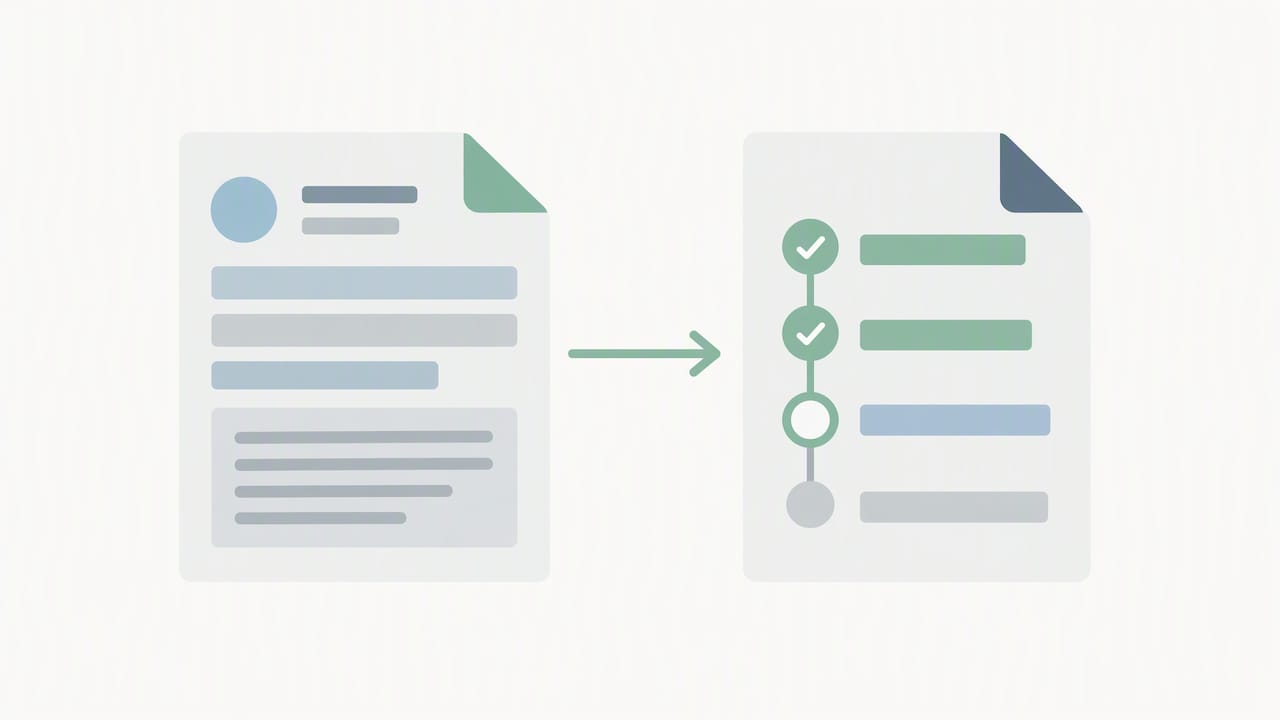
Two resources do most of the work in a closed-loop referral integration. HL7’s FHIR specification treats ServiceRequest as the minimum resource needed to express a referral order, with Task layered on top to track administrative fulfillment and status.
ServiceRequest carries the clinical intent: what service is being requested, for whom, and why. Task carries the operational state: who owns the work right now, what stage it’s in, and what has been produced so far. Keeping these concerns separate avoids overloading a single resource with both clinical and workflow data.
- ServiceRequest defines the referral order itself, including the requested service, reason, and target performer.
- Task tracks lifecycle status (requested, accepted, in-progress, completed) and records Task.output references to resources created during fulfillment.
- ReferralRequest has been retired in current FHIR versions in favor of ServiceRequest, so new builds should not start there.
- CommunicationRequest suits administrative messages tied to a referral, such as a request for additional records, rather than the referral order itself.
- Use
_includeparameters when querying Task to pull the referenced ServiceRequest in a single call, cutting round trips during status checks.
Teams that try to force CommunicationRequest to carry clinical intent, or skip Task entirely and rely only on ServiceRequest status, tend to lose visibility into who is actually working the referral at any given moment.
Choosing REST, Messaging, or Subscriptions
Most direct referral integrations work well with a straightforward RESTful pattern: the placer’s system POSTs a ServiceRequest and Task to the filler’s FHIR server, and the filler updates Task.status as work progresses. This is the simplest pattern to build, test, and debug.
Messaging and FHIR Operations earn their place when one side is a legacy system that can’t expose a conformant REST API directly, letting an intermediary translate between message formats and FHIR resources. Subscriptions solve a different problem: they let the filler’s system push Task status changes to the placer in near real time, instead of forcing the placer to poll on a schedule. Polling still has a role when a partner’s infrastructure doesn’t support Subscriptions yet, or when referral volume is low enough that the operational overhead of a subscription server isn’t worth it.
- REST for direct, point-to-point referral exchange between two conformant FHIR servers.
- Messaging or Operations when bridging to systems that can’t speak FHIR natively.
- Subscriptions to replace polling once your team needs near real-time Task status updates.
- Polling as the fallback when a partner can’t support Subscriptions yet.
Authentication deserves a specific note here. Onboarding guidance for esMD HIH integrations recommends reusing a valid authentication token across multiple API calls rather than requesting a new one for every request, only refreshing when the token has expired or is approaching its configured refresh window.
Pro Tip: Build your polling fallback first, then add Subscriptions once a partner proves they support them reliably; it’s easier to layer on real-time notifications than to retrofit a polling safety net later.
Standards and Implementation Guides to Follow
Building against the right implementation guide from day one saves far more rework than it costs in upfront research. US Core sets the baseline profiles for clinical data in American FHIR implementations, including the patient, condition, and observation profiles that typically ride alongside a referral.
The Da Vinci Project’s implementation guides address the payer side of the workflow: Coverage Requirements Discovery (CRD) surfaces documentation requirements before a referral is finalized, Prior Authorization Support (PAS) automates the authorization request itself, and Documentation Templates and Rules (DTR) helps structure the clinical documentation payers require. These three work together wherever prior authorization gates a referral.
On the provider-to-provider side, CMS’s Post-Acute FHIR Orders program documents pilots and the PAO implementation guide specifically for referrals and orders moving into post-acute settings.
- US Core profiles for baseline clinical data elements.
- Da Vinci CRD, PAS, and DTR for prior authorization steps tied to a referral.
- CMS Post-Acute FHIR Orders (PAO) guidance for provider-to-provider post-acute referrals.
- Profiles, mustSupport flags, and StructureDefinitions, which tell a receiving system exactly which elements it must be able to process.
Skipping the mustSupport review is one of the most common sources of late-stage integration failures, since a partner’s server may reject a payload that’s technically valid FHIR but missing an element their profile marks as required.
Developer Checklist for a Working Integration
Building a referral integration that survives contact with a production partner takes more than wiring up two endpoints. This sequence reflects the order most teams find works best.
- Implement OAuth2 or SMART on FHIR authentication, and reuse valid tokens instead of requesting new ones on every call, refreshing only within the window your partner’s esMD onboarding guidance specifies.
- Expose or connect to Task endpoints that support create and update operations, and confirm Task.output correctly references the resources your fulfillment process generates.
- Choose Subscriptions or polling for status updates, and build in exponential backoff plus idempotency keys so a repeated request doesn’t create duplicate Tasks.
- Add correlation IDs to every request and response, with structured logging and an audit trail that satisfies both debugging needs and compliance review.
- Test against partner sandboxes and published IG test cases before any production cutover, since synthetic test data rarely surfaces the edge cases a real partner feed will.
Pro Tip: Log every Task.status transition with a timestamp from day one; that history becomes your fastest way to diagnose a stalled referral without calling the partner’s support line.
Error handling deserves more attention than most teams give it up front. A referral that silently fails because of a malformed Task.output reference costs far more in staff time than the handful of hours spent building proper retry logic and alerting on failed transitions.
Conformance Testing and Validation Before Go-Live
Publishing a CapabilityStatement is a clear way to show a partner that your system is ready to integrate. FHIR conformance is intentionally flexible rather than a fixed checklist, so your CapabilityStatement should declare exactly which resources, interactions, and profiles your system supports.
- Publish a CapabilityStatement listing supported resources, interactions, and search parameters.
- Validate every outgoing and incoming payload against the relevant profile and its mustSupport elements.
- Run integration tests against partner sandboxes before exchanging any production data.
- Look into connectathons or CMS Post-Acute workgroup pilot opportunities to test real-world interoperability with other implementers.
Skipping sandbox testing in favor of a direct production pilot is a common shortcut that tends to surface the exact profile mismatches a connectathon would have caught earlier and more cheaply.
Mapping Direct, Indirect, and Closed-Loop Referral Flows
Most referral scenarios reduce to three sequences, and mapping your use case to one of them early clarifies which resources and status transitions you need to build.
- Direct referral: the placer posts ServiceRequest and Task to the filler, the filler processes the request, populates Task.output with the resources it creates, and marks Task.status as completed.
- Indirect referral: an intermediary relays the Task between placer and filler, updating Task.owner at each handoff and preserving provenance so every party can trace who acted and when.
- Closed-loop referral: the filler sends an acceptance acknowledgment early (Task.status moves to accepted), then a final status update with Task.output referencing the completed encounter or documentation, closing the loop back to the placer.
Each sequence uses the same two core resources, as described in this closed-loop referral implementation guide. What changes is who updates Task.owner and how many status transitions occur before the loop closes.
What We’d Prioritize First
We’d start with Task-based state tracking before anything else. It gives admissions and clinical teams operational visibility into where every referral sits, which matters more in the first weeks than any real-time feature.
Hold off on heavy Subscription infrastructure until polling has proven too slow for your actual referral volume. Get your CapabilityStatement and profile validation right early instead. That single decision prevents more rework than any architecture choice that follows.
— Harry
How Smart Admissions Speeds Up Referral Integration
Building a conformant FHIR referral workflow from scratch takes real engineering time, and most skilled nursing and post-acute teams don’t have a developer bench sitting idle waiting for that project. That’s the gap we built Smart Admissions to close.
Our platform connects directly to existing EMR systems and insurance portals, so referral intake runs through real-time eligibility verification and automated documentation management. We surface referral intake as a workflow your admissions staff can run without engineering support.
- AI-powered referral review that replaces manual chart reading with structured, actionable data.
- EMR and insurance portal connections that keep eligibility and clinical data current without manual re-entry.
- Onboarding that gets a facility live without a lengthy IT project.
If your team wants a vendor-led path instead of a custom build, our pricing page outlines Monthly and Annual plans, and our EMR integration guide walks through what a connected intake workflow looks like in practice.
FAQ
What is the minimum FHIR setup for a closed-loop referral?
A closed-loop referral needs at minimum a ServiceRequest to express the referral order and a Task to track its fulfillment and status over time. Everything else, including Subscriptions and additional profiles, builds on top of that pair.
Should we use REST, messaging, or Subscriptions for referrals?
Start with RESTful Task and ServiceRequest exchange for direct, point-to-point referrals between two FHIR-conformant systems. Add messaging when bridging legacy systems that can’t speak FHIR natively, and add Subscriptions once polling proves too slow for your referral volume.
Which implementation guides should a referral integration follow?
US Core sets the baseline clinical data profiles for American implementations, while the Da Vinci CRD, PAS, and DTR guides handle prior authorization steps tied to a referral. For post-acute provider-to-provider referrals, CMS’s Post-Acute FHIR Orders program documents pilot guidance and the PAO implementation guide.
Do we need to publish a CapabilityStatement?
Yes. A CapabilityStatement declares which resources, interactions, and profiles your system supports, and it’s the standard way partners confirm conformance before connecting.
Can a platform like Smart Admissions replace a custom FHIR build?
Smart Admissions connects to existing EMR and insurance portal systems and runs referral intake, eligibility verification, and documentation management without requiring your team to build the underlying FHIR integration. It fits teams that want the operational outcome without staffing a custom development project.