
The fastest path to working Epic referrals integration is a standards-first build: map your referral data to FHIR ServiceRequest and Task resources, require acknowledgements on every referral sent, and pilot the workflow with one trusted partner before scaling. This approach cuts manual data entry, shortens intake timelines, and helps your organization meet the MIPS measure for closing electronic referral loops. Your IT and admissions teams can move from planning to a working pilot in weeks, not quarters.
TL;DR:
- Automated workflows using FHIR ServiceRequest and Task resources enable real-time referral tracking and reduce manual data entry.
- EpicCare Link offers a low-code onboarding option for community providers with minimal development, while FHIR APIs support advanced automation and status reporting.
- Proper mapping of Epic referral data involves aligning internal referral tables with FHIR standards, SNOMED CT, and LOINC, necessitating careful planning before development.
- Building complete integration takes weeks or months, but platforms like Smart Admissions can enable rapid setup within an hour and support both basic and complex referral workflows.
Table of Contents
- Core standards and components behind Epic referral integration
- Epic-specific integration options and when to use each
- Technical mapping: Epic’s data model and the FHIR resources you need
- Designing workflows that close the loop and meet compliance measures
- Practical implementation checklist and timeline for your integration project
- Common pitfalls, failure modes, and how to avoid them
- A publisher’s view on referral integration in practice
- An honest take on where Epic referral projects go wrong
- How Smart Admissions helps you move faster on referral integration
- Sources
- FAQ
Core standards and components behind Epic referral integration
Epic referral integration relies on a small set of interoperable building blocks, and understanding them before you write a single interface saves your team significant rework later. HL7 FHIR resources form the backbone: ServiceRequest carries the referral order itself, while Task and Communication track status changes, acknowledgements, and messages between the referring and receiving providers.
Layered on top of these resources is 360X, a referral-focused framework built to manage the full referral lifecycle end to end, and it is actively being mapped to TEFCA and other national transport approaches.
For connecting to outside providers, your team has two broad paths:
- Portal access: EpicCare Link gives community providers a web interface for referral entry and tracking without custom development.
- Direct exchange: Care Everywhere and FHIR APIs support automated, system-to-system referral data flow for higher volume or deeper automation needs.
Epic-specific integration options and when to use each
Choosing between Epic’s referral integration paths comes down to your technical resources, referral volume, and how much automation your admissions team actually needs.
- EpicCare Link works best when you need to onboard external referring providers quickly with minimal development. Community physicians log into a secure portal, enter referrals, attach clinical documents, and track status, all without your team building an API. Documentation from Stanford Medicine Children’s Health shows this pattern used successfully for community referral intake.
- Care Everywhere (CERM) suits Epic-to-Epic exchange and, where enabled, cross-EHR exchange with non-Epic systems. Epic’s own interoperability documentation notes that one organization used Care Everywhere to receive emergency department referrals from a nearby urgent care center and saved 270 hours of registration time annually.
- FHIR APIs are the right choice when your team needs deep automation, real-time status tracking, and closed-loop reporting built directly into your own systems rather than a portal interface.
- HIE or 360X-based transport becomes relevant once your referral volume spans multiple health information exchanges or you want to align early with TEFCA’s national exchange model.
Technical mapping: Epic’s data model and the FHIR resources you need
Before your developers touch an interface engine, they need to understand where Epic stores referral data and how it maps to standard resources. Epic keeps referral metadata in REFERRAL tables, including REFERRAL_4, which holds fields such as referral identifiers, provider flags, and status indicators used by Care Everywhere referrals.
Your mapping work generally covers three layers:
- Identifiers and status: REFERRAL_ID and status fields map to ServiceRequest’s identifier and status elements.
- Lifecycle events: Task and Communication resources represent acknowledgements, status changes, and messages exchanged between referring and receiving providers.
- Documents and vocabulary: Attached clinical documents map from C-CDA formats to DocumentReference, while diagnosis and referral reason codes should align to SNOMED CT and LOINC for computability.
Some Epic sites continue to rely on internal REFERRAL tables for scheduled workflows even while exposing FHIR endpoints for external API consumers, according to Epic’s own FHIR documentation, so your mapping plan should reconcile both rather than assuming one replaces the other.
Pro Tip: Build your field mapping spreadsheet before writing any interface code. It becomes the shared reference your IT team and admissions staff both work from during testing.
Designing workflows that close the loop and meet compliance measures
A referral is not closed just because it left your system. Closing the loop means the referring provider receives an acknowledgement that the referral was accepted and, eventually, a consultant report that gets integrated into the patient’s chart. This distinction matters directly for compliance.
The CMS measure “Support Electronic Referral Loops by Sending Health Information” requires documented evidence that the clinician receiving the referral sends back a report, and it specifies CEHRT-certified technology as part of meeting the measure. Skipping certification requirements or failing to capture the return report means the referral will not count.
Your workflow design should assign clear ownership:
- Acknowledgement confirmation: someone on the receiving side confirms the referral was received within a defined window.
- Report reconciliation: a designated staff member matches returned consultant reports to the original referral and files them in the chart.
- Evidence logging: your system timestamps every acknowledgement and report for audit purposes.
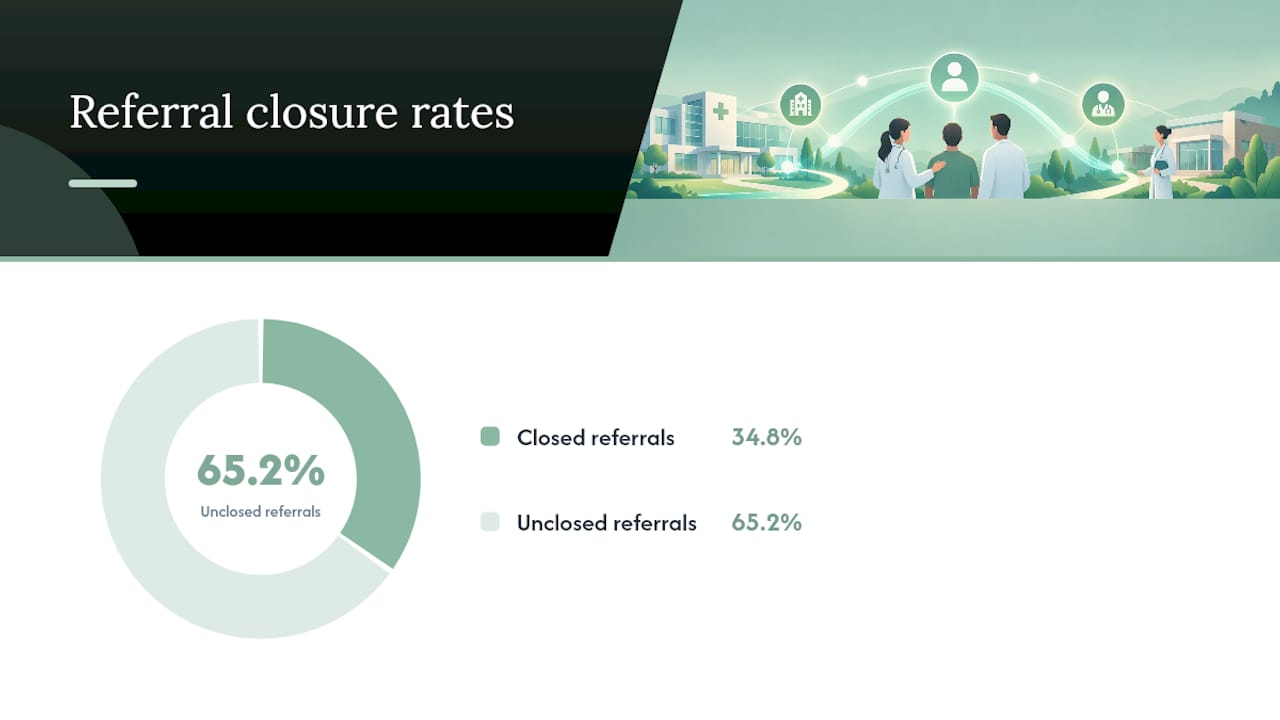
A large share of referrals never close. One analysis of referral completion found only about 34.8% of referral attempts resulted in a documented completed appointment with a report sent back to the primary care provider, underscoring why technical integration alone does not solve the problem.
Practical implementation checklist and timeline for your integration project
A structured rollout keeps your Epic referrals integration from stalling between IT and admissions teams. Work through these phases in order.
- Align stakeholders and inventory data. Identify every system touching referrals today and confirm regulatory and certification requirements upfront.
- Build field mappings. Finalize your REFERRAL table to FHIR resource mapping and settle vocabulary decisions using SNOMED CT and FHIR US Core.
- Stand up a development environment. Request API keys and sandbox access early since Epic credentialing can take time.
- Write end-to-end test cases. Cover the full closed-loop cycle: referral sent, acknowledgement received, report returned, chart updated.
- Select a pilot partner. Choose one high-volume, cooperative referral partner rather than launching across your entire network at once.
- Monitor post-launch metrics. Track referral aging, closure rate within a defined window, and failed document imports, then tie those figures to alerts your team reviews weekly.
Pro Tip: Run your pilot with the partner who already sends you the most referrals. Volume surfaces mapping problems faster than a quiet, low-traffic connection ever will.
Common pitfalls, failure modes, and how to avoid them
Most failed Epic referral integrations share the same handful of root causes, and each one is preventable with the right governance in place.
- One-way pushes with no return report leave referrals technically “sent” but never closed. Require acknowledgement as a mandatory workflow step, not an optional one.
- Vocabulary mismatches between SNOMED, LOINC, and locally coded reason fields cause silent mapping drift over time. Assign a mapping governance owner who reviews changes quarterly.
- No owner for exceptions means failed transmissions sit unresolved. Monitor referral aging and closure rate as standing indicators, not just launch-week metrics.
A publisher’s view on referral integration in practice
Smart Admissions works as an EMR-integrated referral and admissions platform built for skilled nursing, rehabilitation, and post-acute care providers. Its scope covers automated intake workflows, real-time insurance eligibility checks, and documentation management alongside existing EMR and insurance portal connections. Facilities considering their own integration path are welcome to explore how a purpose-built platform handles the same referral data challenges discussed above.
An honest take on where Epic referral projects go wrong
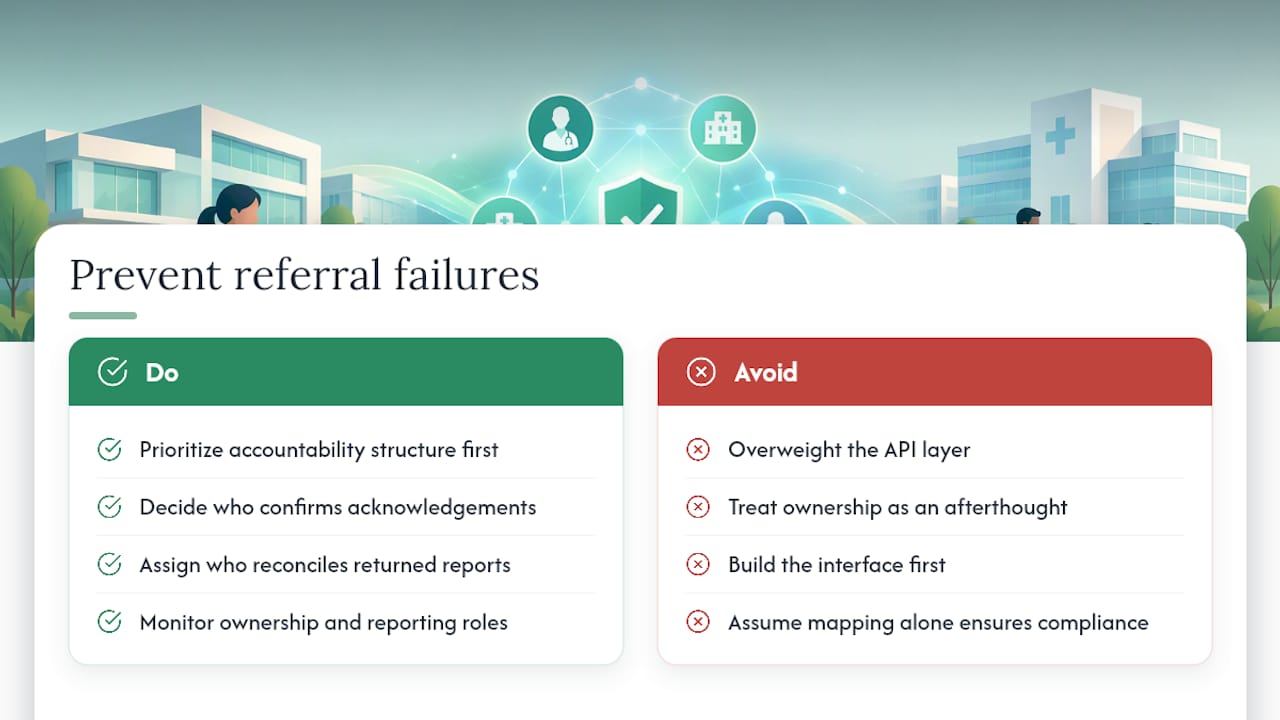
The technical mapping gets most of the attention in Epic referral projects, and it is genuinely necessary work. But the conventional advice overweights the API layer and underweights the organizational discipline needed to close the loop. A perfectly mapped FHIR resource means nothing if no one on the receiving end is accountable for sending the consultant report back.
If you take one thing from this guide, prioritize the accountability structure before the interface build. Decide now who confirms acknowledgements and who reconciles returned reports, because that decision determines whether your MIPS measure numbers hold up under audit far more than which transport method you chose. Standards-first mapping matters, but it is the operational half of the project, the ownership and monitoring, that most teams treat as an afterthought and then scramble to fix after their first quality reporting cycle comes up short.
— Harry
How Smart Admissions helps you move faster on referral integration
Building a full Epic referrals integration from scratch takes real developer time your facility may not have on staff. A referral and admissions platform can connect with existing EMR and insurance portal systems to handle real-time eligibility verification, clinical assessment intake, and documentation management without requiring your team to build custom interfaces first.
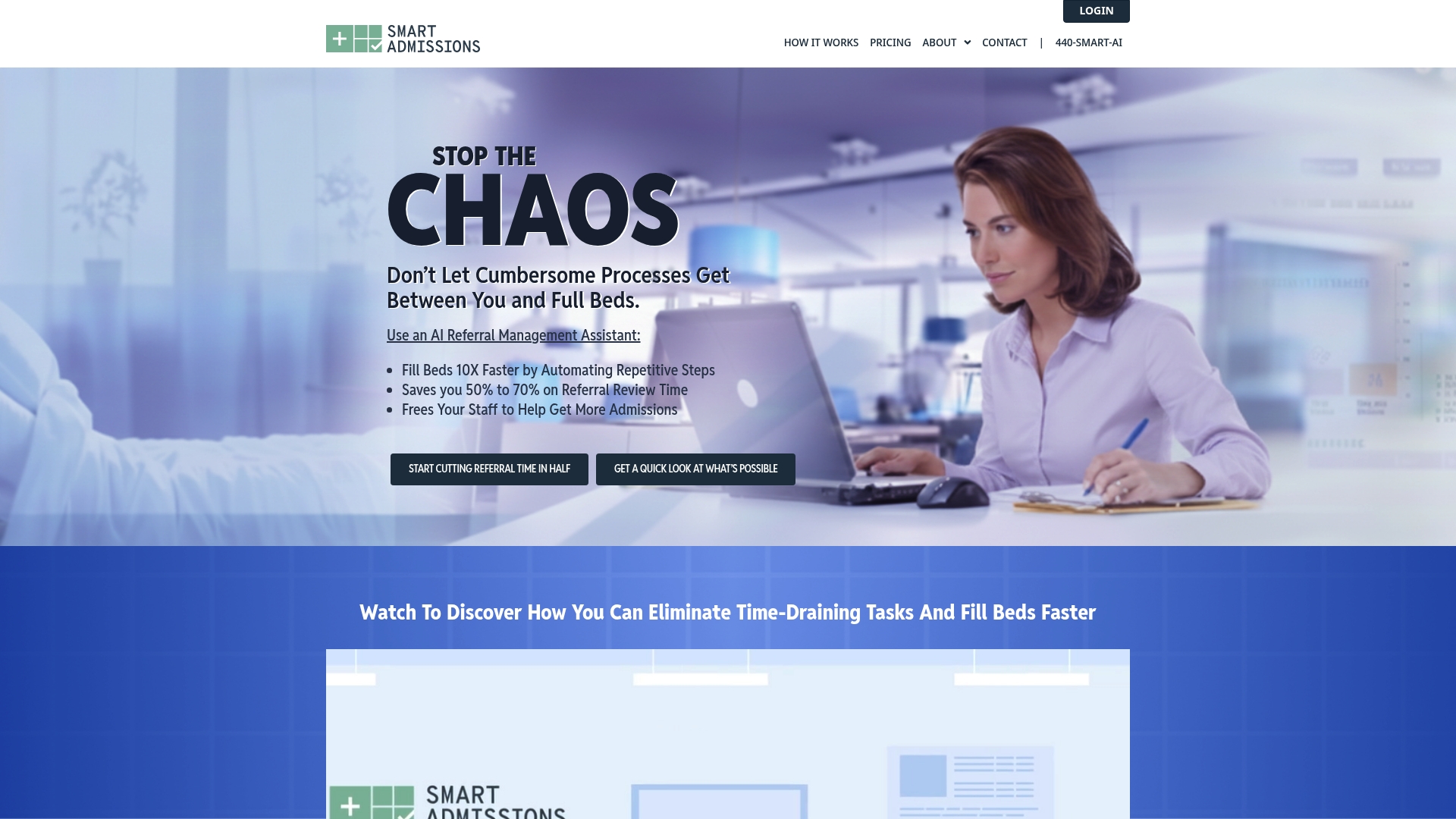
- Faster onboarding: setup typically takes under an hour rather than a multi-month build.
- Real-time eligibility checks: verification happens automatically as referrals arrive.
- Human support included: your team gets responsive help rather than a ticket queue.
| Approach | Typical setup time | Development effort |
|---|---|---|
| Custom FHIR/Epic build | Weeks to months | High, requires dedicated developers |
| Smart Admissions | Under an hour | Low, guided onboarding |
If your facility needs referral and admissions efficiency now rather than after a lengthy build cycle, check current pricing for Monthly and Annual plans and request a walkthrough of how the platform fits your intake workflow.
This article is general information, not a substitute for advice from a qualified doctor. Consult a qualified healthcare professional about your own circumstances before acting on anything here.
Sources
- Interoperability
- 360X on TEFCA
- Support Electronic Referral Loops by Sending Health Information (MIPS measure spec)
- Open
- MD Portal – Stanford Medicine Children’s Health
FAQ
How do referrals work in Epic?
Epic manages referrals through REFERRAL tables that track identifiers, status, and provider flags, alongside FHIR resources like ServiceRequest that represent the referral order. Referring providers create the referral, receiving providers accept or decline it, and status updates flow back through Task and Communication resources or the EpicCare Link portal.
How do I attach a referral in Epic?
Community providers using EpicCare Link enter the referral details and upload supporting clinical documents directly within the portal interface, as shown in referral submission steps documented by Stanford Medicine Children’s Health. For API-based integrations, attachments map from C-CDA documents to the FHIR DocumentReference resource.
Which of the following can be documented using referrals in Epic?
Epic referrals can document the referral reason, requested service, referring and receiving provider information, status and acknowledgement history, and attached clinical documents such as consultant reports. Vocabulary standards like SNOMED CT are increasingly recommended for coding the referral reason itself.
What is an Epic integration?
An Epic integration connects Epic’s EHR system with an external platform, portal, or health information exchange so that data such as referrals, eligibility, or clinical documents can move between systems automatically. Integration methods range from portal access through EpicCare Link to direct FHIR API connections for deeper automation.