
Many skilled nursing facilities lose thousands in revenue each month because their patient intake process bogs down in manual data entry, document chaos, and delayed decisions. These workflow bottlenecks create a ripple effect: slower bed occupancy, staff frustration, and missed opportunities for optimal patient placement. This guide walks you through the essential steps of the patient intake workflow, explores how automation and AI eliminate common pain points, and offers practical strategies to boost efficiency and revenue in 2026.
Table of Contents
- Understanding The Patient Intake Workflow: Key Steps And Challenges
- How Automation And AI Transform Patient Intake Workflows
- Comparing Traditional Vs Automated Patient Intake Processes
- Best Practices To Optimize Patient Intake For Skilled Nursing Facilities
- Enhance Your Patient Intake Workflow With Smart Admissions Solutions
- Frequently Asked Questions
Key takeaways
| Point | Details |
|---|---|
| Workflow complexity slows admissions | Manual processes, document errors, and fragmented systems delay patient intake and reduce bed fill rates. |
| AI automates critical tasks | Intelligent extraction from diverse formats, real-time eligibility checks, and risk assessments accelerate decision making. |
| Optimization drives revenue | Faster intake, accurate placement, and reduced readmissions translate directly to higher occupancy and lower penalties. |
| Staff burden decreases significantly | Automation eliminates repetitive data entry, freeing admissions teams to focus on care coordination and patient communication. |
Understanding the patient intake workflow: key steps and challenges
Patient intake in skilled nursing facilities follows a multi-step process that begins the moment a referral arrives and ends when a patient is admitted. Each stage requires careful coordination, data validation, and decision making. Here’s how the typical workflow unfolds:
- Referral receipt: A hospital, physician, or case manager sends patient information via fax, email, or EHR portal.
- Document collection: Admissions staff gather medical records, insurance details, physician orders, and medication lists.
- Data entry: Teams manually input patient demographics, diagnoses, and clinical details into facility systems.
- Eligibility verification: Staff check insurance coverage, authorization requirements, and payment sources.
- Placement decision: Clinical and admissions teams review all data to determine if the patient is a suitable match for available beds and care capabilities.
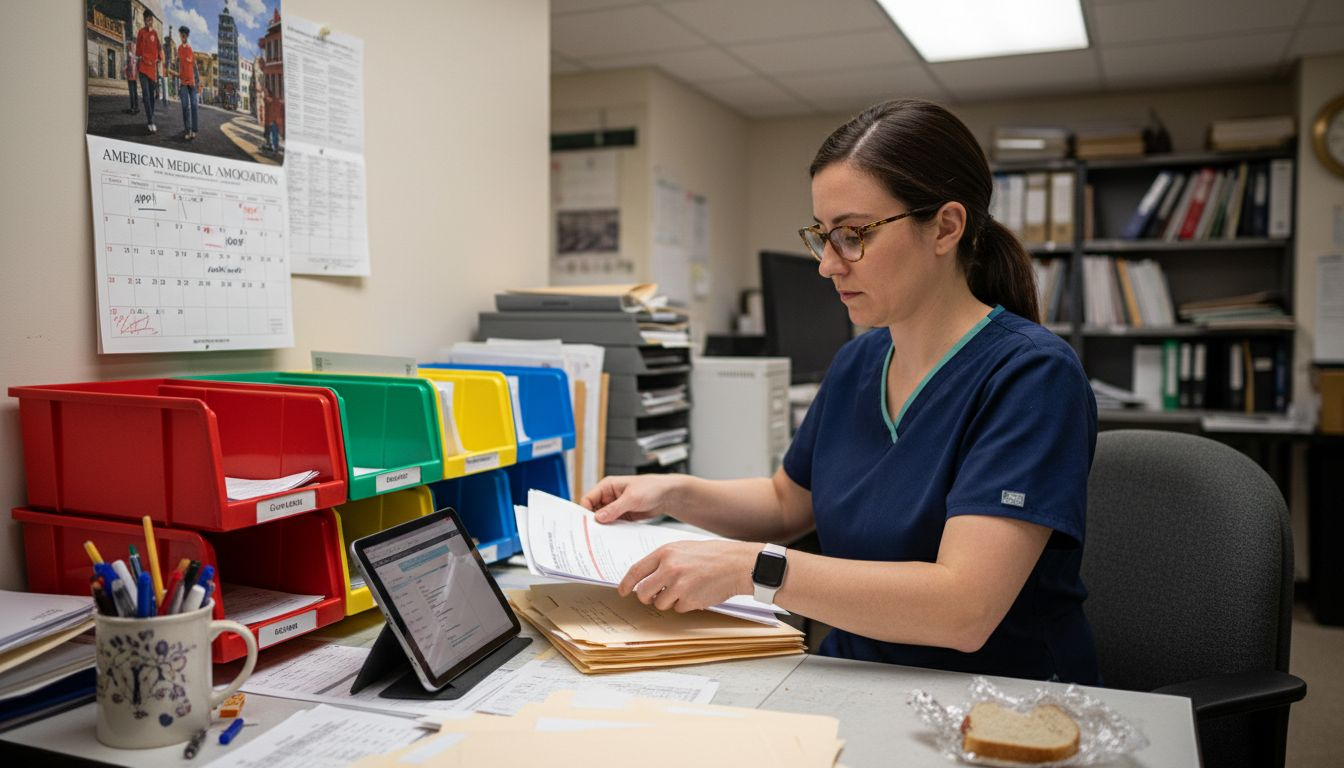
This process appears straightforward on paper, but in practice it’s riddled with pain points. Document errors arrive daily in the form of incomplete records, illegible scans, and missing critical pages. Delays mount when staff must chase down additional information from referring providers. Manual data handling consumes hours per referral, creating backlogs that slow admission cycles and reduce bed occupancy rates. Referral mismanagement happens when facilities lack a centralized system to track status, leading to duplicate work or lost opportunities.
These operational challenges directly impact your bottom line. Slower intake means beds sit empty longer, reducing revenue per available bed day. Staff workload increases as admissions coordinators juggle phone calls, faxes, and spreadsheets instead of focusing on patient-centered care coordination. Patient outcomes suffer when placement decisions rely on incomplete or outdated information, raising the risk of inappropriate admissions and costly readmissions.
Complex workflow management directly correlates with reduced operational efficiency across healthcare organizations. When your intake process involves multiple disconnected systems and manual handoffs, errors compound and timelines stretch.
Pro Tip: Implement a standardized document checklist and verify insurance eligibility within the first hour of receiving a referral. Early verification catches issues before they delay placement decisions, keeping your intake pipeline moving.
How automation and AI transform patient intake workflows
Artificial intelligence tackles the exact friction points that slow traditional intake processes. Modern AI systems don’t just digitize paperwork; they interpret, extract, and analyze clinical data from sources that once required manual review.
Automated intake platforms capture unstructured data from faxes, PDFs, scans, and plain text pulled from EHRs and referral sources. These systems recognize patient information regardless of formatting inconsistencies, pulling key details like diagnoses, medications, functional status, and insurance data into structured fields. You no longer need staff to retype information from handwritten notes or poorly scanned documents.
AI supports patient-centric document organization by automatically grouping records, flagging critical clinical details, and highlighting risk factors that influence placement decisions. Machine learning models identify patterns in admission data to surface insights like projected length of stay, resource needs, and potential complications. These capabilities help admissions teams make informed decisions faster, with access to complete information rather than fragmented data scattered across multiple systems.
Insight generation transforms raw data into actionable intelligence. AI platforms calculate risk scores, compare patient needs against facility capabilities, and flag cases requiring additional clinical review. Metrics dashboards display referral volume trends, conversion rates, and bottleneck identification so administrators can continuously optimize workflows.
Cost-efficient AI models make these capabilities accessible even for mid-sized facilities. Cloud-based solutions with multi-model orchestration deliver vendor-agnostic scalability, allowing you to integrate AI tools without massive infrastructure investments. GenAI solutions reduce staff burnout by handling repetitive tasks, freeing your team to focus on care coordination and relationship building with referral partners.
Pro Tip: Choose AI platforms that support multi-model orchestration. This approach lets you leverage different AI models for specific tasks—document extraction, eligibility verification, risk assessment—without vendor lock-in, giving you flexibility as technology evolves.
Comparing traditional vs automated patient intake processes
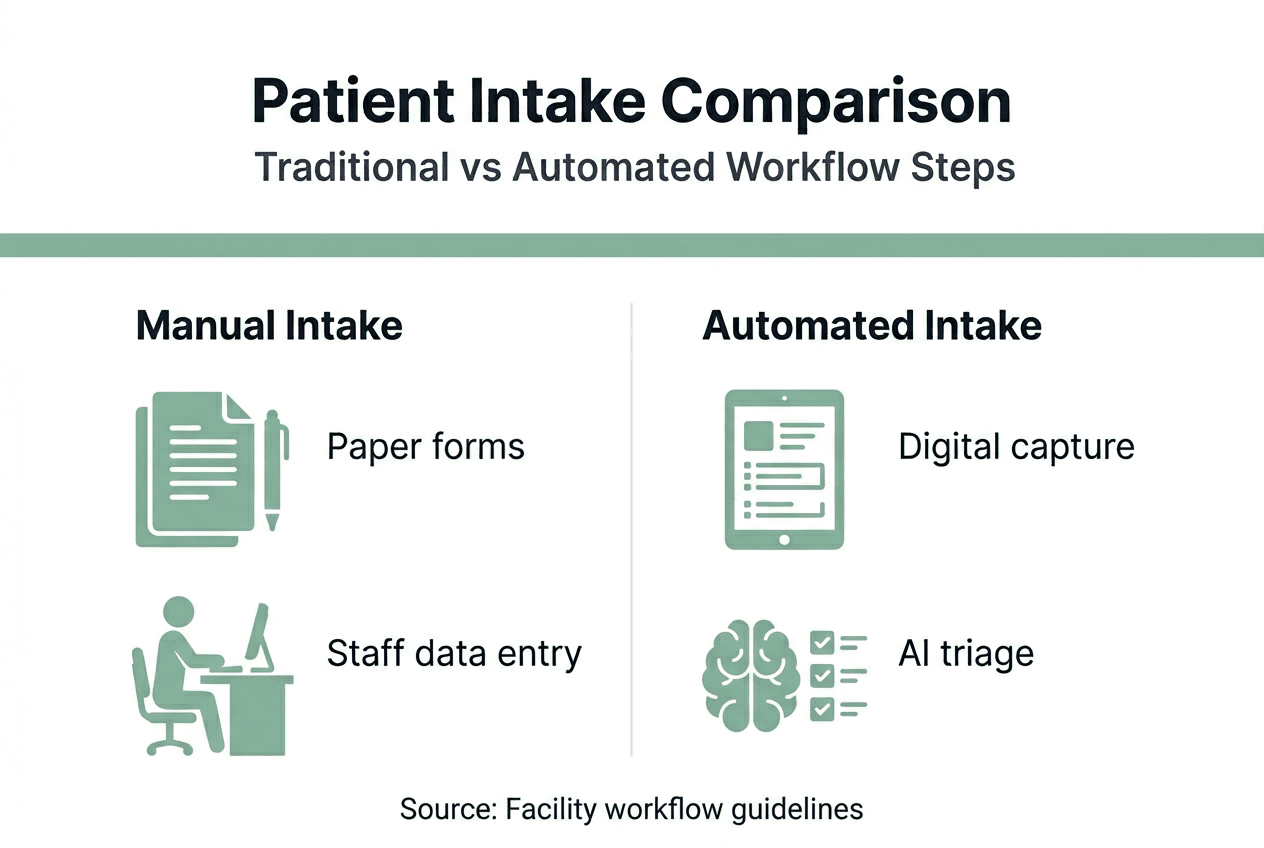
The difference between manual and automated intake becomes clear when you examine workflow speed, accuracy, and staff experience side by side. Traditional processes rely heavily on human effort at every stage, while automation shifts repetitive work to intelligent systems.
| Aspect | Traditional Intake | Automated Intake |
|---|---|---|
| Data capture | Manual entry from faxes and PDFs into multiple systems | AI extracts and populates fields automatically from any format |
| Document handling | Paper files, scanning, manual sorting and filing | Digital workflow with automatic categorization and indexing |
| Verification | Staff make phone calls and check portals individually | Real-time integration with insurance and EHR systems |
| Processing time | Hours per referral with potential multi-day delays | Minutes per referral with immediate alerts for issues |
| Error rate | High due to transcription mistakes and missing data | Low with validation rules and duplicate detection |
| Staff workload | Repetitive data entry dominates daily tasks | Focus shifts to clinical review and relationship management |
Real-world results demonstrate the impact. Nazareth Home reduced intake time from hours to minutes after implementing automated data management tools that streamlined referral processing and eliminated redundant data entry. Their admissions team gained capacity to handle more referrals without adding staff, directly improving bed occupancy rates.
Automated systems deliver consistent benefits:
- Improved accuracy through validation rules that catch errors before they propagate downstream
- Faster admissions by eliminating wait times for manual data entry and verification
- Reduced staff burden as coordinators spend less time on paperwork and more on patient-centered activities
- Better revenue capture through quicker bed fills and optimized payer mix
The transition from traditional to automated workflows doesn’t happen overnight, but facilities that prioritize incremental improvements see measurable gains within weeks. Start with the highest-volume pain points—document extraction and insurance verification—and expand automation as your team gains confidence.
Best practices to optimize patient intake for skilled nursing facilities
Implementing efficient intake workflows requires both technology adoption and process discipline. These strategies help you maximize the return on automation investments while maintaining high standards for patient care and regulatory compliance.
- Standardize referral intake protocols: Create templates for required documentation, establish clear acceptance criteria, and define escalation paths for complex cases. Consistency reduces confusion and speeds decision making.
- Deploy AI-enabled extraction tools: Invest in platforms that automatically pull data from diverse formats and populate your admissions system. Optimizing patient intake workflows significantly increases efficiency and revenue for skilled nursing facilities by reducing manual touchpoints.
- Integrate tightly with existing systems: Ensure your intake platform connects seamlessly with your EHR, billing system, and insurance portals. Real-time data flow eliminates duplicate entry and keeps information current.
- Train staff comprehensively: Technology only delivers value when your team understands how to use it effectively. Provide hands-on training, create quick reference guides, and designate super-users who can troubleshoot issues.
- Monitor performance continuously: Track metrics like referral-to-admission time, conversion rates, documentation completeness, and staff satisfaction. Use this data to identify bottlenecks and refine workflows.
- Establish feedback loops with referral sources: Communicate clearly about required documentation, expected timelines, and reasons for declined referrals. Strong relationships with hospitals and case managers improve referral quality and volume.
Faster access to complete information maximizes staff time and improves care decisions by ensuring clinical and financial data align before admission. When your team can instantly verify eligibility, assess care needs, and confirm bed availability, placement decisions become both faster and more accurate.
Pro Tip: Prioritize early identification of high-risk patients during intake review. Flagging individuals with complex medical needs, behavioral challenges, or high readmission risk allows you to allocate appropriate resources upfront, improving outcomes and reducing costly returns to acute care.
Successful optimization balances technology with human judgment. Automation handles data-heavy tasks with speed and accuracy, while your experienced admissions team focuses on nuanced clinical assessment, family communication, and strategic referral relationship management. This division of labor creates a workflow that’s both efficient and patient-centered.
Enhance your patient intake workflow with Smart Admissions solutions
You’ve learned how workflow complexity slows admissions, how AI automation eliminates manual bottlenecks, and which best practices drive measurable efficiency gains. Now it’s time to put these insights into action.
Smart Admissions delivers purpose-built tools designed specifically for skilled nursing and post-acute care facilities like yours. Our referral management platform centralizes intake processes, automates data extraction, and provides real-time eligibility verification so your team can make faster, more informed placement decisions. Step-by-step guided workflows built into our intake process ensure nothing falls through the cracks, while comprehensive documentation tools reduce errors and accelerate processing. Experience how the right technology transforms your admissions operation from a resource drain into a revenue driver.
Frequently asked questions
What is a patient intake workflow in skilled nursing?
A patient intake workflow encompasses all steps from receiving an initial referral to completing admission documentation and placing the patient in an appropriate bed. This includes document collection, data entry, insurance verification, clinical assessment, and final placement decision. Each stage requires coordination among admissions staff, clinical teams, and external partners.
How does automation improve patient intake efficiency?
Automated systems extract data from referral documents faster than manual entry, reduce transcription errors through validation rules, and accelerate admission decisions by providing instant access to complete patient information. This speeds throughput, increases bed occupancy, and frees staff to focus on care coordination rather than paperwork.
What are the common challenges in patient intake workflows?
Manual data entry creates bottlenecks and introduces errors when staff retype information from faxes and scanned documents. Document management issues arise from incomplete records, missing pages, and illegible handwriting. Inefficient referral tracking leads to duplicate work or lost opportunities, while slow decision making delays bed fills and reduces revenue.
Can AI integration reduce hospital readmissions?
Yes, AI-driven solutions improve accuracy of patient placement by flagging high-risk cases and ensuring care capabilities match patient needs before admission. Better placement decisions reduce inappropriate admissions and lower readmission risks, helping facilities avoid penalties and maintain quality ratings. AI also supports ongoing monitoring to identify potential complications early.