
TL;DR:
- Effective documentation management in SNFs ensures timely patient admissions and compliance with CMS requirements. Automating workflows and involving frontline staff in template design improve accuracy and reduce delays, enhancing referral speed. Regular audits and targeted process improvements are essential for maintaining efficient, compliant, and patient-centered documentation practices.
A single missing clinical note or a delayed Minimum Data Set (MDS) submission can stall a referral for days, leave a bed empty, and expose your facility to compliance penalties. Many administrators assume that adding more documentation steps protects against these outcomes, but the reality is more nuanced. Poorly structured documentation processes create their own risks, including staff burnout, slower decision-making, and lost admissions revenue. This article clarifies what effective documentation management actually looks like for skilled nursing facilities (SNFs), and how your team can use it to accelerate referral processing and strengthen patient intake.
Table of Contents
- Understanding documentation management in SNFs
- How documentation management impacts referral processing
- Balancing documentation thoroughness and workflow efficiency
- Action steps to enhance documentation management in your SNF
- Why most SNFs get documentation management wrong—and how to fix it
- Take the next step: Streamline your SNF’s documentation and intake
- Frequently asked questions
Key Takeaways
| Point | Details |
|---|---|
| Quality reporting requires precision | CMS mandates accurate, timely documentation for SNF quality reporting and census tracking. |
| Balance is better than bulk | Capturing meaningful information as work happens beats exhaustive after-the-fact documentation every time. |
| Workflow fit drives efficiency | Documentation routines tailored for real-world admissions cut delays and errors. |
| Digital tools reduce bottlenecks | Automation and digital workflows reduce manual effort and speed up referral processing. |
Understanding documentation management in SNFs
Now that we’ve set the stage for why documentation matters, let’s dig into what documentation management actually involves for your facility.
Documentation management in a skilled nursing facility covers far more than keeping paper files organized. It includes the intake forms collected at referral, the clinical assessments entered into your Electronic Health Record (EHR), insurance verification records, care plan data, compliance submissions, and every handoff note that passes between departments. Each of these data points plays a role in whether a patient gets admitted quickly, whether a payer approves coverage, and whether your facility passes a regulatory audit.
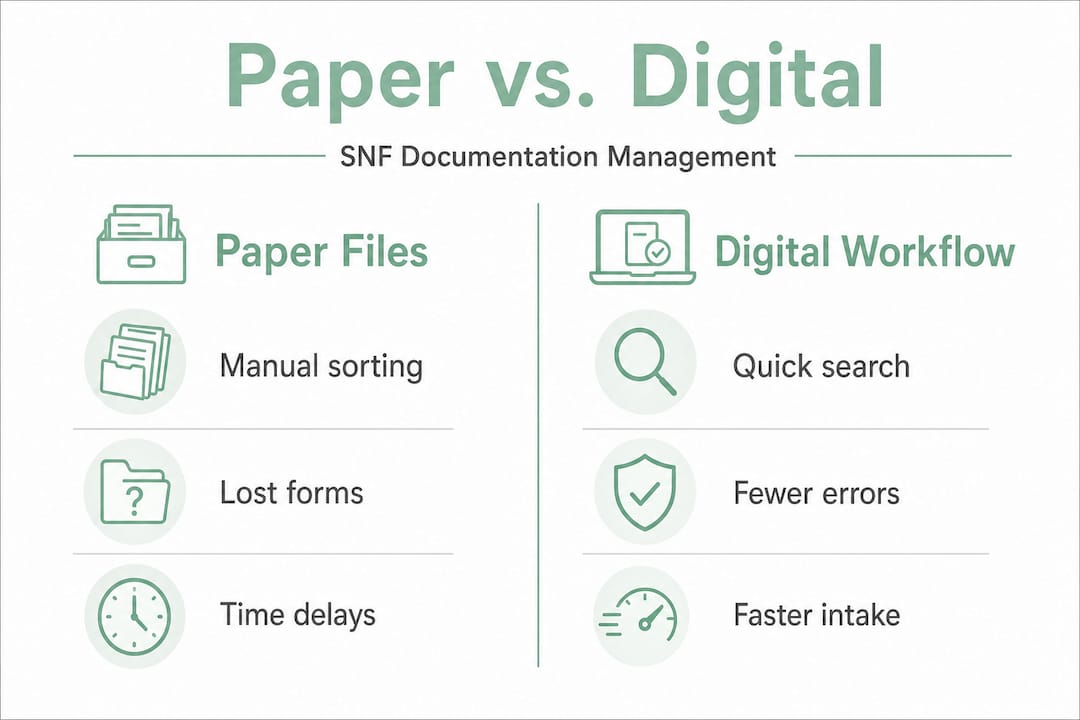
A well-managed documentation system directly affects your census. When documentation is accurate and complete at the point of referral, your admissions team can make faster decisions. When it falls short, beds sit empty while staff chase missing records. Your SNF documentation management guide can help you see where specific gaps are most likely to occur in your current workflow.
Consider the core areas documentation management covers:
- Referral intake: Clinical summaries, physician orders, and insurance authorizations received from referring hospitals or case managers
- Compliance and reporting: MDS assessments, care plans, and incident reports required by the Centers for Medicare and Medicaid Services (CMS)
- Audit readiness: Organized records that support both internal quality reviews and external regulatory inspections
- Patient handoffs: Transition documents that ensure continuity of care between departments, shifts, or facilities
“CMS requires SNFs to support quality reporting using MDS assessment data to identify SNF stays, indicating that correct documentation timing and data elements are operationally critical for reporting.”
This CMS requirement is not optional, and the timing of MDS submission windows is strict. Missing these windows or entering incomplete data can affect your quality reporting scores, which in turn influence your Five-Star Quality Rating and your facility’s visibility to referral sources. Balancing thoroughness with efficiency is not just a best practice. It is a financial and regulatory necessity.
How documentation management impacts referral processing
Understanding the basics makes it easier to see how documentation practices directly impact referral flow and patient intake.
Referral processing speed is directly tied to the quality and completeness of incoming documentation. When a hospital case manager sends a referral to your facility, your admissions team needs to quickly assess clinical appropriateness, insurance eligibility, and bed availability. If any of these pieces are missing or inaccurate, the review stalls. The referring hospital may move on to another SNF, and your facility loses the admission.

Here is a comparison of manual versus automated documentation workflows and their typical impact on referral processing:
| Factor | Manual workflow | Automated workflow |
|---|---|---|
| Referral review time | 4 to 8 hours per referral | Under 1 hour per referral |
| Error rate in data entry | High due to manual transcription | Low with structured data pulls |
| Insurance verification speed | 24 to 48 hours | Real time or same day |
| MDS submission accuracy | Dependent on individual staff knowledge | Standardized and system-supported |
| Staff time spent on paperwork | High, limits patient-facing work | Reduced, enabling more direct care |
The contrast is stark. Facilities that invest in automating documentation consistently report faster turnaround times on referral decisions. This speed matters because hospital discharge planners often send referrals to multiple SNFs simultaneously and accept the first one that responds with a complete, positive assessment.
Here are the key steps accurate documentation enables in referral processing:
- Clinical eligibility screening: Timely and precise clinical notes allow your team to confirm whether the patient’s diagnosis, care needs, and acuity level align with your facility’s capabilities before the patient arrives.
- Payer authorization: Correct coverage details, prior authorization forms, and diagnosis codes sent to the payer in the right format speed up approval, reducing holds on admission.
- Bed assignment: When occupancy data and clinical requirements are both documented in real time, matching a patient to the right bed type becomes a faster, more reliable decision.
- Compliance confirmation: Structured documentation ensures that MDS assessment timelines are triggered correctly from day one, protecting your quality reporting scores from the start.
Pro Tip: Train your admissions team to request a standardized referral checklist from referring hospitals. When incoming packets consistently include the same clinical and insurance data elements, your team spends less time tracking down information and more time making admission decisions.
Slow documentation is not always a technology problem. It is often a process design problem. If your team is streamlining administrative tasks without first mapping out where delays actually occur, the efficiency gains will be limited. Start by measuring how long each step in your referral review process actually takes, then target the slowest steps with specific process changes or technology solutions.
Balancing documentation thoroughness and workflow efficiency
With the direct impact established, let’s confront a real dilemma: How much documentation is enough, and how can you avoid common traps?
The instinct to document everything is understandable. Administrators want to protect their facilities from audits, denials, and liability. But over-documentation creates its own set of problems. Staff spend more time entering data than providing care. Reviewers spend more time sifting through unnecessary records to find critical information. And when documentation is done after the fact to fill in template fields, the genuine clinical decision context is often lost.
Research on documentation best practices confirms this tension. As noted in documentation design strategy, better documentation must balance thoroughness with workflow practicality. Documenting more, or documenting after the fact, can miss the decision context and create bottlenecks if the process is poorly designed.
Here is a practical overview of documentation scope and its impact:
| Documentation approach | Benefit | Risk |
|---|---|---|
| Minimal, real-time entries | Fast, captures actual decisions | May miss required data elements |
| Comprehensive post-hoc entries | Thorough, covers all fields | Loses context, creates backlog |
| Structured templates, completed at point of care | Balances speed and completeness | Requires proper template design |
| AI-assisted, workflow-integrated documentation | High accuracy, minimal staff burden | Requires setup and staff training |
The advantages of automated documentation become clearest when you look at structured template approaches supported by automation. These systems prompt staff to capture the right data at the right time, without requiring them to memorize every required field or go back and fill in records from memory hours later.
Common pitfalls to avoid in your documentation workflow include:
- Redundant data entry: Entering the same patient information in multiple systems manually wastes time and introduces inconsistency
- Template bloat: Forms with too many optional fields encourage staff to skip sections or fill them in with generic responses
- Late documentation: Completing records hours after a clinical event reduces accuracy and can create compliance gaps
- No clear ownership: When documentation responsibilities are unclear across shifts or departments, records fall through the cracks
Pro Tip: Review your intake templates every six months. Remove any fields that are not actively used in clinical decisions or required for compliance. A shorter, well-designed form completed accurately is always more valuable than a long form completed inconsistently.
Optimizing workflow efficiency does not mean cutting corners. It means removing the parts of the documentation process that add time without adding value. When your team has a lean, well-designed system, they can document thoroughly and keep the intake process moving. Patient experience depends on this kind of smooth coordination, and research in patient experience optimization consistently shows that administrative friction directly affects overall satisfaction scores.
Action steps to enhance documentation management in your SNF
Having considered the balance needed, what can administrators do right now to optimize documentation for better outcomes?
Start with a workflow audit. Before investing in new software or redesigning templates, your team needs a clear picture of where the current process breaks down. Map out every documentation step from the moment a referral arrives to the moment a patient is admitted and their first care plan is filed.
Follow these steps to build a stronger documentation management system:
- Audit your current documentation workflow. Identify where delays occur, where data is entered more than once, and where staff report the most frustration. Use this data to prioritize your improvements.
- Map required data elements to CMS standards. Cross-reference your intake forms and MDS submission process against CMS reporting requirements to confirm you are capturing every required field at the correct time.
- Invest in purpose-built digital tools. Generic EHR systems often require significant customization to support SNF-specific workflows. Purpose-built platforms designed for post-acute care typically offer pre-configured templates, automated MDS triggers, and integrated insurance verification.
- Train staff at point of workflow, not just onboarding. Documentation quality drops when staff training happens once and is never reinforced. Build short refresher training into regular team meetings, and use real examples from your own facility.
- Set measurable targets. Define what good documentation performance looks like. Examples include referral review time under two hours, MDS submission error rate below five percent, and intake form completion rate above ninety-five percent.
- Build feedback loops with clinical and admissions staff. The people completing documentation every day know where the process fails. Regular structured conversations with frontline staff generate practical improvements that management often misses.
Your documentation management strategies should evolve as your census and staffing levels change. A process that worked well with ten beds occupied may create real problems when occupancy rises to ninety percent. Build in quarterly reviews so your documentation system stays aligned with your actual operating conditions.
Key areas where workflow automation delivers the fastest return include:
- Automated referral packet review: AI tools can scan incoming referral documents and flag missing clinical or insurance data before it reaches your admissions coordinator
- Real-time eligibility verification: Connecting your platform directly to payer portals eliminates manual insurance calls and reduces approval delays
- MDS trigger alerts: Automated alerts remind staff when MDS assessment windows are opening or approaching deadline, reducing late submissions
- Reporting dashboards: Real-time visibility into referral volume, admission rates, and documentation completion rates helps administrators make faster, better-informed decisions
Pro Tip: When evaluating documentation technology, prioritize platforms that integrate with your existing EHR via FHIR or HL7 standards. This reduces duplicate data entry and keeps all records consistent across systems without requiring manual exports or imports.
Why most SNFs get documentation management wrong—and how to fix it
Before wrapping up, let’s reconsider common mistakes most SNFs fall into, and what’s genuinely effective.
The most common mistake is defaulting to volume as a proxy for quality. When a facility faces an audit or a denial, the first instinct is to add more documentation requirements. Leadership issues new templates, expands form fields, and requires additional sign-offs. This response feels protective, but it rarely addresses the actual problem. More often, it slows the team down and adds frustration without improving compliance outcomes.
The root issue is that most documentation systems in SNFs are designed from the top down, by administrators and compliance officers who are not doing the documentation themselves. The result is forms that are optimized for audit appearances rather than for the clinical decisions staff actually make during admissions and care planning. When staff have to work around a documentation system rather than through it, they find shortcuts, and those shortcuts are where real compliance risks emerge.
As documentation design research highlights, documentation that misses decision context creates compounding problems. A note entered three hours after an admission decision was made cannot accurately reflect the clinical reasoning that drove it. Over time, this erodes the evidentiary value of your records and makes them less useful to both clinical staff and auditors.
What actually works is context-aware, user-driven documentation design. This means involving your admissions coordinators, nurses, and MDS coordinators in building and refining your documentation templates. It means configuring your systems so that prompts appear when the relevant clinical event happens, not as a separate administrative task at the end of a shift. And it means reviewing real automation results regularly to confirm that your technology is actually reducing documentation time and error rates, not just digitizing an inefficient paper process.
Leaders who empower frontline teams to refine documentation routines consistently see better compliance outcomes than those who mandate rigid top-down processes. Your team is your best source of insight into where the system works and where it fails.
Take the next step: Streamline your SNF’s documentation and intake
With fresh strategies and perspective in hand, here’s how you can apply these insights to transform your own SNF’s documentation management and admissions.
Smart Admissions is built specifically for skilled nursing facilities navigating exactly these challenges. From AI-assisted referral review to integrated eligibility verification and automated MDS tracking, the platform is designed to reduce documentation burden while improving accuracy and speed.
Explore how referral management benefits can directly strengthen your census, or use our faster intake process guide to identify the steps where your current workflow loses the most time. For administrators ready to move from manual processes to structured automation, our workflow automation tools provide a practical, configurable solution built around SNF-specific workflows. Your team deserves tools that reduce friction, not add to it.
Frequently asked questions
What happens if SNF documentation is incomplete during admissions?
Incomplete documentation can delay patient admission, disrupt referral flow, and lead to compliance penalties. CMS requires accurate MDS data and timing for SNF quality reporting, meaning gaps in records can affect both your quality scores and payer reimbursements.
Why not just document everything to ensure compliance?
Over-documenting wastes staff time and often misses the genuine clinical context of decisions. As documentation best practices note, documenting more or after the fact can create bottlenecks and reduce the practical value of your records without improving compliance.
How can automation help SNFs with documentation management?
Automation tools streamline data entry, reduce transcription errors, and ensure that MDS assessment windows and payer verification steps are triggered on time, all of which support CMS compliance and faster referral approvals.
How often should SNFs audit their documentation practices?
Quarterly audits are recommended. Regular reviews help your team identify workflow bottlenecks, remove outdated form fields, and ensure that your documentation process stays aligned with both CMS requirements and your current census level.