
Managing skilled nursing facility admissions feels overwhelming when every referral means juggling paperwork, chasing documents, and navigating clunky workflows. Admissions coordinators and administrators everywhere know that a functional, organized intake system forms the backbone of smooth, rapid patient admissions. By focusing on efficient, automated intake processes and role-based user access, you can eliminate bottlenecks, safeguard sensitive information, and give your team more time to care for new arrivals instead of pushing paper.
Table of Contents
- Step 1: Prepare Intake Platform And User Accounts
- Step 2: Import Referrals And Retrieve Patient Data
- Step 3: Verify Eligibility And Clinical Requirements
- Step 4: Automate Documentation And Approvals
- Step 5: Confirm Admission And Optimize Occupancy
Quick Summary
| Key Point | Explanation |
|---|---|
| 1. Set Up the Intake Platform Properly | Choose an intake platform that fits your facility’s needs and configure user accounts with role-based permissions to prevent bottlenecks later. |
| 2. Organize Referral Data Efficiently | Connect to multiple referral sources and structure imported data to ensure that critical patient information is easily accessible for the admissions team. |
| 3. Establish Clear Eligibility Criteria | Create written inclusion and exclusion guidelines to ensure consistent and informed decision-making across all referrals to protect your facility and patients. |
| 4. Automate Documentation and Approvals | Set up your platform to handle document routing and approval notifications automatically to eliminate manual tracking and speed up the admissions process. |
| 5. Confirm Admissions Thoroughly | Send formal admissions confirmations, strategically assign beds, and maintain open communication to optimize occupancy and ensure a smooth patient transition into your facility. |
Step 1: Prepare intake platform and user accounts
Your admissions team relies on a functional intake platform to move patients through the system efficiently. This step involves setting up your chosen platform, configuring user accounts for your team members, and establishing the foundation that connects referral requests to your clinical workflows. Getting this right at the start prevents bottlenecks later and ensures your team can access what they need when they need it.
Begin by selecting a platform that aligns with your facility’s needs. This could be your existing Electronic Medical Records system, a specialized intake solution, or a combination of tools. Once selected, you’ll want to set up user accounts for each team member who participates in admissions. Typically, this includes your admissions coordinators, clinical staff, insurance verification specialists, and supervisors who oversee the process. When managing access and linking tasks within your platform, assign role-based permissions so that each person sees only what they need to complete their responsibilities. An admissions coordinator might have full visibility into patient demographics and insurance information, while a clinical reviewer focuses on medical assessments. This role-based approach protects sensitive information and keeps your team focused on their specific duties. Configure your platform to capture the essential information you need upfront. When structuring your intake questions, prioritize questions that establish rapport with patients while gathering critical data like medical history, insurance details, and bed preferences. Avoid overwhelming patients with unnecessary questions during initial intake. Test user account access thoroughly before your team begins using the system in production. Have each team member log in, navigate their assigned sections, and confirm they can perform their core functions. This testing phase catches permission issues, confusing workflows, or missing integrations before they impact patient admissions.
Here is a summary of key roles involved in the admissions intake platform and their primary responsibilities:
| Role | Main Responsibility | Typical Platform Access |
|---|---|---|
| Admissions Coordinator | Oversee intake workflow | All patient demographics |
| Clinical Staff | Review medical assessments | Medical history, care plans |
| Insurance Specialist | Verify coverage | Insurance details only |
| Supervisor/Administrator | Manage permissions, oversight | Full-system & audit capabilities |
Pro tip: Set up a dedicated administrator account separate from daily users so someone can manage permissions, troubleshoot access issues, and maintain the platform without disrupting the intake workflow.
Step 2: Import referrals and retrieve patient data
Once your platform is set up and your team has access, the next critical step is establishing a reliable system for importing referrals and pulling complete patient data into your intake workflow. This process transforms incoming referrals from external providers into actionable admission opportunities, ensuring your team has all the clinical and demographic information needed to make informed decisions quickly.
Start by identifying the data sources your facility receives referrals from. Most skilled nursing facilities receive referrals through multiple channels: hospitals, physician offices, insurance companies, and care coordinators. Each source may use different systems and formats. Your intake platform should connect to these sources or provide clear instructions for manual data entry when electronic integration isn’t available. When importing referral data, you’ll want to capture the patient’s basic demographics first, followed by their clinical summary and medical history. A closed-loop referral process ensures that patient data is accurately retrieved and tracked throughout the referral lifecycle, improving continuity of care and reducing errors. This means confirming that all necessary documents arrived with the referral and that nothing was lost in transmission. Look for key information like recent hospital summaries, discharge notes, medication lists, insurance verification details, and any special care requirements the patient may need. When you’re sending referrals electronically, your receiving system should automatically capture these documents without requiring manual copying between systems. If your facility uses an EMR system, many of these tools now support direct electronic data exchange with hospitals and health systems in your region. Organize the imported data so your admissions team can quickly review what matters most. Create a standardized view that highlights the patient’s medical complexity, insurance status, and any urgent care needs. This organization prevents important details from getting buried in lengthy clinical notes. Once data is imported and organized, have a team member verify its accuracy. Check that patient names, dates of birth, and insurance information match what was received. Incomplete or incorrect data at this stage causes delays later, so catching issues now saves valuable time.
Here is a comparison of common referral sources and the challenges each presents when importing patient data into your intake system:
| Referral Source | Typical Data Format | Import Challenge | Best Integration Approach |
|---|---|---|---|
| Hospital | Electronic/EMR | Compatibility issues | Direct data exchange |
| Physician Office | Fax/Electronic | Incomplete information | Defined intake workflow |
| Insurance Company | Electronic/Portal | Missing clinical details | Automated verification |
| Care Coordinator | Email/Phone | Manual entry required | Standardized templates |
Pro tip: Set your platform to automatically flag referrals missing critical information like insurance verification or recent clinical summaries, so your team knows immediately which cases need follow-up rather than discovering gaps during the clinical review.
Step 3: Verify eligibility and clinical requirements
With referral data now in your system, your team needs to systematically verify that each patient meets your facility’s admission criteria and clinical requirements. This step determines which referrals become actual admissions and which need to be declined or discussed further with referring providers. Getting this right protects your facility from inappropriate placements while ensuring patients receive the level of care they need.
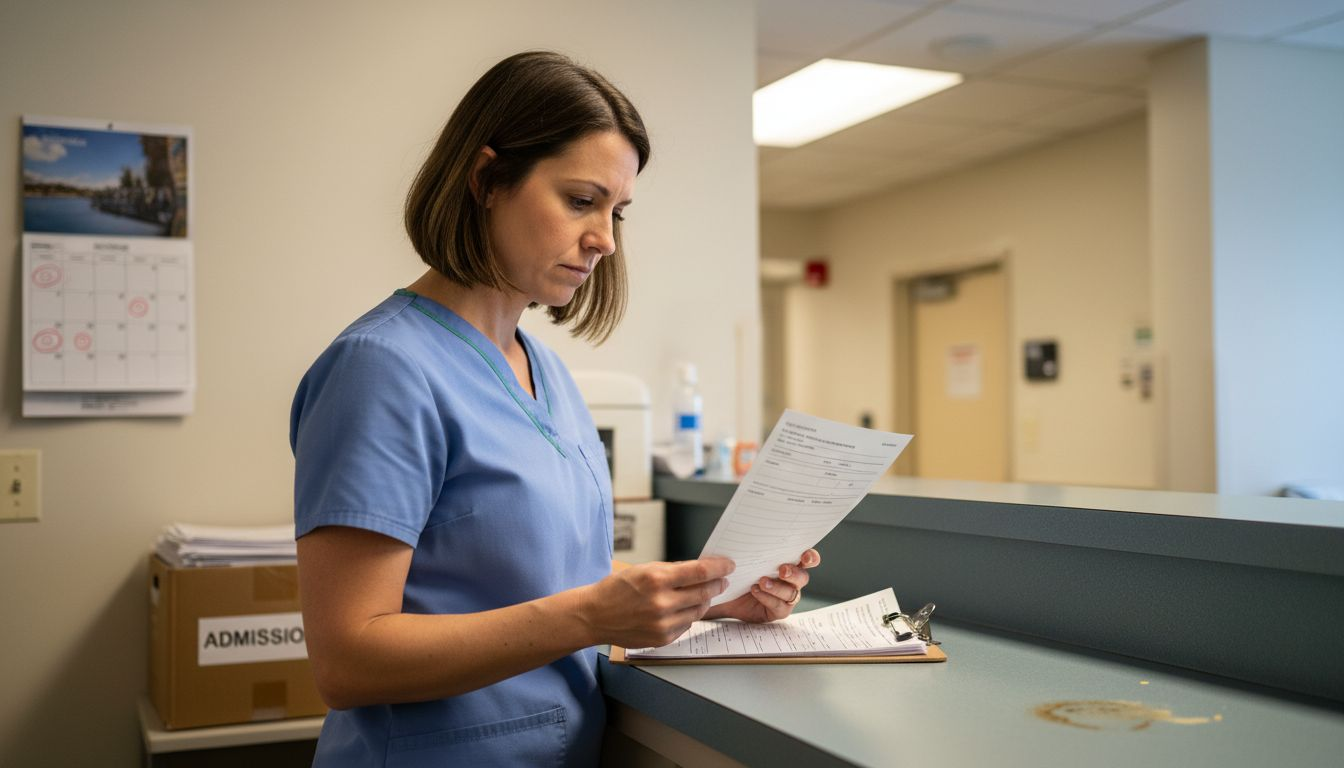
Begin by establishing clear eligibility criteria specific to your facility. Document your inclusion and exclusion parameters upfront, such as the types of diagnoses you accept, required level of functioning, behavioral requirements, and any contraindications that would prevent admission. Using structured eligibility criteria helps your team consistently assess each referral against the same standards rather than making subjective decisions. One coordinator might admit a patient with moderate cognitive impairment while another declines a similar case, creating inconsistency and potential liability. Instead, define criteria clearly in your platform so every team member applies the same expectations. Review insurance eligibility carefully during this phase. Verify that the patient’s coverage is active, that your facility is in network, and that any prior authorization requirements are understood. Insurance denials after admission waste valuable bed days and strain your financial performance. Many skilled nursing facilities now use automated verification tools that check eligibility in real time against multiple insurance carriers, saving your team hours of phone time. Evaluate the patient’s clinical complexity against your facility’s capabilities. Documenting clinical requirements and comparing them to your staff’s expertise, available equipment, and specialized services prevents bad placements. A patient requiring ventilator management needs a facility with respiratory therapy support. Someone with advanced dementia needs a secure unit and specialized behavioral programming. Matching patient needs to facility resources creates better outcomes and improves patient satisfaction. Create a standardized checklist that your admissions team uses for every referral. This checklist should include insurance verification status, clinical complexity assessment, special care requirement review, and facility capacity confirmation. Having team members complete this checklist before clinical review prevents important details from being overlooked. Once eligibility and clinical requirements are verified, document your decision clearly with specific reasons. If you decline a referral, communicate those reasons to the referring provider so they understand your limitations and can place the patient appropriately elsewhere.
Pro tip: Build your eligibility checklist directly into your intake platform so it automatically flags missing verification items, preventing referrals from moving forward until all required information is confirmed.
Step 4: Automate documentation and approvals
Manual documentation and approval cycles create bottlenecks that slow admissions to a crawl. This step involves configuring your intake platform to automatically route documents for review, collect required sign-offs, and track approval status without human intervention. By automating these workflows, your team eliminates hours of email chasing and document tracking each week.
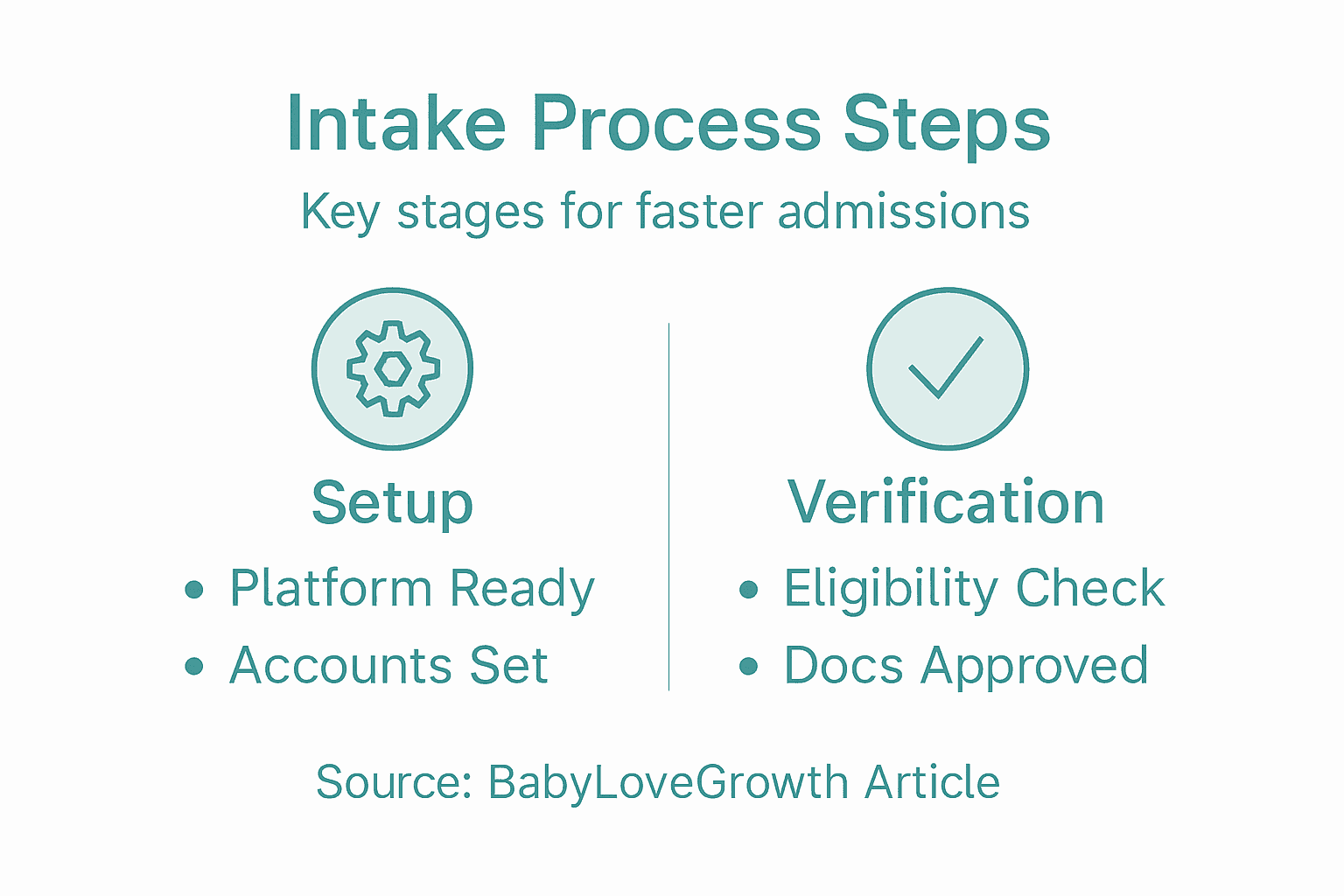
Start by identifying which documents require approval before admission can proceed. Typically these include the admission agreement, physician orders, insurance verification, clinical assessment summaries, and any facility-specific intake forms. Once you have identified these required documents, create standardized templates in your platform that capture essential information consistently. When using standardized templates and electronic systems, you ensure accuracy and compliance while making the approval process faster and more auditable. Rather than coordinators manually compiling documents and emailing them to multiple reviewers, your system automatically routes each document to the appropriate person based on their role. A new admission referral might need approval from your clinical director, your admissions supervisor, and your billing department. An automated workflow routes the referral packet to all three simultaneously rather than sequentially, cutting approval time in half. Configure your platform to notify reviewers when documents await their attention, set deadline reminders for overdue approvals, and flag missing required documents before they slow down the process. Your team should establish clear approval criteria so reviewers understand exactly what they are evaluating. Is the clinical reviewer checking whether the patient is appropriate for your facility? Confirming that all required clinical information is present? Verifying that the patient’s care needs match available staff expertise? Clear criteria prevent reviewers from making inconsistent decisions or holding up cases while seeking clarification. Track all approvals with electronic signatures or confirmation records for compliance and audit purposes. When admissions are fast and documentation is automated, you need confidence that every required step was completed and documented appropriately. Your system should generate audit trails showing who approved what and when, protecting your facility from liability and regulatory scrutiny. Test your automated approval workflow with a few sample referrals before launching facility wide. Have your clinical director, admissions supervisor, and billing staff walk through the process and confirm they receive notifications, can access all necessary documents, and understand the approval expectations. This testing prevents workflow problems that would frustrate your team and slow admissions.
Pro tip: Set your approval notifications to send only when documents are truly ready for review rather than at every step, preventing reviewer fatigue from excessive alerts that distract from actual decision making.
Step 5: Confirm admission and optimize occupancy
Once all approvals are complete, your team moves to the final step before a patient arrives at your facility. This step involves confirming the admission is finalized, communicating details to the patient and referring provider, and strategically managing bed assignments to optimize your facility’s occupancy rates. Getting this right ensures smooth patient transitions and maximizes your revenue from available beds.
Begin by sending formal admission confirmation to all parties involved. Your patient needs clear information about arrival date and time, what to bring, where to go upon arrival, and any pre-arrival instructions. The referring provider needs confirmation that you have accepted the patient so they can finalize their discharge planning. Your internal team needs to know exactly when the patient is arriving and which bed will be assigned. When using process mapping to visualize your admission workflow, you identify exactly which staff members need which information at which time. A missed handoff between your admissions coordinator and your nursing staff could mean no bed is prepared when the patient arrives, creating a chaotic first impression and potential delays in care initiation. Coordinate bed assignment strategically based on the patient’s clinical needs, insurance requirements, and available capacity. If you have multiple beds available, assign the patient to a room that matches their acuity level and care requirements. A patient requiring intensive wound care should be on a unit where nursing staff can monitor dressings closely. Someone with behavioral health needs benefits from being near the secured unit where staff understand dementia care or behavioral management. Smart bed assignment improves patient outcomes while keeping your facility organized and your staff efficient. Update your occupancy tracking system in real time as admissions are confirmed. When establishing occupancy evaluation criteria early in your process, you set clear targets for bed fill rates and can measure how well your intake process performs against those targets. If your goal is 85 percent occupancy and you are consistently running at 78 percent, your data tells you whether the problem is referral volume, approval times, or bed assignment inefficiencies. Track this information weekly so you can identify trends and make adjustments. Communicate with your clinical team about the incoming admission so they can prepare for the patient’s arrival. If the patient has complex medical needs, the nursing director should review the clinical information ahead of time. If the patient requires special equipment or services, those need to be arranged before arrival. This advance preparation prevents scrambling on admission day and gives your team confidence they are ready. Send a courtesy call to the patient one or two days before arrival to confirm they are still coming, answer last-minute questions, and build rapport. This personal touch reduces no-shows and helps patients feel welcomed, improving satisfaction from their very first interaction with your facility.
Pro tip: Build a dashboard that shows your current occupancy rate, pending admissions by arrival date, and average time from referral to confirmed admission, so leadership can spot bottlenecks and celebrate improvements in real time.
Accelerate Your Patient Intake Process with Smart Admissions
The article “Step by Step Intake Process for Faster Admissions” highlights the challenges healthcare facilities face with managing complex intake workflows, verifying eligibility, and coordinating approvals. You know how vital it is to prevent bottlenecks caused by manual tasks, inconsistent eligibility checks, and slow communication. Achieving faster admissions while maintaining accuracy and compliance requires a streamlined solution that ties every step of the process together seamlessly.
Smart Admissions is designed specifically to address these pain points. Our AI-powered referral management assistant automates repetitive administrative tasks like eligibility verification and document routing. It integrates smoothly with your existing Electronic Medical Records and insurance portals so your team can easily import referrals, verify clinical and insurance requirements in real time, and automate approvals to reduce delays. With Smart Admissions, you can increase bed occupancy rates, reduce staff burnout from manual work, and move patients through your intake system faster without sacrificing quality or compliance.
Discover how Smart Admissions transforms patient intake workflows today.
Ready to reduce referral review times and improve admissions efficiency? Visit Smart Admissions to learn how our customizable platform empowers your team to make faster, better-informed placement decisions. Start optimizing your intake process now and watch your facility’s operational performance flourish.
Frequently Asked Questions
How can I prepare my intake platform for faster admissions?
To prepare your intake platform, start by selecting a solution that fits your facility’s needs and configure user accounts for your admissions team. Ensure all roles are assigned proper permissions to streamline access to necessary patient information.
What information should I capture during the intake process?
Capture key details such as patient demographics, medical history, and insurance information during the intake process. Focus on essential questions that foster rapport while gathering critical data, aiming to complete this step quickly for efficiency.
How do I verify patient eligibility for admission?
Verify patient eligibility by establishing clear inclusion and exclusion criteria specific to your facility, and checking the patient’s insurance coverage. Create a standardized checklist to ensure all necessary information is reviewed consistently before making admission decisions.
What documents need approval before a patient is admitted?
Before admitting a patient, common documents requiring approval include the admission agreement, physician orders, and insurance verification. Identify these documents early and set up automated workflows in your intake platform to route them for timely review and signature.
How can I optimize my facility’s occupancy rates after admissions are confirmed?
To optimize occupancy rates, strategically assign beds based on each patient’s clinical needs and available capacity. Monitor occupancy metrics regularly to assess performance and identify areas for improvement in the intake process.
Recommended
- Manual vs Automated Patient Intake: Which Is Better For Your Skilled Nursing Facility? – Smart Admissions
- What Top-Performing SNFs Do Differently in Their Admissions Process – Smart Admissions
- The Busy Administrator’s Guide to Streamlining Referral Processes in Under an Hour – Smart Admissions
- How Our Patient Referral Software Works | Smart Admissions