
Managing admissions in a skilled nursing facility often feels like juggling two separate worlds when EMR systems and referral tracking do not work together. Every disconnected platform means more manual entry and a greater risk of lost revenue or patient delays. Seamless integration between EMR and referral systems helps admissions coordinators avoid data silos, reduce workflow bottlenecks, and maintain compliance standards. This guide walks you through practical steps to align your software, automate eligibility checks, and ensure your team works smarter—not harder.
Table of Contents
- Step 1: Assess EMR And Referral System Compatibility
- Step 2: Configure Integration Settings For Seamless Data Flow
- Step 3: Automate Referral Intake And Eligibility Verification
- Step 4: Test Integration And Validate Workflow Efficiency
Quick Summary
| Key Takeaway | Explanation |
|---|---|
| 1. Assess EMR Compatibility | Document your EMR setup and identify integration gaps to ensure effective communication between systems. |
| 2. Use Standard Protocols | Configure integration using industry-standard APIs like HL7 or FHIR for seamless data exchange. |
| 3. Automate Repetitive Tasks | Implement automation for eligibility checks and data entry to improve efficiency and reduce errors. |
| 4. Conduct Thorough Testing | Create a test environment to validate workflow efficiency, ensuring data populates correctly and alerts function as intended. |
| 5. Gradually Roll Out Integrations | Start with one referral source to troubleshoot and refine before expanding to the full network. |
Step 1: Assess EMR and Referral System Compatibility
Before you connect anything, you need to understand what you’re working with. Your EMR system and referral management processes likely evolved separately, each handling different workflows. Assessing compatibility ensures they can actually communicate without creating data silos or breaking your intake workflow.
Start by documenting your current EMR setup and how referrals flow through your facility today. List the specific systems involved: your primary EMR vendor, any standalone referral tracking tools, insurance verification platforms, and patient communication channels. This inventory becomes your baseline for identifying integration gaps.
Next, gather technical specifications from your EMR vendor about API capabilities, supported data standards, and current integrations. Most modern systems support industry standards like HL7 and FHIR, but your version might have limitations. Ask your vendor directly:
- Does your EMR version support API connectivity or only manual data entry?
- What data standards does your system recognize (HL7 v2, FHIR, proprietary formats)?
- Are there existing integrations with common referral platforms?
- What security certifications does the system hold for data exchange?
Review the technical standards and governance requirements that ensure secure, compliant data sharing between healthcare systems. Understanding these criteria upfront prevents costly rework later.
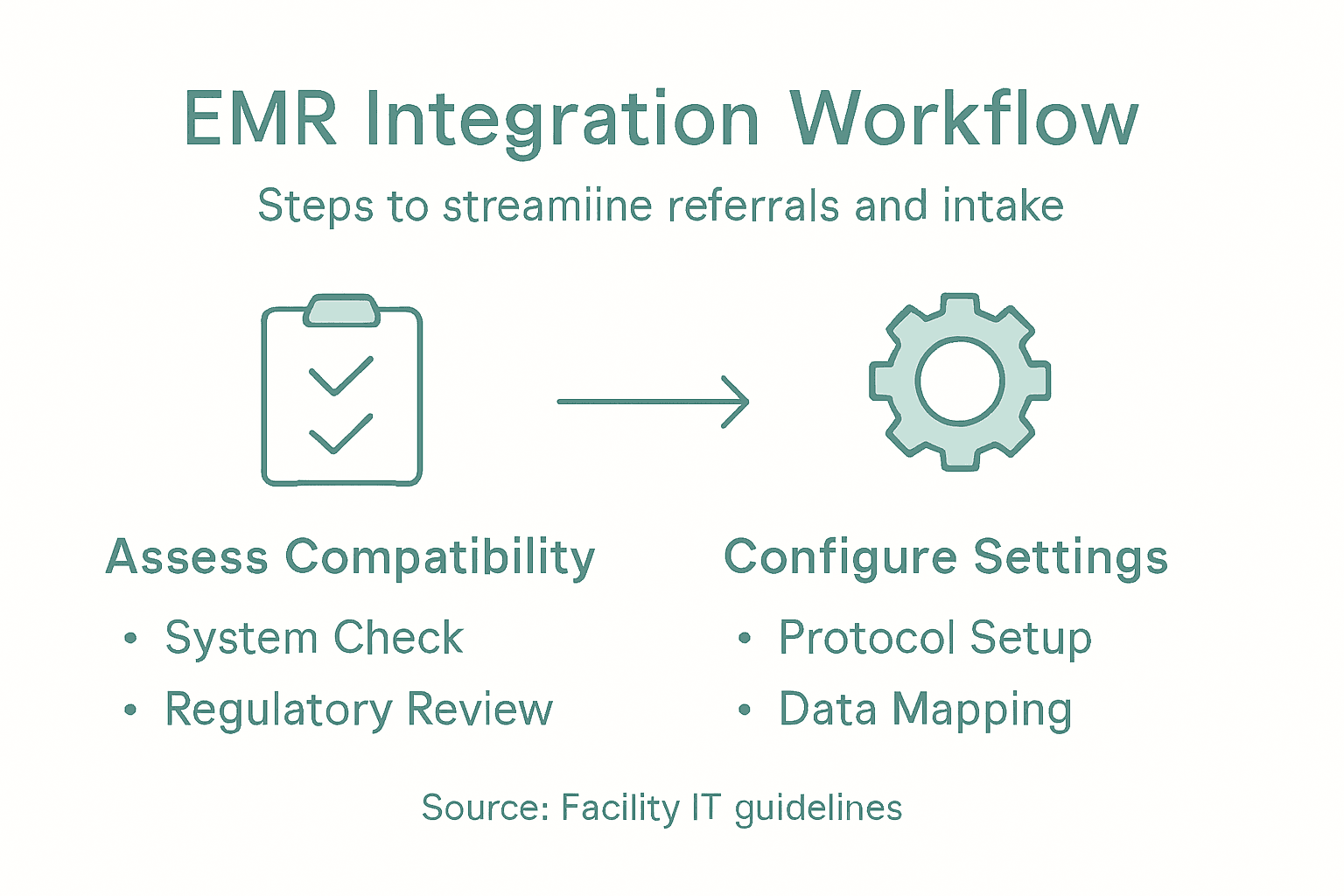
Examine your referral process from intake to placement. Where does referral information enter your system? How many manual handoffs occur? Do admissions coordinators re-enter data that already exists elsewhere? These pain points reveal where integration will have the most impact.
Check staff workflows to identify who depends on which system and how frequently they switch between platforms. If your admissions team toggles between your EMR and a spreadsheet to track referrals, that’s a clear integration opportunity.
Compatibility assessment isn’t just a technical checkbox—it’s your map for designing an integration that actually fits how your team works.
Compare your findings against available referral management systems to see which integration approaches would suit your infrastructure. Some facilities need deep API integration; others benefit more from middleware solutions that sit between systems.
Here’s a summary of integration approaches and their typical use cases:
| Integration Method | Best For | Typical Deployment Time | Complexity Level |
|---|---|---|---|
| Deep API Integration | Large facilities with IT teams | 3-6 months | High |
| Middleware Platforms | Clinics with mixed systems | 1-3 months | Moderate |
| Manual Import Scripts | Small practices, low volume | 2-4 weeks | Low |
| Direct File Exchange | Sites lacking API support | 1-2 weeks | Low to Moderate |
Document any regulatory or compliance requirements specific to your state or facility type. HIPAA compliance is baseline, but some jurisdictions require additional data residency or audit trail standards. Your IT team should flag these early.
Pro tip: Request a test environment or sandbox access from your EMR vendor before committing to integration. A short proof-of-concept test with 5 to 10 referrals reveals real compatibility issues that documentation never catches.
Step 2: Configure Integration Settings for Seamless Data Flow
Now that you understand your systems, it’s time to configure them to actually talk to each other. Your goal here is establishing the technical pathways and rules that will move patient data from referrals into your EMR without manual intervention or errors.
Start by identifying your integration protocol. Most healthcare systems use industry-standard APIs like HL7 or FHIR to exchange data securely. Your EMR and referral platform need to speak the same language. Work with your IT team and software vendors to confirm which protocol both systems support and which version is most current.
Set up your data mapping rules next. This is where you decide which fields from your referral system correspond to which fields in your EMR. Does the referring physician’s name go into a specific provider field? Where should admission date information sit? Creating this map prevents data landing in wrong locations.
Your configuration should address key integration points:
- Patient demographics from referral source into EMR registration
- Clinical information and reason for admission into patient records
- Insurance verification data synced to billing systems
- Referral status updates pushed back to the referring facility
- Real-time alerts when new referrals arrive in your system
Understanding EMR integration configuration helps ensure your settings enable efficient data exchange between systems. Pay special attention to how your facilities handle telehealth, lab results, and pharmacy integrations if those connect to your referral workflow.

Configure your authentication and security settings carefully. Both systems need to verify each other’s identity before exchanging patient data. You’ll likely use API keys, OAuth tokens, or certificate-based authentication. Your IT security officer should review these settings before going live.
Test each data field mapping with sample referrals before full deployment. Send test records through the integration and verify they land in the correct EMR fields with accurate information. This catch errors early when they’re cheap to fix.
Configuration isn’t one-and-done. You’ll refine these settings as your team discovers which data matters most for admission decisions.
Set up monitoring and logging so you can track what data moves through the integration. If something goes wrong later, you’ll have a complete audit trail showing exactly where the breakdown occurred.
Pro tip: Start with a single referral source before connecting your entire network. Once that integration runs smoothly for two weeks, add more sources incrementally. This staged approach prevents system overload and gives you time to troubleshoot without disrupting your entire intake process.
Step 3: Automate Referral Intake and Eligibility Verification
With your integration configured, you can now set up automation rules that handle repetitive intake tasks without human intervention. This step transforms your referral process from manual data entry into a streamlined system that processes referrals while your team focuses on patient care.
Start by defining your eligibility verification workflow. When a new referral arrives, your system should automatically check insurance coverage, benefits, and patient eligibility status. Most insurance platforms offer real-time APIs that respond within seconds. Configure your integration to query these systems immediately upon referral receipt so you have eligibility answers before calling the patient.
Set up automated data population rules. Your EMR should automatically fill common fields based on information from the referral source. Patient name, date of birth, diagnosis, and insurance details should flow directly into the correct record fields without manual entry.
Create automated alerts and routing for your team:
- Route referrals to specific admission coordinators based on patient insurance type or clinical specialty
- Flag referrals that fail eligibility checks for immediate human review
- Send notifications when referral documentation is incomplete
- Alert nursing staff when admitted patients have complex clinical needs
- Trigger bed assignment workflows when eligibility is confirmed
Automating referral intake processes requires attention to barriers and facilitators in electronic systems00250-7/fulltext) that affect implementation success. Understanding these factors helps your facility avoid common pitfalls during automation deployment.
Configure your system to perform duplicate checking automatically. If a patient with the same name, DOB, and insurance already exists in your system, flag it for review rather than creating duplicate records. This prevents billing errors and care coordination failures.
Set up automatic status updates that flow back to referring facilities. When you admit a patient, update the referring physician’s system automatically. This transparency strengthens referral relationships and helps them track outcomes.
Below is a quick-reference table summarizing automation benefits for referral intake:
| Automation Benefit | Impact on Workflow | Typical Example |
|---|---|---|
| Reduced Manual Data Entry | Fewer errors, saves time | Auto populating patient info |
| Quicker Eligibility Checks | Faster admission decisions | Real-time insurance queries |
| Immediate Staff Alerts | Rapid response to issues | Flags incomplete referrals |
| Automatic Status Updates | Better partner relations | Notifying referring doctors |
Automation works best when you automate the right tasks first. Focus on high-volume, repeatable processes that create bottlenecks.
Test your automation with 20 to 30 test referrals before full rollout. Monitor error rates, false positives in eligibility checks, and how often your team needs to manually override automated decisions.
Pro tip: Start automation with your most straightforward referral sources (Medicare patients, single insurance type) before expanding to complex cases. Once your automation accuracy reaches 95% on simple cases, gradually add more complex referral types to the automated workflow.
Step 4: Test Integration and Validate Workflow Efficiency
Before your team uses the integration with real patients, thorough testing ensures everything works as intended. This step prevents errors from reaching your EMR and identifies workflow bottlenecks before they frustrate your staff.
Create a test environment that mirrors your production system. Load sample referrals with various insurance types, admission scenarios, and documentation completeness levels. Your test data should represent your actual patient mix, including edge cases like patients with multiple insurance policies or those without coverage.
Run systematic validation checks across your integrated workflow:
- Verify all referral data populates correctly into EMR fields
- Confirm eligibility verification returns accurate results for test patients
- Test that automated alerts trigger appropriately and route to correct staff members
- Validate that status updates flow back to referring facilities on schedule
- Check that duplicate detection flags similar patients for human review
- Monitor system response times during peak referral processing periods
Perform rigorous data mapping and system reliability checks to identify and resolve integration issues before deployment. This validation approach catches problems while they’re easy and inexpensive to fix.
Have your admissions coordinators use the test system and provide feedback. They know workflow better than anyone. Ask them which automated steps save time and which ones create confusion or require workarounds.
Observe specific metrics during testing:
- Time to complete each referral from receipt to admission decision
- Percentage of referrals processed entirely without human override
- Number of data entry errors compared to your old process
- Staff questions about how to use new features
- System downtime or performance issues
Document all issues you find and have your IT team prioritize fixes. Not every bug needs fixing before launch, but critical issues that block workflow must be resolved.
Testing reveals the gap between what you designed and what actually works. Don’t skip this step hoping everything will run smoothly.
Run a live pilot with a single referral source for two weeks. Process actual patient referrals through your integrated system while your team continues running the old process as backup. This parallel testing shows real-world performance without risking patient care.
Pro tip: Set a clear success threshold before testing begins (for example, 90% of referrals process automatically with zero data errors). This prevents testing from dragging on indefinitely and gives you an objective decision point for full deployment.
Simplify Your EMR and Referral Integration with Smart Admissions
Integrating Electronic Medical Records with referrals can be challenging due to compatibility issues, manual workflows, and the complexity of configuring seamless data exchange. If your team struggles with repetitive intake tasks, eligibility verifications, or duplicate patient records, you are not alone. The article highlights how proper assessment, configuration, automation, and testing are crucial to eliminate bottlenecks and ensure your referral process truly supports your care goals.
Smart Admissions offers a tailored SaaS platform built for healthcare facilities like skilled nursing homes and rehabilitation centers to address these very challenges. Our AI-powered referral management assistant effortlessly integrates with your existing EMR and insurance portals to provide real-time patient eligibility verification, automated clinical assessments, and streamlined documentation management. This reduces errors and manual data entry while accelerating admissions and bed assignments.
Ready to transform your intake workflow with proven automation that keeps data flowing securely and accurately? Visit Smart Admissions today to explore how our platform supports your integration needs and boosts operational efficiency. Discover detailed insights and get started with a system designed for busy healthcare administrators by visiting Smart Admissions. Don’t wait to reduce referral review time and staffing burnout—make your intake process smarter now.
Frequently Asked Questions
What is the first step to integrate EMR with referrals?
Before starting the integration, assess the compatibility of your Electronic Medical Record (EMR) system and referral management processes. Document your current EMR setup and how referrals flow through your facility today to identify integration gaps.
How do I configure integration settings for my EMR and referral system?
To configure integration settings, identify the integration protocol both systems support, such as HL7 or FHIR. Set up data mapping rules to ensure referral information accurately populates the correct fields in your EMR, addressing key integration points like patient demographics and insurance verification.
What tasks can be automated during the referral intake process?
You can automate eligibility verification checks, data population for common fields, and alert routing for your team to streamline the referral intake process. For example, by automating these tasks, you can significantly reduce manual data entry errors and speed up admission decisions by as much as 30%.
How do I test the integration before going live?
Create a test environment that mirrors your production system to load sample referrals and run systematic validation checks. Monitor referral data accuracy, check eligibility verification, and ensure that alerts trigger correctly during the testing phase, allowing for adjustments before full deployment.
What metrics should I monitor after integrating EMR with referrals?
Track metrics such as the time taken to process referrals, the percentage of referrals completed without human intervention, and the number of data entry errors. This will help you measure the effectiveness of your integration and identify areas needing improvement.
How can I ensure ongoing success after the integration?
Continuously monitor the system’s performance and seek regular feedback from admissions coordinators about workflow efficiency. Make necessary adjustments based on this feedback to maintain high performance and streamline the referral process effectively.