
Document version control in admissions means every referral packet, order, assessment and consent in your facility has one clearly identified current version, a preserved history of earlier versions, and a record of who changed what and when. For a skilled nursing facility, that discipline keeps your team from accepting a patient on an outdated hospital summary or sending a family a superseded admission agreement. This guide covers what to track, seven practices that work, the HIPAA and CMS context, and how to decide between manual and software workflows.
TL;DR
- Document version control admissions work means one approved current version per document, a retained history, and an audit trail of every change.
- Start with the referral and admission documents CMS itself lists: referral documentation, orders, assessments, medication lists and hospital discharge summaries.
- Use a document control sheet: version number, date, reason, author and approval for every revision.
- HIPAA’s Security Rule expects access controls, audit controls and protection against improper alteration of electronic PHI.
- Manual tracking raises the risk of human error, so move to a system with revision control and audit trails as referral volume grows.
Table of Contents
- What document version control means for admissions teams
- Which referral and admission documents to put under version control
- 7 practices for reliable document version control in admissions
- Handling hybrid paper and electronic records
- Privacy, security and retention requirements
- Manual tracking or software?
- Our perspective
- How Smart Admissions supports your workflow
- Getting started this quarter
- FAQ
- Sources
What document version control means for admissions teams
The American Health Information Management Association (AHIMA) describes revision control as automatically assigning version numbers to successive health-record documents, such as preliminary and final reports, while usually showing the latest version and preserving the history. AHIMA lists it alongside workflow automation, audit logs, search and retrieval, and legal hold as core record-management functions.
In an admissions office, the idea is the same but the pace is faster. A hospital sends a referral by portal, fax or email. An updated discharge summary follows two hours later. A physician amends an order. Your coordinator now has three versions of the same patient story, and the decision to accept depends on which one is right.
Version control answers three questions at any moment:
- Which version is current and approved?
- What changed between versions, and why?
- Who made the change, and who saw which version before a decision was made?
If your team cannot answer those in under a minute, you have a version control gap, and it usually shows up as a rework loop, a delayed response to the hospital or a hard conversation during survey.
Why it matters operationally
CMS surveyors do not rely only on what your policy says. The agency’s Admission, Transfer and Discharge survey protocol directs reviewers to examine admission documents and check whether residents were informed of their rights, orally and in writing, in a language they understand, before or upon admission. If the form in the chart is an old template or the signed copy does not match the current version, the record weakens your position.
Which referral and admission documents to put under version control
Do not try to control everything on day one. Begin with the documents that drive the accept-or-decline decision and the legal admission record. CMS’s eMDR document codes list is a useful map of what reviewers expect to see in a post-acute record. It includes:
- Referral documentation
- Admission orders and assessments
- Preadmission screening and notes
- Pre-hospital documentation and diagnoses
- History and physicals and current medication lists
- Hospital discharge summaries and consultations
- Medication-administration and treatment records
- Level-of-care and HIPPS support documentation
For admissions teams, we suggest sorting these into three tiers.
| Tier | Examples | Why it changes | Control level |
|---|---|---|---|
| Inbound clinical | Referral packet, discharge summary, H&P, medication list | Hospital updates, late labs, corrected orders | Log every received version with timestamp and source |
| Facility-generated | Preadmission screening notes, level-of-care support, acceptance decision | Staff edits as information arrives | Full control sheet, named approver |
| Legal and policy | Admission agreement, resident rights notices, consent forms, templates | Regulatory and policy updates | Formal approval, retire old versions, record effective date |
Medication lists deserve special attention because they change most often and carry cost and safety consequences. Even outside the facility, guidance on medication list checks makes the same point: a list is only as good as its last verified update.
For a deeper look at what belongs in the packet, see our admissions documentation checklist and the guide to clinical documentation essentials.
7 practices for reliable document version control in admissions
1. Use a document control sheet
A comprehensive approach typically relies on a control sheet that records the version number, date of change, reason, author and approval signatures. The guidance comes from Scottish health boards, but the structure carries over to any US admissions office. Here is a simple format:
| Version | Date | Change made | Reason | Changed by | Approved by |
|---|---|---|---|---|---|
| 1.0 | Date received | Original referral packet | Hospital referral | Intake coordinator | Admissions director |
| 1.1 | Date received | Updated medication list | Hospital sent correction | Intake coordinator | Clinical reviewer |
| 2.0 | Date signed | Final signed admission agreement | Resident signature | Admissions coordinator | Administrator |
2. Separate drafts, working copies and final versions
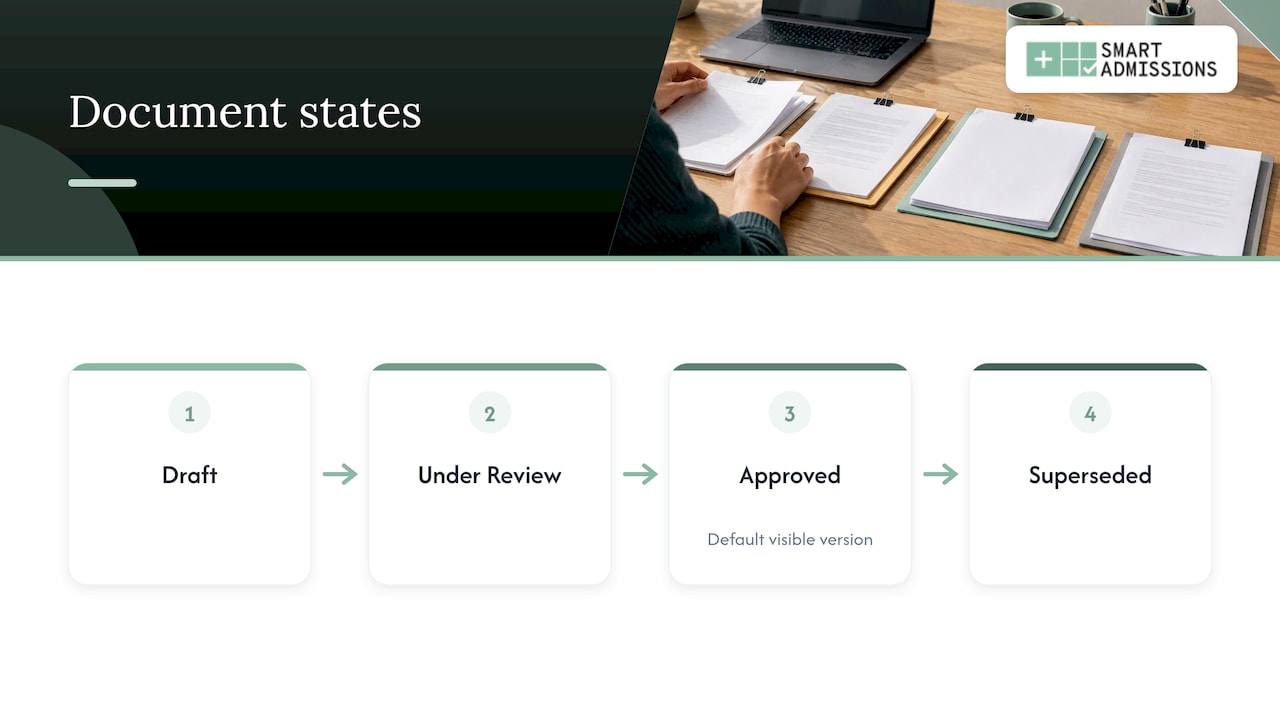
AHIMA notes that version control is needed when documents move from unsigned to signed or amended states. Give each state a label your team recognizes at a glance: Draft, Under Review, Approved, Superseded. Only Approved should be visible as the default.
3. Name files consistently
A naming convention removes guesswork when someone searches a shared drive at 4:45 p.m. A workable pattern is: resident or referral ID, document type, version, and date. For example, REF-48213_DischargeSummary_v2_2026-10-30. Avoid words like “final” or “latest” in file names, since there is always a later one.
4. Keep earlier versions, but flag them
AHIMA advises that facilities decide whether all versions or only the final one is displayed, who may access them, and how earlier versions are flagged. Do not delete superseded documents. Mark them clearly and restrict who can open them, so a coordinator never works from one by mistake.
5. Tell staff when a prior version exists
Caregivers should be told when earlier versions exist and be able to reach them when needed, and system documentation should show when each version was viewable for clinical decisions. In practice, that means a visible banner or note such as “Updated medication list received; prior version on file.”
6. Assign an owner for every document type
Version control fails when everyone can edit and no one is accountable. Name one owner per document type: who approves templates, who confirms the current admission agreement, who reconciles inbound referral updates. Our guide to referral document management covers fixing these ownership gaps.
7. Audit on a schedule
Pull a small sample of recent admissions each month. Check that the version in the chart is the approved one, that the control sheet is complete and that signatures match the version signed. AHIMA’s long-term care guidelines include monitoring guidelines for version control that apply to paper, hybrid and electronic systems.
Handling hybrid paper and electronic records
Most admissions offices are hybrid. Referrals arrive by fax, portal and email, some documents are printed and signed by hand, and the final record lands in an EHR. That mix is where versions get lost.
Three habits help:
- Scan on arrival. Capture every inbound document the moment it arrives, with a timestamp and source.
- Close the paper loop. When a printed form is signed, scan it and link it to the version number it was signed against.
- Hunt for shadow records. HIMSS guidance for SNFs recommends identifying records kept outside the EHR, such as in ancillary departments, and making sure all revisions are captured, annotated and re-sent to any requestor who received a prior version.
It also helps when your coordinators understand the coverage side of the paperwork. A plain overview of Medicare long-term care options can help newer team members see why payer notices and eligibility documents change and need their own version history.
Privacy, security and retention requirements
Version control in admissions is not only good housekeeping. Several federal frameworks touch it.
HIPAA Security Rule
Under the HIPAA Security Rule, regulated entities must implement access controls, audit controls to record and examine activity in systems containing ePHI, and measures to protect ePHI from improper alteration or destruction. A version history with user and timestamp data is how many facilities meet the practical intent of those audit controls for admissions files.
Information blocking
SNFs and other post-acute providers are subject to information blocking regulations, which prohibit practices that unreasonably interfere with access, exchange or use of electronic health information. If a resident or another provider requests a record, your team needs to know which version to release and which earlier versions exist.
CMS record context
CMS’s Appendix PP of the State Operations Manual covers resident rights, confidentiality of records, Medicare and Medicaid notices, comprehensive assessments, care plans and discharge planning. In each area, the approved document version in force at the time matters.
For retention of assessment data, CMS set a 10-year retention policy for patient assessment and survey and certification records in iQIES, counted from the record’s target date, as of October 2019. Your own retention schedule for admissions files should also reflect state law and your counsel’s advice, so confirm it with your compliance lead.
Manual tracking or software?
A spreadsheet and a disciplined naming convention can work for a very low-volume office. The trouble starts when referrals multiply. Manual versioning raises the risk of human error, while digital platforms make creating, signing and completing forms simpler.
AHIMA explains that document-management systems can provide revision control, check-in and check-out, security, audit trails, imaging, retention controls and workflow automation. Use these questions when you evaluate a workflow:
- Does it capture referrals from portal, fax and email in one place?
- Does it keep every version with user and timestamp data?
- Can you restrict who sees superseded versions?
- Does accepted information flow into your EHR without duplicate entry?
- Can leadership report on response times and lost opportunities?
- Can your team configure it to your own rules without a long project?
If you are comparing categories of tools, our overview of referral management systems lays out what each type does.
Our perspective
Most admissions teams do not have a document problem. They have a decision problem that starts with documents. When a referral arrives as a fax, gets amended by email and then shows up again in a portal, the person deciding is guessing which version reflects the patient.
We built Smart Admissions around that reality. It reads every incoming referral, whatever the channel, and evaluates it against your facility’s own clinical capabilities, staffing, payer mix, PDPM reimbursement and bed availability. Each referral is summarized and scored, so your admissions director can give the hospital a confident yes or a defensible no in minutes.
Version discipline is what makes that defensible. When a decision is tied to a clear referral record, med cost alerts flag high-cost medications before acceptance, and accepted referrals flow into PointClickCare without duplicate entry, your team spends less time reconciling paper and more time on hospital relationships.
Our team has worked in admissions, MDS and reimbursement, so we designed the platform around the questions your staff actually ask at 4:45 on a Friday.
Harry
How Smart Admissions supports your workflow
If your team is reconciling referral versions by hand, we can show you a better path. Smart Admissions is a subscription platform priced at $597 per month or $6,447 per year. You can see how the referral software works before you decide, and read more about the platform on our main site.
Getting started this quarter
You can put a working system in place in a few weeks without new software:
- List the ten documents that most often change during admission.
- Name an owner for each one.
- Adopt the control sheet format above and the file naming pattern.
- Retire outdated templates and record their effective dates.
- Run a monthly sample audit and share results with your administrator.
Tie this to your wider intake process through our intake documentation guide and your electronic signature checks, so signed documents always match the version approved.
FAQ
What is document version control in admissions?
It is the practice of tracking every revision of referral and admission documents so staff always use the current approved version and can see earlier ones. It includes version numbers, change records, approvals and access rules. It protects your decisions and your survey record.
Do we need to keep old versions of admission documents?
Yes, in most cases. AHIMA guidance says facilities should decide how earlier versions are flagged and who can access them, rather than deleting them. Confirm retention periods with your compliance officer and state requirements.
Does HIPAA require version control?
HIPAA does not use the term, but the Security Rule requires audit controls and protection of ePHI from improper alteration or destruction. A version history with user and time data supports both.
Can a spreadsheet work for version control?
For a small volume, a spreadsheet plus consistent naming can work. As referral channels and volume grow, manual tracking increases the chance of error, so a system with revision control and audit trails becomes the safer choice.
Sources
- Enterprise Content and Record Management for Healthcare, AHIMA
- Admission Transfer Discharge, CMS
- eMDR Document Codes List, CMS
- Document Version Control Good Practice Guidance, NHS Shetland
- EHRs Serving as the Business and Legal Records, AHIMA
- Maintaining a Legally Sound Health Record, AHIMA
- Electronic Health Record Adoption in Long Term Care, AHIMA
- Understanding the Information Blocking Rule for SNFs, HIMSS
- Summary of the HIPAA Security Rule, HHS
- Information Blocking for LTPAC, ONC
- SOM Appendix PP, CMS
- Internet Quality Improvement and Evaluation System, CMS
- Why Version Control Matters for Accurate Care Policies, MYP