
NaviHealth authorization is required before admitting most Medicare Advantage members to a skilled nursing facility, or you must notify NaviHealth within 24 hours for after-hours transfers. Your first steps: verify the member’s eligibility and delegated vendor, choose a submission channel, and attach a minimal clinical document set. Two deadlines matter most right away: the 24-hour post-admission notification window and the 48-hour clinical documentation upload.
TL;DR:
- Verifying member eligibility and delegated vendor status must occur before submitting or managing post-admission notifications within 24 hours.
- Clinical documentation, including physical assessments and progress notes, should be uploaded within 48 hours of admission to prevent delays.
- Using standardized forms and automation tools can significantly reduce common errors such as missing identifiers or mismatched data fields.
- Continued-stay requests require regular scheduled submissions with updated clinical information, as late filings may lead to uncovered care days.
- In case of denial, prompt appeals with complete documentation and peer reviews are essential to avoid coverage gaps and delays.
Table of Contents
- Quick action checklist: what to do in the next 30 to 60 minutes
- Step-by-step: submitting an initial NaviHealth SNF authorization
- Required clinical documentation and timing rules you need to hit
- Managing concurrent review and continued-stay authorizations
- If an authorization is denied: appeals and BFCC-QIO fast-appeal steps
- A prevention checklist built from real admissions workflows
- What one workflow change taught an admissions team
- Smart Admissions: fewer submission errors, faster authorizations
- FAQ
- Sources
Quick action checklist: what to do in the next 30 to 60 minutes
Before you touch the portal, confirm the basics. Check the member’s ID card and payer instructions to see whether NaviHealth is the delegated review vendor for that plan, since not every Medicare Advantage product routes through it.
- Verify the member’s plan type and delegated vendor status before starting any request.
- Pick your fastest channel: the nH Access or Partner Hub portal when available, or phone and fax for after-hours transfers.
- Attach a minimal document set (history and physical, physician orders, admit date, brief therapy notes) to avoid a basic administrative denial.
- Log the authorization number and your assigned care coordinator’s contact information in your EMR or tracking system immediately after submission.
Our patient eligibility checklist walks through the ten data points worth confirming before your team submits anything.
Pro Tip: Keep a laminated card at the admissions desk listing each payer’s portal URL, phone number, and after-hours fax, since staff lose real time hunting for the right channel during a transfer.
Step-by-step: submitting an initial NaviHealth SNF authorization
UnitedHealthcare’s provider guidance lays out a stepwise prior authorization process that most NaviHealth-delegated plans follow closely. Walk through it in order rather than skipping to the portal.
- Log in to nH Access or Partner Hub and confirm the member’s eligibility record matches your intake data exactly.
- Open the authorization wizard and enter the member ID, date of birth, ordering physician’s NPI, admit date, and proposed length of stay.
- Add a brief clinical rationale explaining the skilled need, since vague entries trigger follow-up requests that cost you a day or more.
- For after-hours transfers, call the payer’s after-hours line and document the time, representative name, and reference number given.
- Confirm receipt by recording the authorization number in your EMR or admissions tracker the same day you receive it.
Common pitfalls include leaving the ordering physician’s NPI blank, mismatching PDPM or CMG fields between your intake form and the portal, and submitting an admit date that does not match your internal census. Each one tends to trigger a request for more information rather than an outright denial, but it still delays bed occupancy. Our admission workflow guide breaks down role assignments for each of these steps if your team is still working out who owns what.
Required clinical documentation and timing rules you need to hit
Once the authorization request is in, the clinical record has to follow fast. Assessments are generally expected within 48 hours of admission so that NaviHealth can calculate an accurate PDPM or CMG level, with full case-mix documentation due by day seven.
- History and physical, physician orders, and the admitting diagnosis.
- PT, OT, and ST evaluations plus ongoing progress notes.
- Nursing assessments, MAR or TAR records, and a current medication list.
- PHQ-9 screening when applicable, along with relevant lab results.
- A discharge plan started at admission, not written the week before departure.
An OIG evaluation found that NaviHealth processed a large share of SNF admission requests and that denials were frequently overturned on appeal, which points to documentation gaps rather than genuine coverage disputes as a leading cause. Incomplete PT or nursing notes at submission are a common reason a reviewer asks for more before approving continued coverage, and a weak PDPM record can undervalue the case mix your facility is actually managing.
Managing concurrent review and continued-stay authorizations
Initial authorizations typically cover a short window, so continued-stay requests are not optional paperwork. They are how you keep the member covered past that first window.
- Submit your continued-stay request on the schedule your NaviHealth coordinator sets, usually weekly, rather than waiting for a denial notice to prompt you.
- Include updated therapy progress notes, nursing documentation, and any change in clinical status since the last review.
- Flag discharge barriers early, since reviewers weigh progress toward goals alongside ongoing medical necessity.
- Track your submission deadlines the same way you track admission deadlines, because a late continued-stay request can create an uncovered gap in the member’s stay.
A missed continued-stay deadline does not just delay payment. It can mean the facility absorbs days of care with no authorization behind them at all.
If an authorization is denied: appeals and BFCC-QIO fast-appeal steps
A denial is not the end of the conversation. Request the specific denial rationale in writing first, then gather any documentation that was missing or incomplete at the time of submission.
- Request a peer-to-peer review with the plan’s medical director when one is available.
- File a plan-level reconsideration request promptly, since most plans work on tight internal timelines.
- For urgent cases involving an imminent discharge, use a BFCC-QIO fast appeal rather than waiting on standard reconsideration.
- If the appeal succeeds, resubmit the claim promptly and check whether any patient payments collected in the interim need to be refunded under CMS guidance.
Pro Tip: Build a standing denial folder for each member with the original submission, denial letter, and every document added during appeal, so a peer-to-peer call does not start with a scramble.
A prevention checklist built from real admissions workflows
Most denials trace back to the same handful of gaps: a missing NPI, an incomplete therapy note, or a PDPM field that does not match the clinical record. A standard intake form that captures all ten essential data points before anyone touches the portal closes most of that gap on its own.
- Use one intake form, every time, with the same required fields in the same order.
- Automate eligibility and PDPM or CMG flags so a missing identifier gets caught before submission, not after a denial.
- Assign one person per payer to own portal credentials and contact details, and keep that log current.
- Set an internal 48-hour checkpoint for clinical uploads, with a named owner who confirms it happened.
| Checkpoint | Owner | Timing |
|---|---|---|
| Eligibility and vendor verification | Admissions coordinator | Before submission |
| Portal authorization request | Admissions staff | Same day as admission |
| Clinical documentation upload | Clinical liaison | Within 48 hours |
| Continued-stay request | Case manager | Weekly, per payer schedule |
What one workflow change taught an admissions team
A single missing NPI field used to generate a round of follow-up calls on nearly every submission at one facility we worked with. Standardizing the intake form cut that back to the exception rather than the rule. Pick one gap in your own process and fix it this week. It compounds faster than most teams expect.
— Harry
Smart Admissions: fewer submission errors, faster authorizations
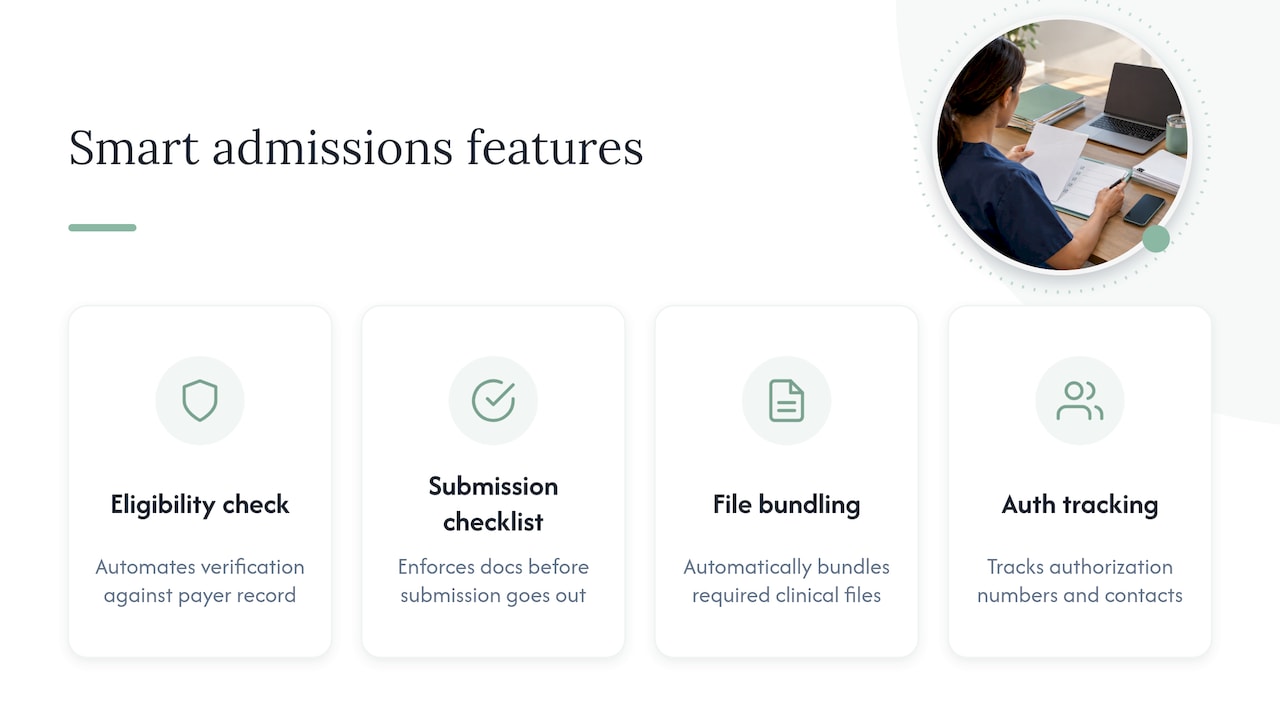
Our platform is designed to address common gaps that slow down NaviHealth submissions: a missing identifier, an unverified eligibility status, or a document that never made it into the portal. The platform automates eligibility verification against the payer record, enforces a documentation checklist before a submission goes out, bundles the required clinical files automatically, and tracks every authorization number and coordinator contact in one place.
Facilities using automation like this may experience fewer administrative denials and shorter turnaround on initial requests, since errors that might occur with manual entry can be caught before submission rather than after. If your team is ready to see what that looks like for your own intake volume, visit our pricing page to compare the Monthly and Annually plans and find the fit for your facility.
This article is general information, not a substitute for advice from a qualified doctor. Consult a qualified healthcare professional about your own circumstances before acting on anything here.
FAQ
What states require preauthorization for Medicare?
Original Medicare generally does not require prior authorization for SNF stays, but Medicare Advantage plans, which operate under separate rules in every state, commonly do. Whether NaviHealth is the delegated reviewer depends on the specific plan and payer contract, not the state alone, so checking the member’s plan documents is the reliable path.
What are the new requirements for Medicare prior authorization in 2026?
Specific national requirement changes are not addressed in current payer or CMS guidance reviewed here. The core process, verify eligibility, submit before admission or notify within 24 hours for after-hours transfers, and complete clinical documentation on a 48-hour timeline, remains the operative standard described in current CMS appeals guidance.
Does UHC require authorization?
Yes. UnitedHealthcare’s provider guidance requires an approved authorization before admitting Medicare Advantage or commercial members to a skilled nursing facility, with portal, phone, and fax channels available for submission.
What are the new CMS guidelines for nursing homes?
Current CMS materials focus on appeals procedures, including BFCC-QIO fast appeals and plan reconsideration timelines, rather than a distinct new nursing home rule set. Facilities should rely on the appeals guidance linked above alongside their specific payer’s SNF authorization instructions for day-to-day submission requirements.
Sources
- BCBSNC guidance: NaviHealth prior plan approval
- Skilled nursing facility prior authorization – UnitedHealthcare
- Medicare Advantage Organizations overturned nearly all appealed SNF denials – OIG highlights
- Parts C & D enrollees: grievances, organization determinations and appeals guidance – CMS