
TL;DR:
- Disorganized admissions increase errors, delays, and patient dissatisfaction, risking compliance and revenue.
- A standardized workflow with proper documentation and automation enhances efficiency, safety, and bed management.
- Customizing processes for emergency and elective cases prevents errors and improves patient outcomes.
Disorganized patient admissions do more than slow your team down. They create real risk: missed documentation, delayed care, compliance gaps, and frustrated patients who may not return. Disorganized admissions increase delays and errors at every stage of intake. For skilled nursing facilities, rehabilitation centers, and post-acute care providers, a single broken step can cascade into bed vacancies, billing errors, and staff burnout. This guide walks your admissions coordinators and administrators through a proven, step-by-step workflow built on authoritative hospital data, so you can run a tighter, safer, and more efficient intake process from the first referral to final documentation.
Table of Contents
- What you need before starting admissions
- Step by step patient admissions workflow
- Handling edge cases and exceptions
- Documentation, verification, and continuous improvement
- Leveraging automation to optimize admissions
- Our take: Why perfecting admissions workflow isn’t just about technology
- Take the next step: Smarter admissions for your facility
- Frequently asked questions
Key Takeaways
| Point | Details |
|---|---|
| Structured workflow matters | A clear admissions process reduces errors and accelerates patient intake. |
| Automation delivers results | Automated systems minimize wait times and optimize bed utilization. |
| Adapt for exceptions | Emergency and special-needs cases require tailored steps to stay safe and compliant. |
| Documentation is safety | Thorough, structured notes prevent mistakes and support better outcomes. |
| People and process | No workflow works without staff engagement and ongoing process improvement. |
What you need before starting admissions
With the stakes set, let’s ensure your team has everything needed for efficient intake. Rushing into the admissions process without the right preparation is one of the most common causes of workflow breakdown. Before a single patient arrives at your facility, your team needs to confirm that the right people, tools, and information are in place.
Required documentation at intake:
- Government-issued photo ID
- Insurance card and eligibility verification
- Signed consent forms (treatment, privacy, financial responsibility)
- Advance directives or power of attorney documentation
- Referring physician orders and clinical notes
- Current medication list and allergy record
Pre-admission information such as MRSA screening, health history, insurance details, and consent are critical starting points that prevent gaps later in the process. Alongside documentation, registration includes insurance data, consent forms, and ID confirmation, which together form the legal and clinical foundation for everything that follows.
Key technology and staff roles:
| Resource | Function |
|---|---|
| EHR/EMR system | Central record creation and clinical documentation |
| Intake software | Automated form collection and eligibility verification |
| Admissions coordinator | Workflow oversight, documentation, and communication |
| Clinical staff | Pre-admission assessment (PAA) and risk screening |
| Access services team | Insurance authorization and financial clearance |
A thorough pre-admission assessment (PAA) should cover infection screening (including MRSA), fall risk, nutritional status, and any special care needs. Resource alignment, meaning confirming bed availability and specialist involvement early, prevents last-minute scrambles. Review your intake process overview to benchmark your current setup against best practices.
Pro Tip: Automating your eligibility and insurance verification catches missing information before it becomes a delay. Set up automated alerts to flag incomplete records at the pre-registration stage, not after the patient arrives.
Step by step patient admissions workflow
With preparation covered, here’s the exact workflow proven in leading hospitals. Following a consistent sequence reduces errors, distributes work fairly across your team, and makes auditing far simpler.
The standard admissions sequence:
- Referral or arrival — Receive and log the referral from a physician, hospital, or emergency department.
- Pre-registration and triage — Collect basic demographics, insurance, and clinical priority level.
- Registration — Enter full patient data into the EHR, assign a medical record number, and complete ID verification.
- Clinical assessment — Nursing and clinical staff conduct initial health evaluation and document findings.
- Bed assignment — Match the patient to the appropriate unit and room based on clinical need and availability.
- Unit transfer — Transport the patient and hand off documentation to receiving care team.
- Admission orders — Attending physician enters treatment orders into the EHR.
- Documentation — Complete all required forms, consents, and care plans in real time.
The standard admissions workflow follows this sequence across leading inpatient settings, with each step building directly on the last. Skipping or reordering steps creates downstream errors that are costly to correct.
Important: Consent forms and financial agreements must be signed before clinical treatment begins. Failure to complete these documents at registration creates legal exposure and billing complications.
Manual vs. automated workflow impact:
| Workflow type | Average time per step | Error rate | Staff effort |
|---|---|---|---|
| Manual | High | Elevated | Heavy |
| Automated | Reduced | Lower | Streamlined |
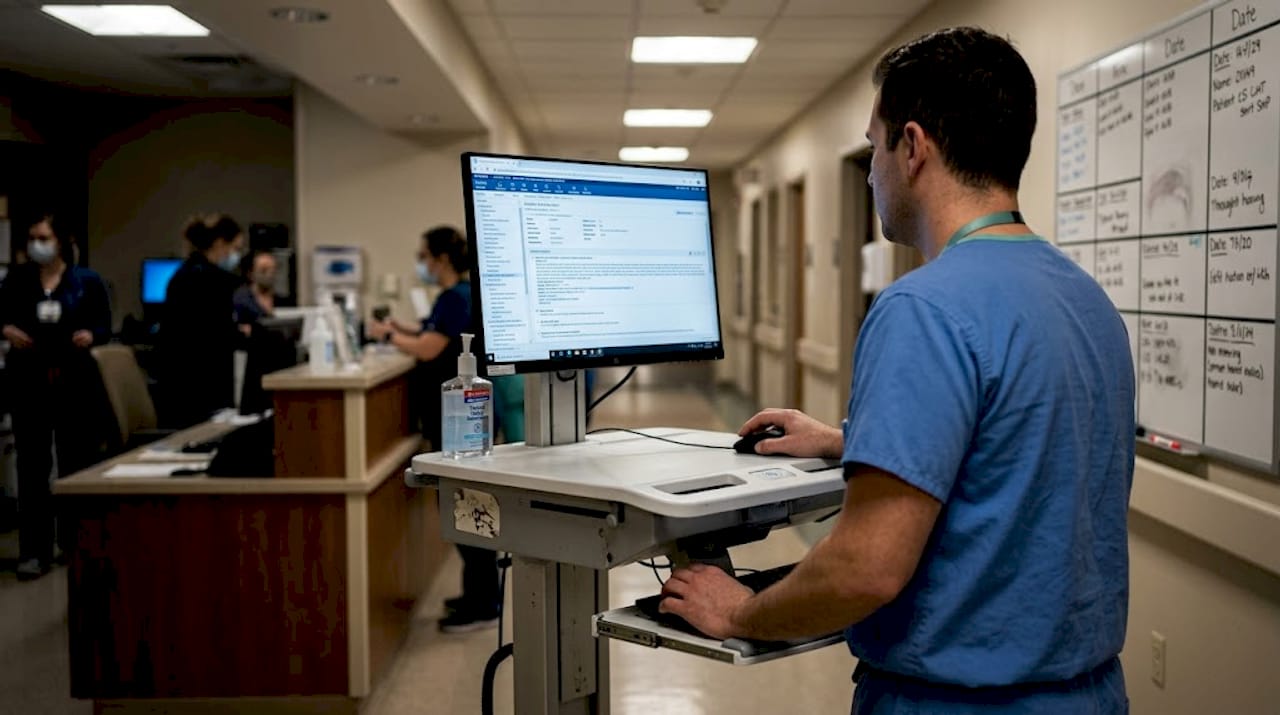
Automated EMR integrations reduced wait times in real studies involving thousands of cases. To see where automation fits your current setup, explore how to streamline admissions and review admissions automation impact data from similar facilities.
Pro Tip: Schedule bed assignments and physician orders concurrently with registration whenever clinically safe. Running these steps in parallel, rather than sequentially, significantly improves throughput without adding staff.
Handling edge cases and exceptions
Even the best workflow can’t cover every situation. Here’s how to adapt on the fly when standard procedures don’t apply.
Not every admission follows the planned pathway. Emergency, direct admit, and patients with complex needs each require a modified approach. Recognizing which pathway applies early prevents critical steps from being skipped under pressure.
Common exception pathways:
- Emergency admissions: Bypass pre-registration and prior authorization. Triage and clinical stabilization take priority. Authorization must be obtained retrospectively within the payer’s required timeframe.
- Elective (planned) admissions: Allow for complete PAA, MRSA screening, pre-operative PowerPlans, and financial clearance before arrival.
- Direct admits: Physician orders and bed assignment are confirmed before the patient leaves the referring location. Registration is completed on arrival.
- Special needs patients: Require additional coordination for interpreters, mobility accommodations, or behavioral health supports.
Urgent and emergency cases differ from elective admissions in prior authorization timelines, provider coordination requirements, and pre-operative planning. Missing these distinctions is one of the most frequent errors in facilities that apply a single-track workflow to all patients.
Pre-admission assessments that include MRSA and clot screening are especially important for patients with complex needs, reducing care gaps before they become clinical incidents.
Note: Failing to confirm prior authorization in an emergency, even retroactively, remains one of the top causes of payer denials in skilled nursing settings. Assign a designated staff member to track authorization status for all emergency admissions.
For practical examples of how facilities adapt their processes for different scenarios, review your emergency vs. elective workflow documentation and update it at least quarterly.
Pro Tip: Build system triggers in your EHR that auto-flag special needs, known allergies, and infection risks at the point of registration. This ensures clinical staff are alerted immediately rather than discovering critical information during care delivery.
Documentation, verification, and continuous improvement
To close the workflow loop, focus on solid documentation and ongoing quality checks. Complete, real-time documentation is not a back-office task; it is a clinical safety measure and a compliance requirement.
Key documentation priorities:
- Use structured proformas (standardized templates) integrated directly into your EHR
- Capture history of presenting illness (HOPI), past medical history, medication reconciliation, and consent in every admission record
- Verify completeness before bed assignment, not after
- Flag incomplete records automatically to the responsible coordinator
The results of structured documentation are measurable. Structured admission proformas boosted documentation scores dramatically, with HOPI completion rising from 60% to 100% and past medical history from 20% to 85% in one quality improvement study. Those are not marginal gains; they represent a fundamental shift in care quality and risk reduction.
Continuous improvement is what keeps your workflow from stagnating. Apply PDSA cycles (Plan, Do, Study, Act) on a quarterly basis to identify bottlenecks, measure outcomes, and test process adjustments. Regular audits of documentation completeness, consent timeliness, and bed assignment accuracy give your team concrete data to act on.
A sustainable improvement cycle includes:
- Monthly documentation audits with coordinator feedback
- Quarterly workflow reviews tied to admission volume and error rates
- Annual full process assessments with input from clinical and administrative staff
Pro Tip: Use digital proformas embedded in your EHR that prompt coordinators to complete each field before the patient moves to the next stage. This turns documentation from a reactive task into a built-in workflow gate. Explore structured documentation tools designed for post-acute settings.
Leveraging automation to optimize admissions
With groundwork in place, automation is the lever for true efficiency gains. The right automation targets repetitive, high-volume steps where human error is most likely and time pressure is highest.
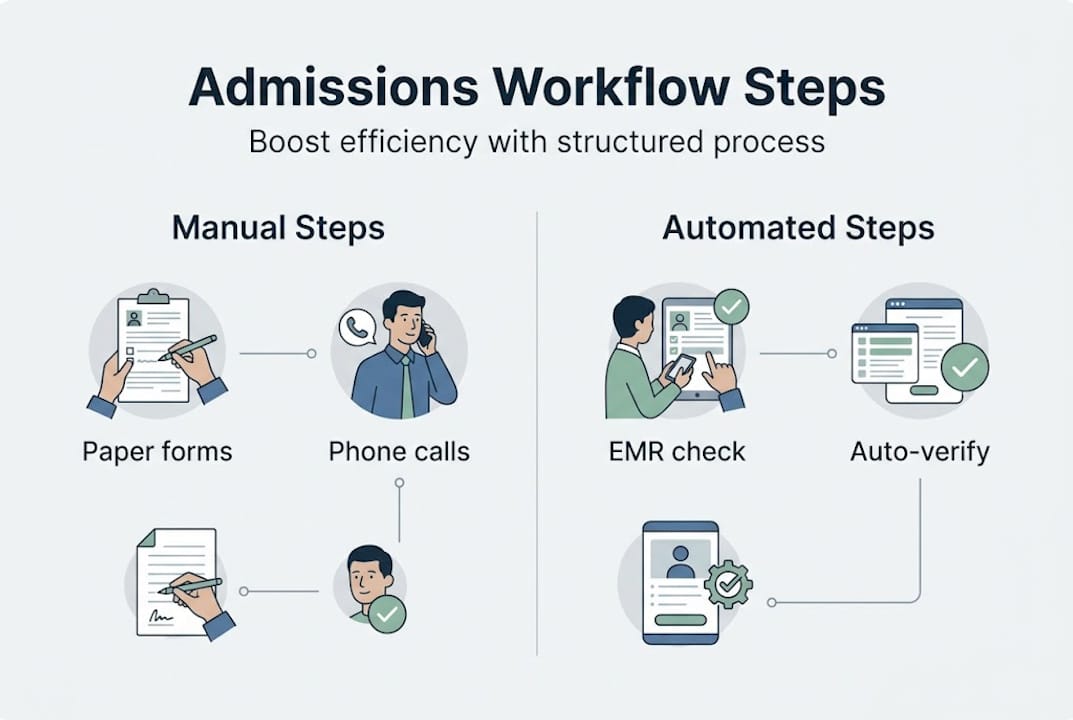
Top automation points in the admissions workflow:
| Step | Automation benefit | Common tools |
|---|---|---|
| Insurance verification | Real-time eligibility checks, fewer denials | Payer portal integrations |
| Patient registration | Auto-populate from referral data | EMR intake modules |
| Triage and risk screening | Standardized digital assessment prompts | Clinical decision support |
| Admission orders | Order sets triggered by diagnosis or care level | EHR order management |
| Documentation | Auto-generated forms from structured data entry | Digital proforma tools |
Hybrid cloud EMR and biometric systems reduced emergency department wait times and increased patient throughput in facilities that implemented them. Separately, automated imaging workflows reduced outsourcing needs and accelerated completion for thousands of cases, demonstrating what targeted automation delivers at scale.
Quick wins your team can implement now:
- Automated patient record import from referring hospitals via HL7 or FHIR standards
- Biometric or digital ID verification at registration to eliminate manual data entry errors
- Real-time bed availability dashboards visible to both admissions and clinical staff
Learn more about automation benefits and browse workflow automation examples from post-acute and skilled nursing environments.
Pro Tip: Start automation with the lowest-complexity steps, specifically insurance and ID validation. These deliver immediate, visible results with minimal training requirements, building staff confidence before you scale to more complex workflow automation.
Our take: Why perfecting admissions workflow isn’t just about technology
The evidence in this guide points clearly toward automation as a meaningful driver of admissions efficiency. We agree. But here is where many facilities get it wrong: they invest in software and expect the results to follow automatically.
Technology upgrades deliver gains only when your team has clarity of ownership, rapid feedback loops, and genuine cultural buy-in. If your admissions coordinator does not understand why a new EHR field matters, they will skip it under pressure. If leadership does not reinforce the process, the workflow reverts to old habits within weeks.
Negected staff input and unclear role boundaries can undermine even the most advanced automation system. The facilities that see real-world workflow lessons produce lasting results because they treat process improvement as an ongoing team discipline, not a one-time software rollout. Regular huddles, shared dashboards, and a defined owner for each workflow step matter as much as any integration you deploy.
Real improvement requires constant collaboration. Software is the infrastructure. Your people are the engine.
Take the next step: Smarter admissions for your facility
Your admissions workflow directly affects bed fill rates, staff workload, and patient outcomes. Every inefficient step is a cost your facility absorbs quietly.
Smart Admissions gives skilled nursing facilities, rehabilitation centers, and post-acute providers the tools to automate admissions and reduce manual work across every stage of intake. From real-time eligibility verification to AI-powered referral review, the platform connects directly with your existing EMR and payer portals. Explore the full admissions automation guide to see how facilities like yours are cutting review times and filling beds faster. When you’re ready for a structured starting point, the full intake workflow guide walks through each phase in detail.
Frequently asked questions
What are the core steps of a hospital admissions workflow?
The steps include referral or arrival, pre-registration and triage, registration, clinical assessment, bed assignment, unit transfer, admission orders, and documentation, as outlined in the standard inpatient workflow.
How can automation improve admissions efficiency?
Automation reduces manual errors, speeds up data collection, and cuts wait times by integrating with EMR systems. Automated workflows reduced wait times in large case studies, and hybrid cloud EMR sharing led to measurably shorter emergency department wait times.
What is the purpose of a pre-admission assessment (PAA)?
A PAA collects key medical history, screens for infection risks like MRSA, and flags special care needs before the patient arrives. PAA screening ensures clinical teams are prepared and reduces care gaps at admission.
Why is documentation so important in admissions?
Complete documentation reduces medical errors, supports care continuity, and satisfies regulatory requirements. Structured proformas improved documentation accuracy significantly in quality improvement studies.
How do you handle emergency admissions vs. elective admissions?
Emergency admissions require fast clinical action with retrospective authorization, while elective admissions allow for complete pre-approval and screening. Emergency and elective pathways require distinct workflows and staffing coordination to avoid denial and compliance risk.