
A referral dashboard must centralize triage, real-time eligibility and prior authorization status, and bed availability into one actionable worklist. That single screen replaces portal-hopping across payer sites, fax queues, and EHR tabs. The top capabilities your admissions team needs are live eligibility checks, SLA-driven triage, and a bed-availability view tied to expected discharges, which together cut review time and reduce avoidable denials.
TL;DR:
- Integrating real-time eligibility checks and bed availability linked to discharge forecasts reduces review time and avoids staffing mismatches.
- Including filters, SLA indicators, and ownership tags in the worklist ensures timely follow-up and prevents referral delays during shift changes.
- Tracking key metrics such as review time, referral volume, and prior authorization acceptance enables proactive process adjustments before bottlenecks form.
- EHR and portal integrations, along with API standards, significantly cut manual work and speed up referrals and prior authorizations.
- Implementing role-based access, audit logs, and secure document handling supports HIPAA compliance while protecting sensitive patient data.
Table of Contents
- Core dashboard components admissions teams need
- Which metrics and analytics belong on the dashboard
- Integrations and interoperability required for a modern referral dashboard
- Workflow and UX principles tuned for admissions staff
- Security, access controls, and compliance considerations
- Implementation checklist: rolling out a referral dashboard successfully
- Publisher perspective: why this design approach suits skilled nursing and post-acute admissions
- How Smart Admissions implements these dashboard principles
- FAQ
- Sources
Core dashboard components admissions teams need
Every referral dashboard design starts with a worklist that functions as mission control for your admissions coordinators. This queue needs clear ownership tags, SLA countdown indicators, and filters that let staff sort by urgency, payer type, or referring facility. Without visible ownership, referrals sit untouched during shift changes, and that delay is often where facilities lose placements to competitors.
The patient summary card sits beside the worklist and should surface only what admissions staff need to make a placement decision: discharge summary, current medication list, and active orders. Pulling full charts into view invites clutter and slows review, which runs against the HIPAA “minimum necessary” principle that HHS guidance recommends for access design.
A real-time eligibility and payer status panel belongs next to the summary, showing coverage verification, prior authorization initiation controls, and live status updates so coordinators are not calling payers for information the system already has. Pairing this with a centralized referral tracking approach keeps every referral’s status visible in one place instead of scattered across inboxes.
Bed availability should connect directly to unit-level staffing ratios and expected discharge dates, not just a static census count, so coordinators avoid accepting referrals the facility cannot actually staff for.
- Worklist filters: sort by SLA deadline, payer, or referral source in one click.
- Document shortcuts: request missing records or escalate a stalled referral without leaving the screen.
- Scheduling actions: book intake assessments directly from the patient card.
Which metrics and analytics belong on the dashboard
Operational visibility depends on a small set of KPIs tracked consistently across every referral. The dashboard should surface these numbers without requiring a separate report.
- Referral volume by source, segmented daily and weekly.
- Average review time from receipt to decision.
- First-response time to the referring partner.
- Time-to-bed from acceptance to admission.
- Conversion rate of referrals accepted versus received.
- Prior authorization acceptance rate by payer.
Cohorting these metrics by facility, referring partner, and payer turns raw numbers into decisions: a trend chart showing one payer’s review time climbing signals a process bottleneck before it becomes a backlog.
The CAQH Index found that administrative transactions like eligibility verification and prior authorization remain among the highest-burden tasks for providers, with major time and cost savings available when those transactions move from manual to electronic formats. This finding supports building automated eligibility checks directly into the review workflow rather than treating them as a side task.
Set alert thresholds so leadership gets automated flags when review time or acceptance rate drifts outside normal range, and schedule a standing report cadence (weekly for operations, monthly for leadership) instead of relying on ad hoc requests.
Integrations and interoperability required for a modern referral dashboard
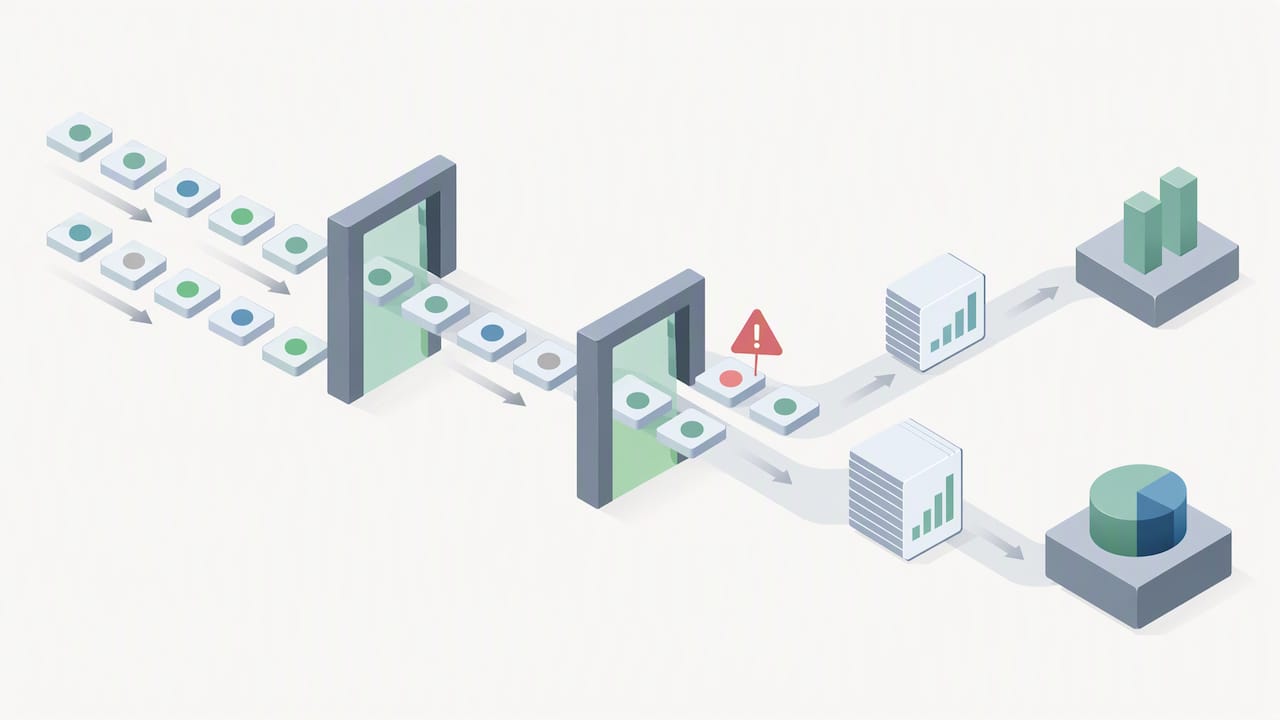
A dashboard is only as fast as the systems feeding it. EHR integration with embedded workflow and single sign-on eliminates the portal-hopping that adds minutes to every referral review, and EMR integration is consistently the difference between a dashboard that saves time and one that just adds another screen to check.
CMS finalized interoperability rules requiring Patient Access and Provider Access APIs along with a Prior Authorization API, with compliance dates phased through 2027. These requirements open the door to automated prior authorization data exchange that today still runs through phone calls and fax machines in many facilities.
The AMA notes that manual workflows like fax and phone for referrals and prior authorizations drive significant staff burnout, and argues for embedding electronic prior authorization directly into EHR workflows rather than treating it as a separate task.
Practically, this means designing around HL7 FHIR Request and Task patterns, much like how teleradiology works from your PACS to a signed report, modeling a referral as a request that moves through status updates and sub-tasks like scheduling or documentation requests, visible as a clean timeline inside the dashboard.
- ADT feeds should trigger automatic worklist updates when a patient’s status changes upstream.
- USCDI-aligned document transfer keeps clinical records consistent across systems.
- Fallback UX for partners without integration: a structured intake form plus secure document upload, with incomplete referrals automatically flagged into a remediation queue.
Workflow and UX principles tuned for admissions staff
Admissions coordinators work under constant interruption, so the interface has to reduce decisions rather than add them. A few interaction rules make the biggest difference.
- Build the worklist around single-click ownership claims, with SLA ribbons visible at a glance.
- Apply minimum necessary display by default, with a one-click expand to the full record when needed.
- Run inline documentation completeness checks mapped to each payer’s specific requirements.
- Offer macros or templates for frequent tasks like document requests or scheduling confirmations.
- Throttle notifications so staff receive meaningful alerts instead of a constant stream that gets ignored.
Pro Tip: Cap real-time alerts to SLA breaches and payer status changes only; anything else belongs in a daily digest, not a push notification.
Security, access controls, and compliance considerations
Access design has to match the sensitivity of what is on screen. Role-based and attribute-based access controls limit who sees full clinical records versus summary data, and just-in-time access can unlock sensitive documents only when a coordinator is actively working that referral.
Audit logs need to capture an immutable timeline of every status change and who made it, which matters both for compliance review and for diagnosing where a referral stalled.
- Role-based permissions separate what intake staff, clinical reviewers, and administrators can view.
- Immutable audit trails record every status change with a timestamp and user ID.
- Encrypted document handling protects records in transit and at rest.
These controls support the HIPAA minimum necessary standard without requiring a full redesign of how your facility already handles protected health information.
Implementation checklist: rolling out a referral dashboard successfully
A phased rollout avoids the chaos of switching every workflow at once. Four stages cover most of what admissions leaders need.
- Pre-launch: map data fields to your EHR and top payer requirements, and identify your highest-volume referring partners for priority integration.
- Pilot: run a 30 to 60 day test with a subset of referrals, tracking review time and conversion rate alongside direct staff feedback.
- Training and go-live: deliver role-based micro-training sessions and roll out in phases rather than facility-wide on day one.
- Sustain: hold a recurring operations review and keep a running roadmap for new integrations as partners add API capability.
Pro Tip: Track daily KPI snapshots for the first two weeks post-launch. Early drift is easier to fix than a habit that sets in after a month.
Publisher perspective: why this design approach suits skilled nursing and post-acute admissions
Admissions burnout rarely comes from the volume of referrals. It comes from systems that force coordinators to re-enter the same information three times before making a decision. A dashboard built around integration and a single worklist removes that friction, which is where real capacity gets recovered rather than demanded through overtime.
— Harry
How Smart Admissions implements these dashboard principles
A referral dashboard platform typically includes a triage worklist with SLA visibility, real-time eligibility checks connected to insurance portals, EHR integration to keep coordinators working from one screen, and analytics tracking review time and conversion rate without a separate reporting tool.
- EHR and payer portal integration removes the need to log into multiple systems per referral.
- Real-time eligibility verification surfaces coverage and prior authorization status inline.
- Analytics dashboard tracks the same KPIs covered in this guide, updated automatically.
If your team is evaluating what a referral dashboard should look like in practice, the Smart Admissions pricing page outlines Monthly and Annually plans and next steps for requesting a demo.
FAQ
What is the main purpose of a referral dashboard?
A referral dashboard centralizes triage, eligibility status, and bed availability into one screen so admissions coordinators can review and act on referrals without switching between payer portals and EHR systems. The goal is faster, more consistent decisions with less manual data entry.
Which metrics should a referral dashboard track by default?
At minimum, track referral volume, average review time, first-response time, time-to-bed, conversion rate, and prior authorization acceptance rate. These give both daily operational visibility and the trend data leadership needs for staffing and partner decisions.
How does EHR integration change referral review time?
EHR integration lets coordinators review eligibility, documentation, and status without leaving a single workflow, which the AMA has linked to faster approvals and real staff-time savings when prior authorization is embedded directly into the EHR. Facilities relying on manual portal checks typically see longer review cycles.
What access controls does a referral dashboard need for HIPAA compliance?
Role-based access controls, audit logs with immutable timelines, and a minimum necessary display approach are the baseline, following HHS guidance on protected health information access. Sensitive documents should unlock only when a coordinator is actively working that referral.
How long does it take to roll out a new referral dashboard?
A phased rollout with a 30 to 60 day pilot is a reasonable timeline for most skilled nursing and post-acute facilities, covering data mapping, staff training, and early KPI monitoring before a full go-live. Facilities that centralize training by role tend to see a smoother transition than those attempting an all-at-once switch.
Sources
- AMA — Letter and guidance on prior authorization interoperability (2026)
- CMS — Interoperability and Prior Authorization final rule (CMS-0057-F)
- CAQH Index Report (2023)
- HL7 FHIR — Request-fulfillment workflow implementation guide (2025)