
Alert fatigue in admissions happens when referral, eligibility, bed-status and workflow notifications pile up until staff stop reacting to them, and intake slows down as a result. The single best first step is not a new tool or a policy memo. It’s measurement: establish a baseline of alerts per user per shift and your open-to-action rate before changing anything, so you know exactly which interruptions to fix first and can prove the fix worked.
TL;DR:
- Track alerts per referral, median time to action, dismissals without action, and pended insurance backlog age alongside counts by role.
- Assign each alert type to one accountable role, collapse duplicate event notices, and batch routine reminders while reserving quiet periods for chart review.
- Keep alerts requiring acknowledgment for events demanding immediate action, route updates by role, and use customizable thresholds instead of suppressing notifications broadly.
- A pilot on one unit or shift can show change within 30 to 90 days; expand only after targets are met without missing critical alerts.
Table of Contents
- 1. How alert fatigue shows up in admissions workflows
- 2. How to measure alert burden: metrics, dashboards, and meaningful thresholds
- 3. Low-effort operational fixes you can apply this month
- 4. Technology design and configuration to prevent alert fatigue
- 5. A step-by-step pilot plan to reduce alert fatigue in 30 to 90 days
- 6. How Smart Admissions addresses alert fatigue in admissions workflows
- What admissions leaders get wrong about alert fatigue
- Ready to pilot a lower-noise admissions workflow?
- FAQ
- Sources
1. How alert fatigue shows up in admissions workflows
Alert fatigue rarely arrives as one dramatic failure. It builds from several small, repetitive sources that your team absorbs quietly until the backlog becomes visible.
- Duplicate referrals arriving from multiple sending portals or fax-to-EMR gateways for the same patient
- Insurance pended or denied notifications that trigger repeated manual checks instead of a single resolved status
- EMR-generated documentation reminders that fire on a schedule rather than when a real gap exists
- Bed-status churn messages that notify several roles every time a unit toggles availability
- High-volume referral lists emailed to the whole team instead of routed to the person who owns the decision
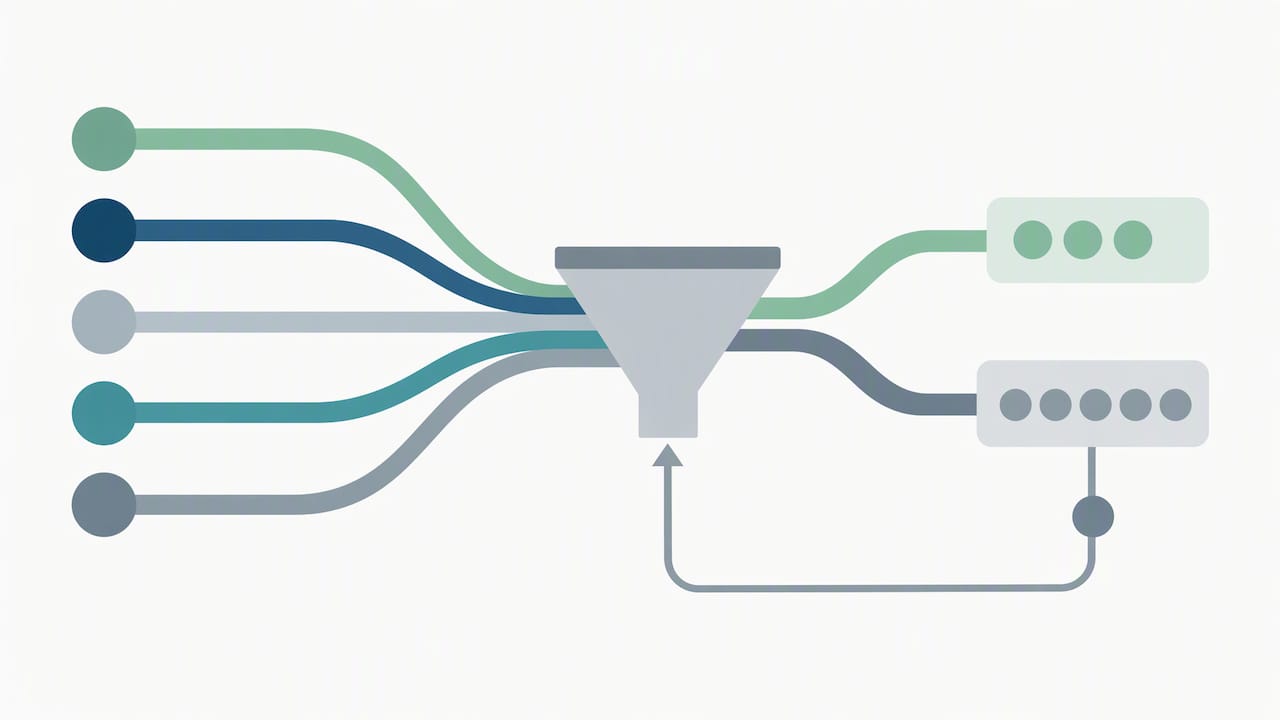
The mechanics behind the overload are consistent across these sources: high frequency, low relevance to the specific recipient, poor routing, and no feedback loop telling the system which alerts actually mattered. A pended-insurance email stream is a good example. One message arrives, your coordinator checks the payer portal, nothing has changed, and the same email returns the next day. Multiply that by a full caseload and the checking itself becomes a job.
2. How to measure alert burden: metrics, dashboards, and meaningful thresholds
You cannot tune what you cannot measure, and that principle holds especially true when alerts cross institutional boundaries during referral tracking, where missing confirmation messages and contact-data gaps quietly add to your team’s hidden workload.
Start with a short list of KPIs your team can pull from existing systems:
- Alerts per user per shift, broken out by role
- Alerts per referral, so volume scales with actual intake rather than headcount
- Open-to-action (or open-to-acknowledge) rate, showing how often a notification leads to a real step
- Median time-to-action and percent of alerts dismissed without action
- Pended-insurance backlog, tracked as a count and an age distribution
Pull this data from your EMR or referral platform logs, your email and portal counts, and a short period of time-motion sampling where a coordinator logs every interruption for a day or two. That sampling catches alerts that never show up in a system report, like a phone call about a bed status that already changed.
One improvement goal worth tracking: a facility that tunes alert sensitivity and adds end-user feedback into the loop can expect to cut non-actionable alerts meaningfully within a quarter, consistent with findings that tuning alert sensitivity and involving end users improves adoption and reduces fatigue across clinical decision support implementations.
3. Low-effort operational fixes you can apply this month
Several of the highest-impact changes cost nothing beyond a configuration session and a short team conversation.
- Define triage and ownership. Route each alert type to the one role responsible for acting on it, and collapse duplicate notifications for the same event into a single message.
- Batch non-urgent notifications. Group documentation reminders and status updates into set times instead of letting them interrupt continuously, and set quiet windows during focused chart review.
- Add a feedback mechanism. Give staff a one-click way to flag an alert as noisy or irrelevant, and review that feedback weekly to retune thresholds.
- Adjust routing by role. Send bed-status updates only to the roles that need to act on them, not to every person who might find them interesting.
These four changes target the exact overload mechanics described in the referral workflow research: frequency, routing, and the absence of a feedback channel. Tightening all three at once tends to move the needle faster than any single fix.
Pro Tip: Run your triage and routing changes for two weeks before touching anything else, then measure again. Stacking multiple changes at once makes it impossible to tell which one worked.
4. Technology design and configuration to prevent alert fatigue
The technical side of reducing alert fatigue comes down to three decisions: what triggers an alert, who receives it, and whether it demands an action or simply informs.
- Integrate your referral platform, EMR, and insurance portals. When these systems talk to each other, you avoid the duplicate notices that come from checking the same eligibility status in three different places, a gap flagged directly in cross-institutional referral research as a major source of hidden workload.
- Reserve active, acknowledge-required alerts for time-critical items. Research on infusion pump alerts and alarms found that frequent interruptive notifications carry a measurable productivity cost, with alarms averaging roughly two per infusion and some taking over four minutes to resolve. The same logic applies in admissions: active alerts increase the odds a real action gets taken, but only when they’re rare enough to still command attention.
- Use customizable, role-based thresholds. A coordinator handling Medicaid pendeds needs different alert sensitivity than one handling private-pay intake, and your configuration should reflect that.
- Keep interoperability and audit logs intact. You need a reliable trail across systems to trace where an alert originated and confirm whether tuning actually reduced noise, a requirement echoed in both the CDSS implementation review and the referral-loop research above.
5. A step-by-step pilot plan to reduce alert fatigue in 30 to 90 days
A focused pilot beats a facility-wide rollout because it lets you isolate what actually changed.
- Scope the pilot. Pick one unit, shift, or referral type, and include admissions staff, IT, and a clinical lead so decisions reflect real workflow constraints.
- Baseline first. Measure alerts per user, open-to-action rate, and pended-insurance backlog for two full weeks before changing anything.
- Pick one or two interventions. Triage rules and a batching cadence are a reasonable starting pair; avoid trying five changes simultaneously.
- Set success metrics and a review cadence. Define the target improvement up front, such as a meaningful drop in non-actionable alerts, and review weekly.
- Iterate, then scale. Adjust based on staff feedback and the data, and expand to additional units only once you hit your target with no unintended gaps in critical alerts.
6. How Smart Admissions addresses alert fatigue in admissions workflows
We built Smart Admissions around the same measurement-first logic this playbook follows: fewer, better-targeted alerts, not just fewer notifications overall.
- AI-driven triage routes referral, eligibility, and bed-status alerts to the coordinator responsible for acting on them, cutting duplicate pings across roles
- Direct integration with EMR systems and insurance portals removes the repeated manual checks that generate much of the pended-insurance noise described earlier
- Configurable alert routing and thresholds let each facility tune sensitivity to its own caseload instead of using one-size-fits-all defaults
- Analytics dashboards track the same KPIs covered above, alerts per user, open-to-action rate, and pended backlog, so your team can see the pilot’s impact without building reports by hand
Onboarding is designed to be straightforward, and our support team remains available throughout setup and tuning rather than disappearing after go-live. Facilities piloting the platform often see faster referral review, fewer non-actionable alerts reaching staff, and improved bed fill as a result of both. For more on how automation affects occupancy outcomes directly, see our bed occupancy strategies.
What admissions leaders get wrong about alert fatigue
The instinct is to add more alerts when something slips through, not fewer. That instinct is backward. Every new notification competes with the ones already ignored, and the fix usually isn’t adding a safeguard, it’s removing the noise around the safeguards you already have. Protecting a coordinator’s uninterrupted review time matters as much as any single alert rule. Close the feedback loop, trust the data over intuition about what feels urgent, and keep retuning. Alert fatigue is never solved once. It’s managed continuously.
— Harry
Ready to pilot a lower-noise admissions workflow?
We designed Smart Admissions to be piloted exactly the way this playbook recommends: one unit, a short baseline, and configuration changes you can measure within weeks. Our AI-powered referral management assistant integrates with your existing EMR and insurance portals, so the duplicate checks and pended-status noise shrink from day one.
Review our Monthly and Annually pricing plans to see what a pilot would cost, or visit Smart Admissions to start a conversation about your facility’s referral volume and current alert load.
FAQ
What is alert fatigue in admissions, specifically?
Alert fatigue in admissions is the desensitization that happens when referral, eligibility, bed-status, and documentation notifications arrive too often and too generically for staff to act on each one. It leads to delayed responses and missed updates, which slows intake and bed fill.
How do we measure alert fatigue on an admissions team?
Track alerts per user per shift, alerts per referral, and your open-to-action rate, then compare them against a two-week baseline before making changes. Reviews of clinical decision support tools recommend measuring adoption and fidelity alongside outcomes rather than relying on gut feel about what feels noisy.
Does reducing alerts put patient safety at risk?
Not when it’s done through triage rather than blanket suppression. Reserving active, acknowledge-required alerts for truly time-critical items while batching or routing lower-priority notifications keeps critical information visible without burying it under routine noise.
What’s a realistic timeline for seeing improvement?
A focused pilot on one unit or shift, with a two-week baseline and one or two interventions, typically shows measurable change in alert volume and open-to-action rate within 30 to 90 days. Scaling further depends on hitting your predefined target without missing anything critical.
Can integration alone fix alert fatigue?
Integration reduces duplicate alerts caused by checking the same eligibility or referral status across separate systems, but it works best paired with triage rules and role-based routing. Cross-institutional referral research found that interoperability gaps are a major hidden source of alert volume, so closing them helps, though configuration still matters.