
The CarePort referrals workflow gives a skilled nursing or post-acute admissions team one electronic place to receive, review and answer hospital referrals. It runs in a clear sequence: an alert arrives, the referral lands on a worklist, your team reviews it, responds to the sender, and then admits the patient or routes them onward. This guide walks through each of the seven steps, shows where delays usually build up, and gives you a checklist to tighten your own process.
TL;DR
- The CarePort referrals workflow is a single electronic system for receiving, reviewing and responding to patient referrals, plus post-acute discharge planning.
- Core steps: referral alerts, worklists, manual entry of non-electronic referrals, review, response, then admission or discharge to another level of care.
- Most delays come from what happens around the system: missing documents, unverified coverage and unclear ownership.
- CMS rules require hospitals and nursing facilities to follow discharge planning and admissions policies, but they do not prescribe a specific software workflow.
- Smart Admissions adds AI-assisted intake, real-time eligibility checks and EMR integration to the same review-and-respond routine.
Table of Contents
- What the CarePort referrals workflow covers
- Why the referral step deserves your attention
- The 7 steps of the CarePort referrals workflow
- Where the workflow breaks down
- What CMS rules say, and what they do not
- Our perspective: the workflow is only as fast as its slowest handoff
- How Smart Admissions supports the same workflow
- A checklist to tighten your referral workflow
- FAQ
- Sources
What the CarePort referrals workflow covers
According to VNS Health’s description of the platform, CarePort Referral Management is a single electronic system where a provider can receive, review and respond to patient referral activity. The same page says it also automates post-acute discharge planning. In plain terms, it replaces the pile of faxes, phone calls and voicemails that most admissions offices still handle by hand.
The features that shape the daily workflow, as described there, are:
- Alerts when a new referral comes in.
- Customizable worklists for your team.
- Manual entry of referrals that arrive from non-electronic sources.
- Visibility into where referrals come from.
- Admission directly from the worklist.
- Discharge to another level of care.
That list is a useful map. Each item is a step your team performs, and each step is a place where time is either saved or lost. The sections below follow them in order.
Why the referral step deserves your attention
Referrals are where census is won or lost. A MedCity News analysis describes a discharge planner making dozens of phone calls and faxes to place one patient, and reports that referral rejection rates from home health and skilled nursing facilities are at highs. Hospitals are waiting for answers. If your response is slow, the patient goes to a competitor down the road.
A good workflow does not guarantee admissions. It does make sure that every referral gets a timely, documented answer, and that your clinical and financial reviewers see the same information at the same time.
The 7 steps of the CarePort referrals workflow
Step 1: Receive the referral alert
The workflow begins when a hospital sends a referral through the system and your team is alerted. The alert matters because it starts the clock. Decide in advance who receives it: one person, a shared admissions inbox, or a rotation.
Practical tips:
- Assign a primary and a backup recipient for every shift, including weekends.
- Set a target for acknowledging a referral, even if the full review takes longer.
- Check that alerts reach mobile devices if your coordinators work off-site.
Step 2: Organize the worklist
The worklist is your queue. VNS Health’s page says worklists can be customized, so use that. A flat list sorted by arrival time treats a Medicare Part A rehab patient with a clear payer the same as a complex case with no coverage information.
Many teams sort by:
- Time since receipt.
- Hospital source and its typical discharge pressure.
- Payer type.
- Clinical complexity and bed type needed.
If you want a tested method for ranking, see our guide to the referral prioritization process.
Step 3: Enter referrals from non-electronic sources
Not every referral comes through the portal. Some still arrive by fax, a phone call from a case manager, or an email. The platform lets you enter these manually so they sit on the same worklist as electronic referrals.
This step is the most common source of silent failure. A referral that lives on a sticky note or in a fax tray is invisible to your census reports and to anyone covering for you. Set a rule: no referral is real until it is on the worklist, and the person who took the call enters it before the end of that shift.
Step 4: Review the referral clinically and financially
Review has two parts that should run in parallel, not one after the other.
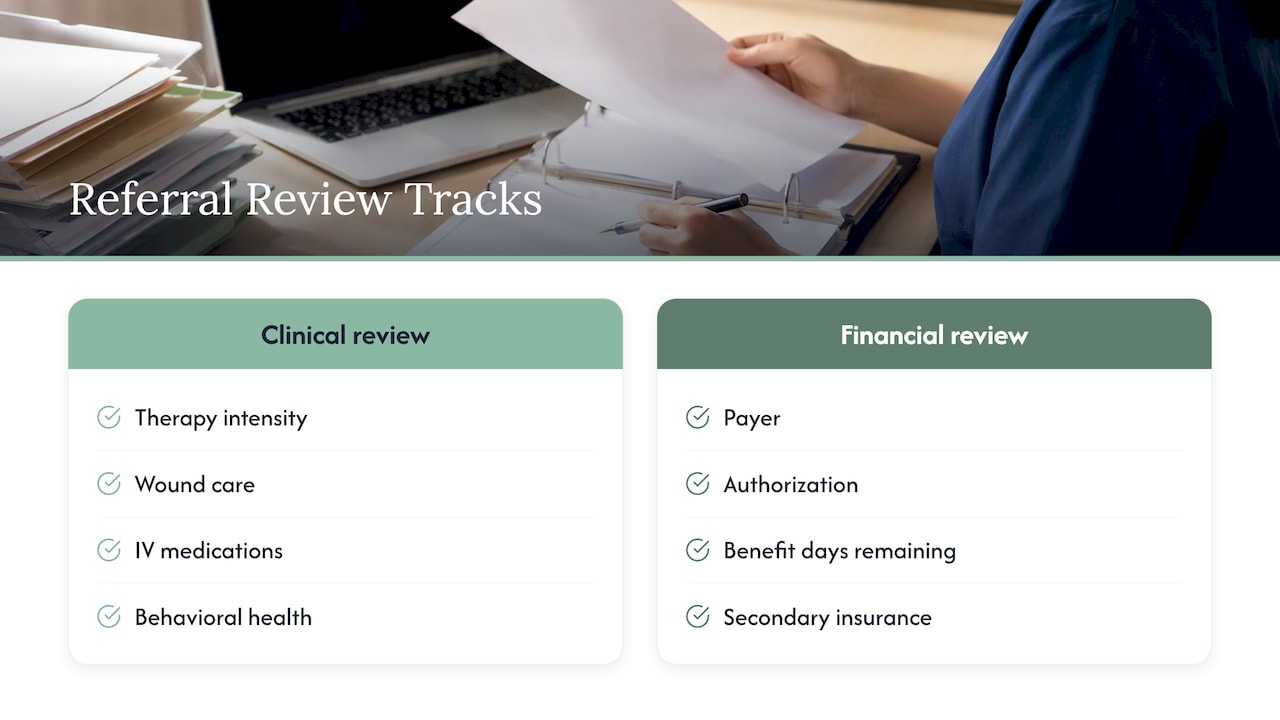
Clinical review asks whether your facility can safely meet the patient’s needs: therapy intensity, wound care, IV medications, behavioral health, bariatric equipment, isolation requirements.
Financial review asks whether coverage is confirmed: payer, authorization, benefit days remaining, secondary insurance, and expected length of stay.
When the financial part waits for the clinical part, the response goes out a day later. Running both at once, with the same packet of documents, is one of the quickest ways to shorten turnaround. Our post on reducing referral times covers this in more detail.
Step 5: Respond to the sender
Responding means telling the hospital clearly: accept, accept with conditions, or decline, with a reason. A vague “we’re reviewing” message leaves the hospital planner no better off and often sends the referral to other facilities in parallel.
Good responses include:
- A clear decision or a specific time you will have one.
- The reason for any decline, in standard terms.
- Any missing information you need, listed once rather than requested in pieces.
- A target admission date and time if you accept.
Tracking decline reasons also gives you data. If most declines are for missing payer information, your problem is upstream, not clinical.
Step 6: Admit from the worklist
Once you accept and the patient is ready, VNS Health’s description says you can admit from the worklist. That keeps the record tied to the original referral, which matters for source tracking and for reporting later on.
Before admission, confirm:
- Bed assignment and readiness.
- Physician orders and medication list received.
- Transport arranged.
- Nursing and therapy briefed.
- Eligibility verified again if the admission is more than a couple of days after the first check.
Step 7: Discharge or route to another level of care
The workflow also supports discharging a patient to another level of care, such as home health, assisted living or an outpatient program. For post-acute providers this closes the loop: you were once the receiver, and now you are the sender. The same discipline applies in reverse. Send complete documentation, confirm acceptance, and record the outcome.
Where the workflow breaks down
Software that receives referrals does not fix the work around it. These are the gaps we see most often in admissions offices:
| Gap | What it looks like | Effect |
|---|---|---|
| Missing documents | Face sheet arrives without a medication list or recent progress notes | Review pauses while someone chases the hospital |
| Unverified coverage | Payer is assumed, not confirmed | Denials or surprise private-pay situations after admission |
| No ownership | Nobody is clearly responsible for each referral | Referrals age on the worklist |
| Off-system referrals | Fax and phone referrals are not entered | Reports undercount volume and response times |
| Slow response | Decision waits for a weekly meeting | Hospital moves on to another facility |
Document handling is the one most teams underestimate. Our article on referral document management explains how to assign ownership so nothing sits unclaimed, and the referral documentation best practices give you a short standard to hand your coordinators.
What CMS rules say, and what they do not
A common question is whether federal rules dictate a specific referral workflow. They do not. They set expectations for the process, not for the tool.
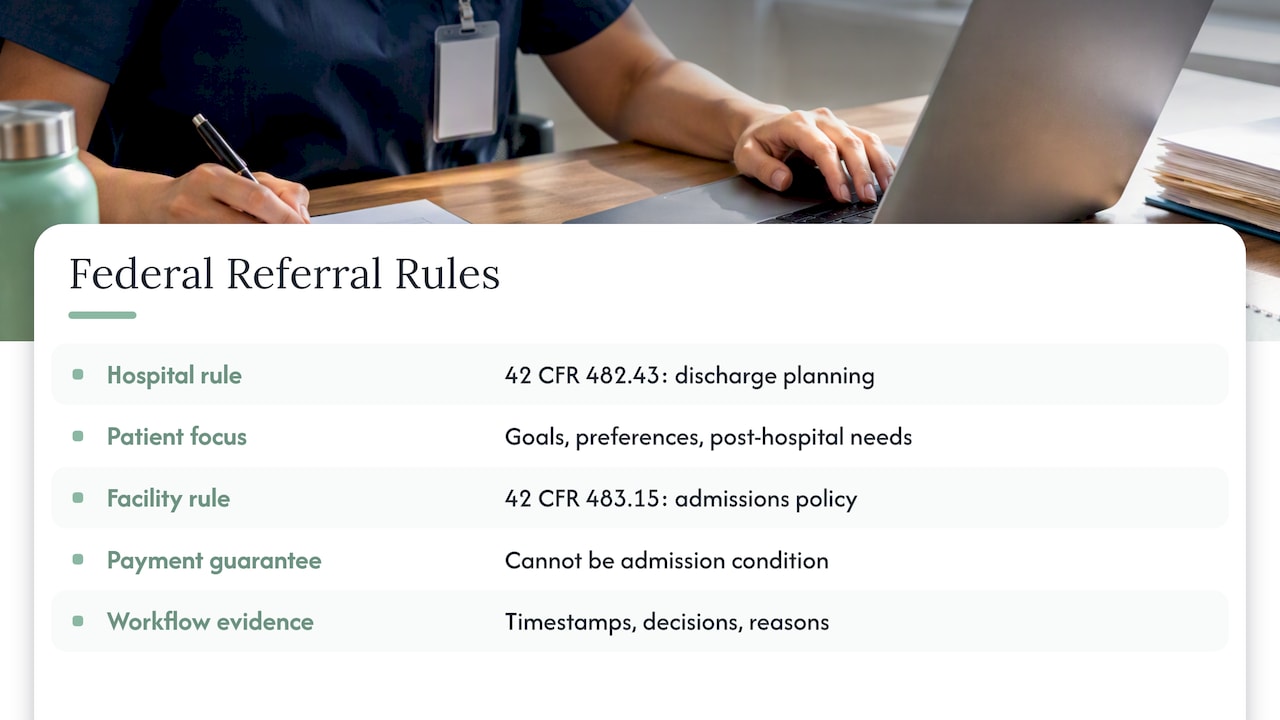
For hospitals sending patients, 42 CFR 482.43 requires an effective discharge planning process that centers on the patient’s goals and treatment preferences and includes an evaluation of the patient’s likely need for post-hospital services, including post-hospital extended care. That is why hospital case managers send you referrals in the first place, and why they expect an answer they can show the patient.
For the nursing facility receiving them, 42 CFR 483.15 requires the facility to establish and implement an admissions policy, and it bars requiring third-party payment guarantees as a condition of admission. Your accept-or-decline decisions, and the financial review in step 4, should fit within that policy. Have your compliance lead and legal counsel confirm how it applies to your state and your payer mix, because states can add stricter standards.
In practice, the workflow is your evidence. A worklist with timestamps, decisions and reasons shows that your admissions policy is applied consistently.
Our perspective: the workflow is only as fast as its slowest handoff
We built Smart Admissions for admissions coordinators, directors and owners of skilled nursing and post-acute facilities, and we hear one pattern repeatedly. The referral system is rarely the bottleneck. The bottleneck is the human work between “referral received” and “decision sent”: reading a 40-page packet, calling an insurer, searching the EMR, rekeying data.
That is why we focus on automating exactly that layer. Our AI-powered referral management assistant integrates with your existing EMR and insurance portals, so eligibility verification, clinical assessment support and documentation management happen alongside the review rather than after it. Our goal is faster decisions, better-filled beds and less burnout for the people doing the work.
If you already run a referral portal, you do not need to throw out your process. Start by measuring three things: time to first response, time to decision, and percent of referrals with confirmed coverage at decision. Those numbers tell you which handoff to fix first.
— Harry
How Smart Admissions supports the same workflow
If you want the review-and-respond routine to take less staff time, Smart Admissions is built for it. The platform offers automated intake workflows, real-time insurance eligibility verification, clinical assessments, EMR integration, documentation management and analytics. Onboarding takes under an hour, and we back it with a guarantee that the software pays for itself within 30 days.
Plans are published on our pricing page: $597 per month, or $6,447 per year. You can also read how real-time eligibility checks change the 48 to 72 hour window before admission.
A checklist to tighten your referral workflow
Use this list in your next team meeting.
Intake
- Every shift has a named primary and backup for referral alerts.
- Fax, phone and email referrals are entered on the worklist the same shift.
- Worklist sorting reflects payer, urgency and bed type.
Review
- Clinical and financial review start at the same time.
- Missing documents are requested in a single message.
- Eligibility is verified before the decision, not after.
Response and admission
- Every referral gets a documented accept, conditional accept or decline with a reason.
- Admission is completed from the original referral record.
- Decline reasons are reviewed monthly for patterns.
Measurement
- Time to first response, time to decision and conversion rate are tracked weekly.
- Referral sources are ranked by admissions, not just volume.
For a broader view of intake design, see our post-acute referral process guide and the walkthrough of EMR integration for referrals.
FAQ
What is CarePort referral management?
It is an electronic system that lets post-acute providers receive, review and respond to patient referrals in one place, and it also supports post-acute discharge planning, as VNS Health describes it. Admissions teams use it as a worklist for incoming referral activity.
What are the steps of the referral process?
The core steps are receiving the referral, entering any non-electronic ones, reviewing clinical fit and coverage, responding to the sender, and admitting the patient or discharging to another level of care. Our post-acute referral process guide expands each step with owners and timing.
What are the CMS guidelines for referrals?
CMS does not set one referral workflow. Hospitals must run an effective discharge planning process under 42 CFR 482.43, and nursing facilities must keep an admissions policy under 42 CFR 483.15. Ask your compliance officer how both apply in your state.
Can I use another tool alongside my current referral portal?
Yes. Many facilities keep their referral portal as the point of receipt and add automation for eligibility, documents and clinical review. Check with your EMR vendor about integration options, and read our guide on referral management systems to compare the types available.
Sources
- CarePort Referral Management, VNS Health
- 42 CFR 482.43, Discharge planning
- 42 CFR 483.15, Admission, transfer, and discharge rights
- The Referral Is Broken, MedCity News