
Despite widespread adoption of digital health records and advanced cybersecurity tools, human error remains the leading cause of patient data breaches during admissions in skilled nursing and rehabilitation facilities. Many healthcare administrators assume technology alone will safeguard sensitive information, yet without proper staff training and workflow integration, even the most sophisticated systems fail. This guide walks you through essential strategies to strengthen patient data security during admissions while maintaining the efficiency your facility needs to fill beds quickly and stay compliant with evolving regulations.
Table of Contents
- Understanding HIPAA Requirements For Admissions Data Security
- Combining Technology And Staff Training To Reduce Breaches
- Balancing Security And Efficiency In Admissions Workflows
- Managing Third-Party Risks In Patient Admissions
- Enhance Your Admissions Security With Smart Admissions
Key takeaways
| Point | Details |
|---|---|
| HIPAA compliance foundation | Administrative, physical, and technical safeguards are legally required for all electronic protected health information during admissions. |
| Technology plus training | Digital intake tools with encryption and audit trails must be paired with role-specific staff education to prevent breaches. |
| Third-party vendor risks | Business Associate Agreements and regular audits are essential to manage security vulnerabilities introduced by external service providers. |
| Balancing security and workflow | Zero-trust models and biometric authentication can enhance protection without creating bottlenecks when implemented through pilot testing. |
| Audit trails and monitoring | Continuous compliance monitoring and detailed access logs enable rapid breach detection and regulatory documentation. |
Understanding HIPAA requirements for admissions data security
The HIPAA Security Rule requires administrative, physical, and technical safeguards for electronic protected health information throughout the admissions process. This federal regulation applies to all covered entities handling patient data, including skilled nursing facilities, rehabilitation centers, and their business associates. Understanding these requirements forms the foundation for any effective security strategy.
Administrative safeguards demand that facilities conduct regular risk assessments to identify vulnerabilities in admissions workflows. You must designate a security official, implement workforce training programs, and establish clear policies for data access and incident response. These policies should define who can view patient information during intake, how long data is retained, and what steps staff take when they suspect a breach. Regular audits verify that your team follows these protocols consistently.
Physical safeguards protect the tangible aspects of your admissions environment. Secure your workstations where staff review referrals and enter patient data. Control facility access to prevent unauthorized individuals from viewing screens or accessing paper files. Implement device management protocols for laptops, tablets, and mobile phones used during patient intake. When admissions staff work remotely or access systems from multiple locations, physical security becomes even more critical.
Technical safeguards include encryption for data at rest and in transit, unique user authentication, and automatic logoff features. Access controls ensure staff can only view information necessary for their specific role in the admissions process. Audit logs track every instance someone accesses patient records, creating an accountability trail that helps identify suspicious activity. These technical measures work alongside your intake documentation guide to create multiple layers of protection.
Compliance isn’t a one-time checkbox. Schedule quarterly reviews of your security policies and update them as regulations evolve or your facility adopts new technologies. Document every risk assessment, training session, and policy change to demonstrate ongoing compliance during audits. This proactive approach protects both your patients and your facility from costly violations.
- Conduct risk assessments every quarter to identify new vulnerabilities
- Train all admissions staff on privacy protocols within 30 days of hire
- Encrypt all devices that store or transmit patient information
- Maintain detailed audit logs for at least six years
- Review and update security policies annually or when systems change
Combining technology and staff training to reduce breaches
Manual paper processes create numerous opportunities for data mishandling during high-volume admissions periods. Faxed referrals sit on shared machines, handwritten notes get misplaced, and physical files accumulate in unsecured areas. Digital intake tools with encryption and audit trails eliminate these risks by capturing patient information securely from the first point of contact and tracking every subsequent interaction.
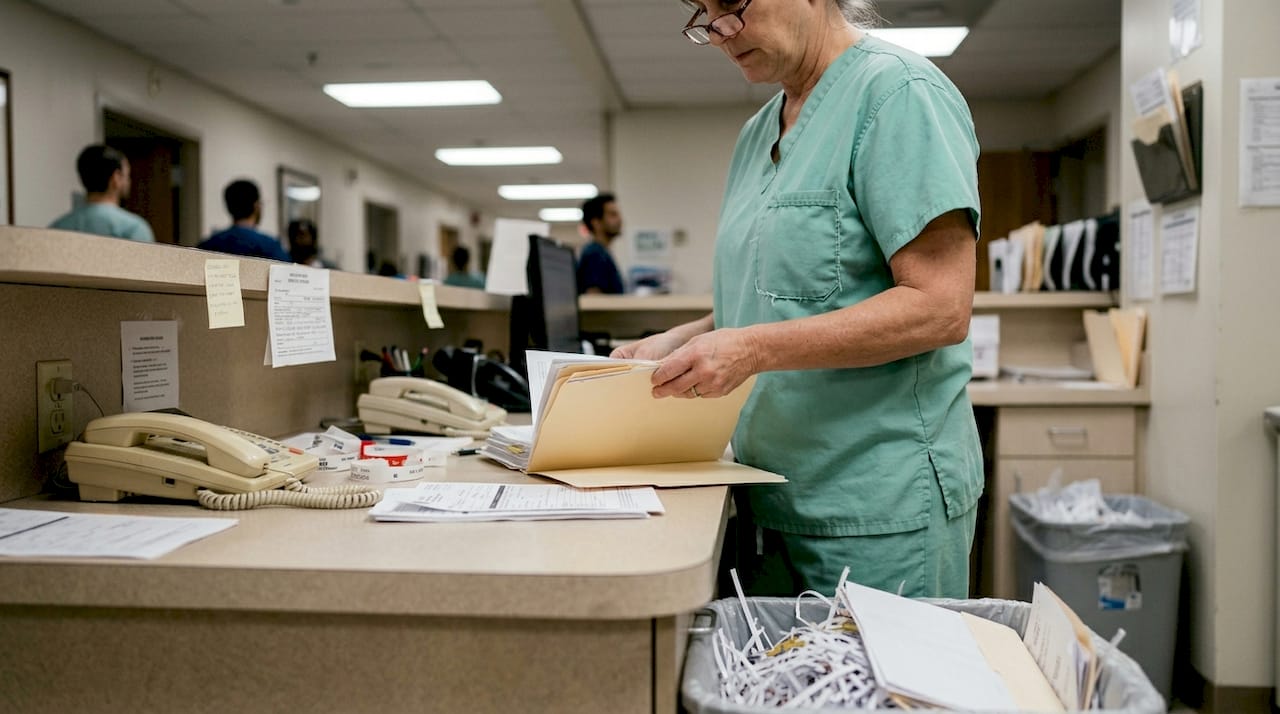
Encrypted digital forms ensure that sensitive information remains protected whether transmitted over the internet or stored on your servers. Automatic audit trails record who accessed each patient record, when they viewed it, and what changes they made. This visibility helps you spot unusual access patterns that might indicate a security incident or staff member exceeding their authorized permissions. When combined with your intake process steps, these tools create a seamless secure workflow.
Technology alone won’t prevent breaches if your staff doesn’t understand their privacy responsibilities. Human error remains the top breach cause even in facilities with advanced security systems. Admissions coordinators need role-specific training that addresses the unique scenarios they encounter, such as verifying caller identity before discussing patient status or recognizing phishing attempts disguised as urgent referral requests.
Schedule refresher training sessions every six months rather than relying on annual compliance reviews. Use realistic simulations where staff practice responding to common security scenarios, like handling a misplaced device containing patient data or identifying a suspicious email requesting login credentials. These hands-on exercises build muscle memory and confidence, making secure practices automatic rather than an afterthought during busy admissions periods.
Pro Tip: Pair new healthcare intake technology rollouts with behavior change programs that reward staff for following security protocols. Recognition for maintaining clean audit logs or catching potential breaches creates positive reinforcement that sustains compliance long after initial training ends.
- Replace paper-based intake forms with encrypted digital alternatives
- Implement automatic session timeouts after 10 minutes of inactivity
- Create role-based access controls limiting data visibility to job requirements
- Conduct phishing simulations quarterly to test staff awareness
- Document all training sessions and maintain completion records for audits
Balancing security and efficiency in admissions workflows
Strict access controls can create workflow bottlenecks when admissions staff must request permissions or wait for approvals to view time-sensitive referral information. You need beds filled quickly, yet every delay in accessing patient data extends review times and risks losing referrals to competitors. The challenge lies in implementing security measures that protect information without grinding your admissions process to a halt.
Zero-trust security principles assume no user or device is inherently trustworthy, requiring continuous verification throughout each session. Rather than granting broad access based on job title, zero-trust systems validate identity and authorization for each specific action. This approach actually speeds workflows by eliminating manual approval steps while maintaining tight security. Staff access exactly what they need when they need it, with the system automatically logging and monitoring every interaction.
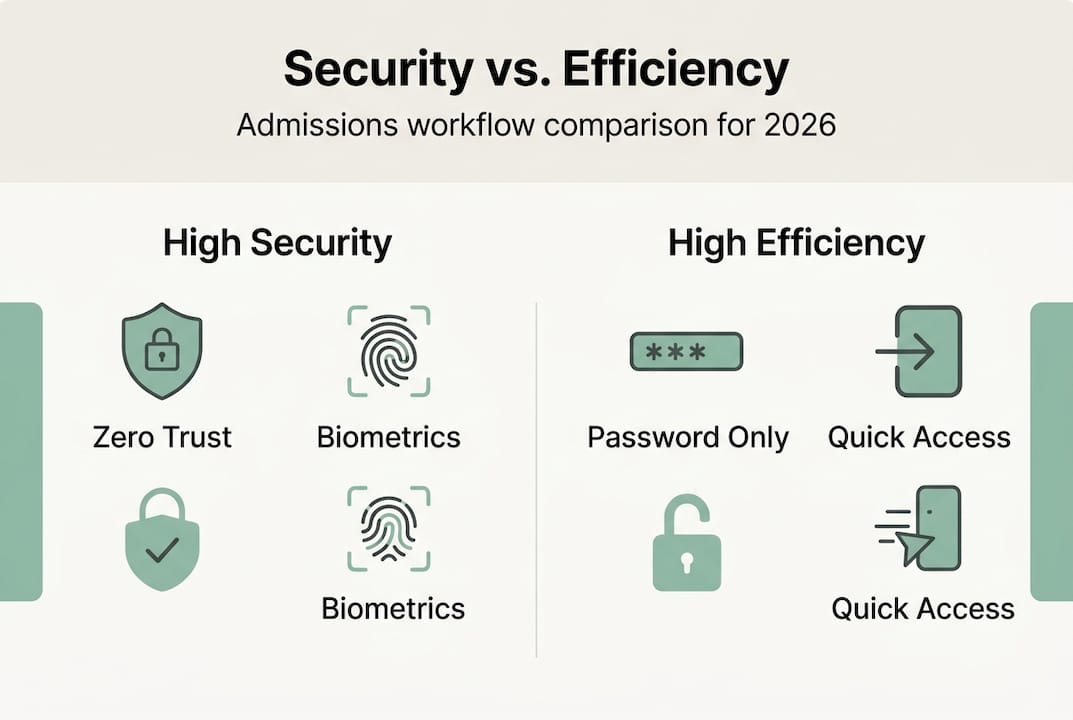
Biometric authentication using fingerprints or facial recognition provides stronger security than passwords while reducing login friction. Admissions coordinators no longer waste time typing complex passwords or resetting forgotten credentials. Zero-trust and biometrics enhance security without creating the delays associated with traditional multi-step verification processes.
| Access Control Method | Security Level | Workflow Impact | Implementation Cost |
|---|---|---|---|
| Password only | Low | Minimal friction but frequent resets | Low |
| Multi-factor authentication | Medium | Adds 10-15 seconds per login | Medium |
| Zero-trust with biometrics | High | Seamless after initial setup | High |
| Role-based with manual approval | Medium | Significant delays during peak hours | Low |
Conduct pilot tests with small groups of admissions staff before deploying new security solutions facility-wide. Monitor how authentication changes affect referral review times, bed fill rates, and staff satisfaction. Collect specific feedback about friction points where security measures slow critical tasks. This data helps you adjust settings and workflows to optimize both protection and efficiency for your intake workflow improvement ideas.
Pro Tip: Involve frontline admissions staff in security solution selection from the beginning. They understand the real-world pressures of managing multiple referrals simultaneously and can identify which security features will integrate smoothly versus creating obstacles during busy periods.
Managing third-party risks in patient admissions
Third-party vendors introduce significant security vulnerabilities into your admissions process. Digital form providers, electronic health record systems, insurance verification services, and referral management platforms all access sensitive patient information. Each vendor represents a potential entry point for data breaches, and third-party risks are high in admissions because these external partners often have broad access to your systems.
Business Associate Agreements legally bind vendors to HIPAA compliance standards and define their responsibilities for protecting patient data. These contracts must specify how vendors will secure information, report breaches, and allow your facility to audit their practices. Never integrate a third-party service into your admissions workflow without a fully executed BAA. The agreement protects your facility by establishing clear liability if the vendor causes a breach.
Vet potential vendors thoroughly before signing contracts. Request documentation of their security certifications, such as SOC 2 Type II or HITRUST. Research their breach history and how they responded to past incidents. Review contract terms carefully to understand data ownership, retention policies, and your rights to retrieve information if you switch vendors. Ask specific questions about encryption standards, access controls, and employee background check policies.
Regular audits verify that vendors maintain the security standards they promised. Schedule annual reviews where you examine their access logs, security updates, and staff training records. Test their incident response procedures through simulated breach scenarios. Monitor news and industry reports for any security incidents involving your vendors, as breaches at one client often indicate vulnerabilities affecting all customers.
- Create a comprehensive inventory of all third-party vendors accessing patient data during admissions.
- Verify current Business Associate Agreements exist for every vendor and update outdated contracts.
- Establish a vendor risk rating system based on data access level and security track record.
- Schedule quarterly security reviews for high-risk vendors and annual reviews for others.
- Implement automated monitoring tools that alert you to unusual vendor access patterns.
- Develop contingency plans for quickly switching vendors if security incidents occur.
- Include security requirements in all requests for proposals when evaluating new solutions.
Your AI referral management checklist should include vendor security verification as a standard step before implementing any new technology in your admissions workflow.
Enhance your admissions security with Smart Admissions
Securing patient data during admissions doesn’t require choosing between protection and efficiency. Smart Admissions integrates HIPAA-compliant digital intake, encrypted data transmission, and comprehensive audit trails into a single platform designed specifically for skilled nursing and rehabilitation facilities. Our AI-powered referral management assistant automates repetitive security checks while maintaining the speed you need to fill beds quickly.
The platform’s role-based access controls ensure staff view only the information necessary for their responsibilities, while automatic session management prevents unauthorized access to unattended workstations. Real-time monitoring alerts you to unusual access patterns, and detailed compliance reports simplify regulatory audits. By combining intake automation solutions with built-in security features, Smart Admissions eliminates the manual processes that create data vulnerabilities. Explore our referral management systems to see how automation accelerates admissions while protecting sensitive information, or discover the benefits of admissions automation for your facility’s security posture and operational efficiency.
FAQ
What are the most common causes of patient data breaches during admissions?
Human error remains the leading cause of patient data breaches during admissions, accounting for more incidents than malicious attacks or system failures. Staff accidentally send referrals to wrong recipients, leave workstations unlocked, or fall victim to phishing emails requesting login credentials. Paper-based processes compound these risks through misfiled documents, unsecured fax machines, and lost physical files. Combining technology safeguards with comprehensive staff training addresses both the human and system vulnerabilities that create breach opportunities.
How can digital intake tools improve patient data security?
Digital intake tools with encryption and audit trails eliminate the security gaps inherent in paper-based admissions processes. Encryption protects patient information during transmission and storage, preventing unauthorized access even if devices are lost or stolen. Automated audit trails create detailed records of every person who accessed each patient file, enabling rapid breach detection and investigation. These tools also reduce human error by validating data entry, enforcing required fields, and eliminating illegible handwriting that leads to documentation mistakes. Learn more about intake automation healthcare admissions benefits for your facility.
What is the best approach to balance security and efficiency in admissions workflows?
Zero-trust models and biometric authentication provide strong security without the workflow delays associated with traditional password systems and manual approval processes. Pilot test new security solutions with small groups of admissions staff before facility-wide deployment, measuring impact on referral review times and bed fill rates. Involve frontline staff in solution selection to identify features that integrate smoothly into existing workflows. This iterative approach helps you find the optimal balance between protection and speed for your specific facility needs and intake workflow improvement ideas.
How should healthcare facilities manage third-party vendor risks in admissions?
Business Associate Agreements and regular audits form the foundation for managing third-party vendor risks in patient admissions. Vet vendors thoroughly before contract signing by reviewing security certifications, breach history, and data protection policies. Schedule annual security audits where you examine vendor access logs, encryption standards, and incident response procedures. Maintain an updated inventory of all vendors accessing patient data and implement automated monitoring for unusual access patterns. Include security requirements in all technology procurement decisions and develop contingency plans for switching vendors if breaches occur. Reference your AI referral management checklist when evaluating new solutions.