
Delayed admissions cost skilled nursing facilities more than time. Every hour a bed sits empty while your team manually chases down referral documents, verifies insurance, and re-enters data into multiple systems is revenue walking out the door. Manual intake takes up to 12 hours per referral, while automation can cut that to under two hours. This guide walks your team through a practical, step-by-step approach to optimizing patient intake, from identifying workflow bottlenecks to integrating EHR systems and managing complex referrals with confidence.
Table of Contents
- Assess your current patient intake process
- Move from manual to automated intake workflows
- Integrate intake with EHR and EMR systems
- Standardize and automate intake for rehab centers
- Monitor, measure, and refine intake efficiency
- Handle high-acuity and edge case referrals smoothly
- Streamline your intake process with smart solutions
- Frequently asked questions
Key Takeaways
| Point | Details |
|---|---|
| Automation cuts intake time | Switching from manual to automated workflows reduces patient intake by up to 90%. |
| EHR integration boosts accuracy | Linking intake with EHR systems decreases manual errors and increases accepted referrals. |
| Monitoring KPIs prevents leakage | Tracking referral rates and processing times ensures ongoing workflow improvement. |
| Standardize for rehab centers | Consistent intake steps and automation tools help rehabilitation teams process admissions faster. |
| Expert handling for complex cases | Specialized strategies allow staff to admit high-acuity patients efficiently and safely. |
Assess your current patient intake process
Before you can fix what is broken, you need to see exactly where things slow down. Most skilled nursing facilities and rehab centers experience delays at the same predictable points: referral receipt, insurance eligibility verification, clinical documentation review, and bed availability confirmation. Each of these steps, when handled manually, creates a compounding delay that pushes admission timelines back by hours or even days.
Mapping your current workflow is the first practical move. Walk through each step your admissions team takes from the moment a referral arrives to the moment a patient is admitted. Document who handles each task, how long it takes, and where handoffs occur. You will likely find that manual data entry and communication delays are the biggest time sinks.
Here is a snapshot of common bottleneck areas and their typical impact:
| Intake stage | Common issue | Impact |
|---|---|---|
| Referral receipt | Fax-based or email intake | Delays of 1 to 3 hours |
| Insurance verification | Manual portal checks | Up to 4 hours per case |
| Clinical documentation | Incomplete or missing records | Admission holds of 24 to 48 hours |
| Bed availability | No real-time tracking | Missed placement windows |
Once you have this picture, prioritize the stages with the highest time cost. Explore intake workflow improvement ideas and consider how workflow optimization for skilled nursing can address each gap systematically.
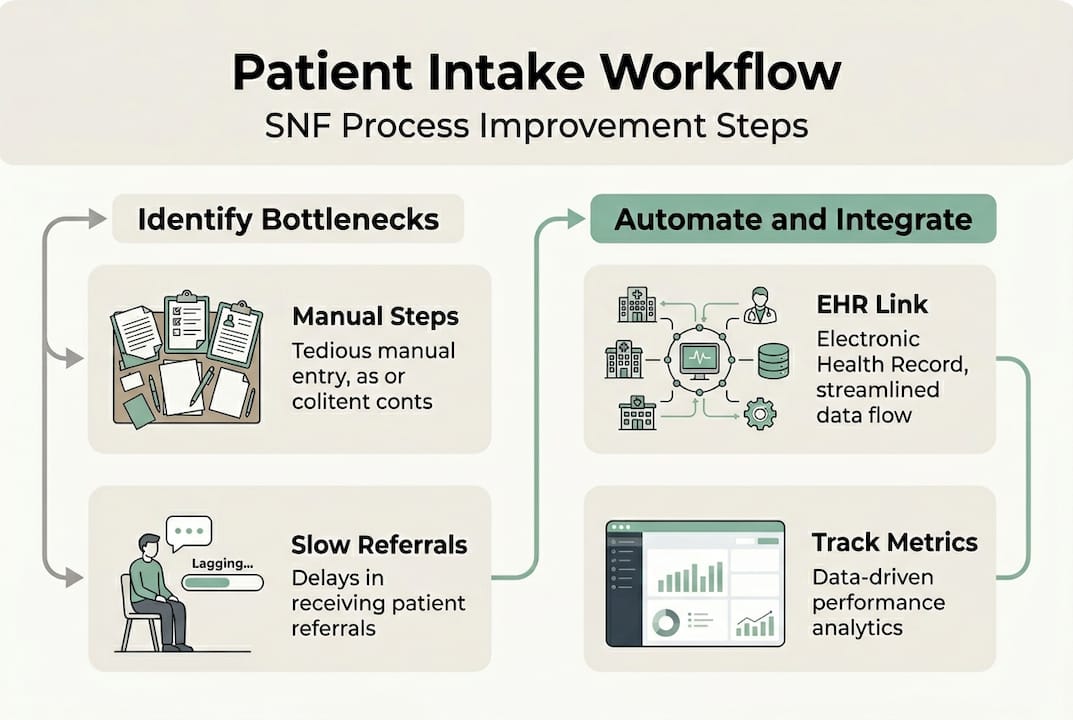
Pro Tip: Use a real-time tracking dashboard to visualize where referrals stall. Even a simple color-coded status board can reveal patterns your team may not notice day to day.
Move from manual to automated intake workflows
After identifying inefficiencies, the next step is upgrading your workflow to automation. The difference between manual and automated intake is not just speed. It is accuracy, staff capacity, and the ability to scale without adding headcount.
Manual intake requires your team to re-enter data across multiple systems, call insurance providers directly, and physically route documents for review. Automated intake handles these tasks in parallel, reducing errors and freeing your staff to focus on clinical judgment rather than data entry.
Consider this direct comparison:
| Process step | Manual intake | Automated intake |
|---|---|---|
| Referral data entry | Staff re-enters from fax or email | Auto-populated from referral source |
| Insurance verification | Manual portal login and check | Real-time eligibility API check |
| Clinical review routing | Email or paper-based handoff | Instant digital routing with alerts |
| Bed assignment | Phone calls or spreadsheet checks | Live bed availability sync |
| Total processing time | Up to 12 hours | Under 2 hours |
To transition your facility, follow these steps:
- Audit your current tools. Identify which systems your team uses for referrals, insurance checks, and documentation.
- Select an AI-powered intake platform. Look for solutions that integrate with your existing EMR and insurance portals.
- Configure automated eligibility checks. Set up real-time insurance verification so your team gets instant results.
- Enable digital referral routing. Route incoming referrals automatically to the right clinical reviewer based on case type.
- Train your admissions staff. Focus training on exception handling, since automation manages routine tasks.
- Monitor and adjust. Track processing times weekly during the first 90 days and refine rules as needed.
The results are measurable. Automation reduces intake time by 90% for complex cases and cuts bottlenecks by 75%. Automated workflows sync intake to EMR and confirm bed availability in real time, eliminating the back-and-forth that slows your team down.
“Streamlining intake reduces admin burden by 50 to 70%, allowing admissions staff to focus on patient-centered decisions rather than paperwork.”
Review automated referrals overview and referral processing efficiency resources to understand what a fully automated pipeline looks like in practice.
Integrate intake with EHR and EMR systems
Once automation is underway, connecting intake workflows with digital records is essential. EHR (Electronic Health Record) and EMR (Electronic Medical Record) integration means your intake platform communicates directly with your clinical documentation system, eliminating duplicate data entry and reducing the risk of errors that delay admissions.
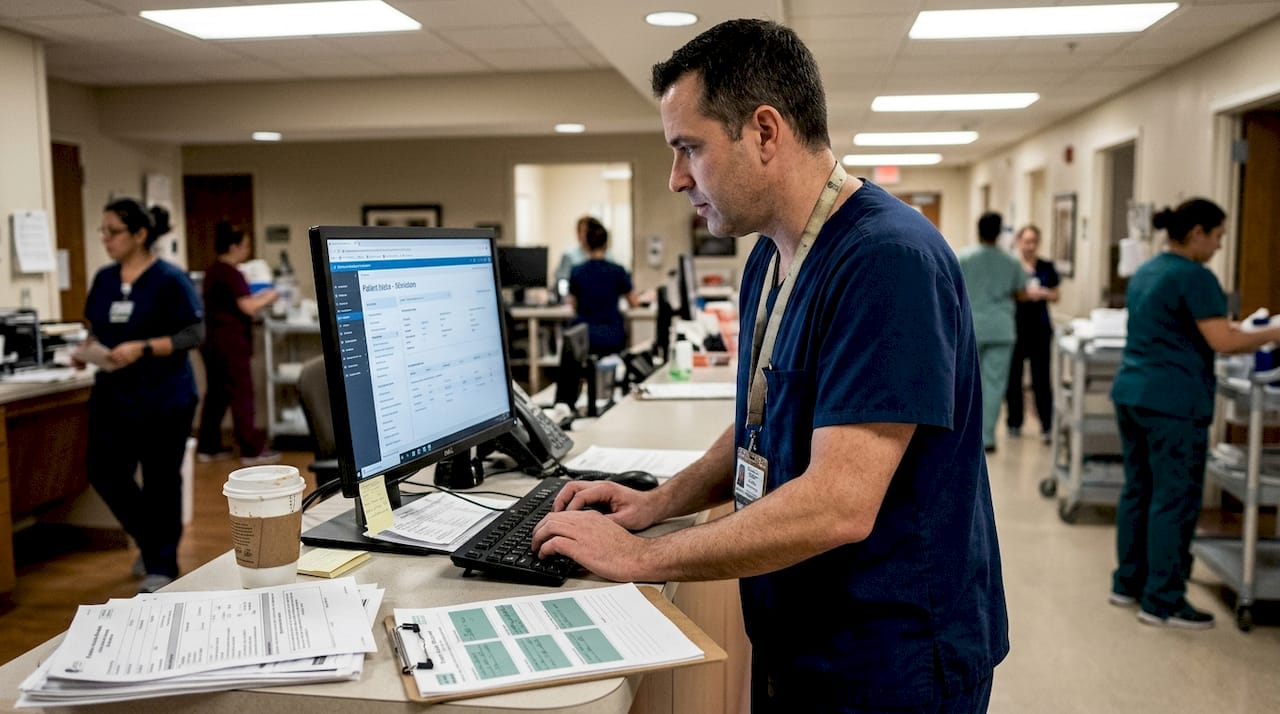
The operational impact is significant. Facilities that integrate with EHR systems like Cerner or PointClickCare report a 70% reduction in manual data entry time and a 30% increase in referrals accepted. That is not a minor efficiency gain. It directly affects your bed fill rate and monthly revenue.
Here is a checklist of integrations your facility should prioritize:
- EMR platform connection: Ensure your intake tool syncs with your primary EMR using FHIR or HL7 standards.
- Insurance portal access: Automate eligibility checks through direct payer connections.
- Referral source integration: Connect with hospital discharge systems to receive structured referral data.
- Document management sync: Route clinical documents directly into patient records without manual uploads.
- Bed management system link: Confirm real-time availability without leaving the intake workflow.
Use the EMR integration guide to plan your technical setup, and review the documentation guide to standardize how records are captured and stored.
Pro Tip: Prioritize integrating with the EMR systems most commonly used by your referring hospitals. If your top referral sources use Epic or Cerner, those connections will deliver the fastest return on your integration investment.
Standardize and automate intake for rehab centers
With SNF workflows addressed, let’s see how these strategies apply to rehabilitation centers. Rehab centers face a distinct set of intake challenges. Patient turnover is faster, insurance authorization requirements are more complex, and the window for accepting a referral is often shorter. Standardizing your intake process is the foundation for managing this volume without errors.
For rehab centers, standardize pre-screening, automate insurance verification, and use CRM tools for lead tracking and follow-ups. A CRM (Customer Relationship Management) system helps your team track where each referral stands, schedule follow-up calls, and avoid letting warm leads go cold.
Here are the core intake steps every rehab center should standardize:
- Pre-screening: Apply consistent clinical criteria to every incoming referral before investing time in full review.
- Insurance eligibility verification: Run automated checks at the point of referral receipt, not after clinical review.
- Clinical documentation collection: Use digital intake forms to gather required records in a structured format.
- Bed or program availability confirmation: Sync with your scheduling system to confirm placement before accepting.
- Admission confirmation and CRM update: Log the outcome in your CRM and trigger follow-up workflows automatically.
Standard workflows handle the majority of referrals efficiently. Custom adaptations are needed for cases involving dual diagnoses, out-of-network payers, or patients requiring specialized equipment. Build exception pathways into your workflow so these cases are flagged and routed to senior staff without disrupting the standard pipeline. Review workflow improvement for rehab centers for facility-specific guidance.
Monitor, measure, and refine intake efficiency
After implementation, tracking and refining intake performance closes the loop on process improvement. You cannot improve what you do not measure. Setting up a consistent KPI (Key Performance Indicator) review process ensures your intake gains are sustained and that new bottlenecks are caught early.
Admission rates have risen 43% since 2019, meaning your facility is competing for referrals in a higher-volume environment than ever before. Real-time analytics give your team the visibility needed to stay competitive.
Monitor key performance metrics like referral processing time, acceptance rates, and admission cycle duration using real-time dashboards. Focus on these essential KPIs:
- Referral acceptance rate: The percentage of incoming referrals that convert to admissions.
- Average processing time: How long it takes from referral receipt to admission decision.
- Empty bed days: The number of days a bed sits unoccupied between discharges and new admissions.
- Staffing efficiency ratio: How many referrals each admissions staff member processes per week.
- Insurance denial rate: The percentage of referrals rejected due to eligibility or authorization issues.
Review these metrics weekly during the first quarter after implementation, then shift to monthly reviews once performance stabilizes. Use your analytics dashboard to identify trends, such as a spike in processing time on Mondays or a higher denial rate from a specific payer. Learn how to streamline administrative tasks to support ongoing efficiency gains across your team.
Handle high-acuity and edge case referrals smoothly
For tougher cases, special processes can help avoid delays and mistakes. High-acuity referrals, those involving complex medical needs, multiple diagnoses, or incomplete documentation, require a different approach than standard intake. Without a defined process, these cases create bottlenecks that affect your entire admissions pipeline.
The most effective strategy is parallel processing. Rather than reviewing each element of a complex referral sequentially, your team handles clinical review, insurance verification, and documentation collection at the same time. This alone can cut processing time for complex cases significantly.
Here are the key strategies for managing edge cases:
- Automated document flagging: Your intake platform should identify missing or incomplete records immediately and notify the referral source without requiring manual follow-up from your staff.
- Criteria-based matching: Define clear clinical and operational criteria for your facility. When a referral does not meet those criteria, the system flags it before your team invests time in a full review.
- Parallel processing workflows: Assign clinical, financial, and administrative review tasks simultaneously rather than in sequence.
- Escalation routing: Route flagged cases directly to a senior admissions coordinator or clinical director for faster resolution.
High-acuity referrals need parallel processing with automated flagging for incomplete documents and criteria matching to avoid wrong-fit admissions. Review the clinical red flags guide to build a reliable screening checklist for your team.
Pro Tip: Build your criteria-matching rules around your facility’s actual capacity and clinical strengths. Accepting a referral that is a poor fit costs more in staff time and care resources than declining it upfront.
Streamline your intake process with smart solutions
By optimizing intake workflows, your team is positioned to leverage purpose-built tools for even greater results. Smart Admissions provides intake automation solutions designed specifically for skilled nursing facilities and rehab centers, covering everything from AI-powered referral management to real-time eligibility verification and EMR integration.
Explore referral management system examples to see how facilities like yours have reduced processing times and increased bed fill rates. If you are ready to move from manual workflows to a fully automated intake pipeline, learn why facilities choose to automate admissions and how 20% faster bed occupancy is achievable with the right platform in place. Smart Admissions makes onboarding straightforward, with responsive support and customizable features that fit your existing systems.
Frequently asked questions
What are the most common bottlenecks in patient intake?
Manual data entry, communication delays, and inefficient eligibility verification are the primary bottlenecks that slow admissions and increase empty bed days across skilled nursing and rehab facilities.
How much time can automation save on patient intake?
Automation reduces intake time from up to 12 hours per referral to under 2 hours, with the greatest gains seen in complex cases that previously required the most manual coordination.
What KPIs should healthcare administrators track in patient intake?
Track referral processing time, acceptance rates, admission cycle duration, empty bed days, and insurance denial rates. Real-time analytics make it possible to catch performance drops before they affect occupancy.
How does EHR integration improve patient intake?
EHR integration with systems like Cerner or PointClickCare eliminates duplicate data entry, reduces errors, and enables faster referral acceptance, with facilities reporting up to 30% more referrals accepted after integration.
How do you handle high-acuity or complex patient referrals?
Use parallel processing and automated flagging combined with criteria-based matching to manage complex referrals efficiently without disrupting your standard admissions pipeline.