
Every hour a bed sits empty after a referral arrives, your facility loses money. Each 24-hour intake delay costs roughly $450 in lost revenue, and that figure adds up fast across a month of slow admissions. Manual intake also drains your admissions team, piling on paperwork at the exact moment they should be focused on welcoming a new resident. This guide walks you through the why, the how, and the what of automating patient intake in skilled nursing and rehabilitation settings so you can fill beds faster, reduce staff stress, and protect your bottom line.
Table of Contents
- Why automate patient intake? Key benefits and drivers
- Preparing to automate: Assessing workflows and requirements
- Essential tools and integrations for patient intake automation
- How to implement: A step-by-step intake automation guide
- Troubleshooting and common pitfalls in intake automation
- Measuring success: KPIs and ongoing optimization
- Ready to transform your patient intake?
- Frequently asked questions
Key Takeaways
| Point | Details |
|---|---|
| Save time and reduce errors | Automation slashes patient intake time and paperwork errors, freeing your staff for patient care. |
| Boost admissions and revenue | Faster intake increases bed occupancy and cuts costly delays for skilled nursing and rehab centers. |
| Easy integration with modern tools | AI enables accurate data extraction and seamless EHR integration across formats and sources. |
| Phased, measurable rollout | Start with pilot programs, train staff, and monitor key metrics for ongoing optimization. |
Why automate patient intake? Key benefits and drivers
The case for automation starts with time. Manual intake can take up to 12 hours, while automation cuts that to 2 hours or less and reduces manual effort by 60 to 80 percent. That is not a marginal improvement. That is a fundamental shift in how your team operates every single day.
Faster processing means faster bed occupancy, which directly lifts revenue. Facilities that automate see empty bed days drop 15 to 20 percent and referral response times shrink dramatically. When you respond to a referral in minutes instead of hours, you win more admissions over competitors who are still shuffling fax pages.
Staff burnout is a real and costly problem in post-acute care. AI reduces administrative burnout by removing repetitive data entry from nurses and coordinators, freeing them to focus on clinical tasks and resident relationships. That shift matters for retention, morale, and care quality.
Here is a quick summary of the core benefits automation delivers:
- Intake time reduced from 12 hours to under 2 hours
- Manual effort cut by 60 to 80 percent per admission
- Referral response speed improved, winning more competitive referrals
- Empty bed days reduced by 15 to 20 percent
- Staff burnout lowered through elimination of repetitive paperwork
- Revenue protected at roughly $450 per day per delayed admission
Automation also gives you a competitive edge in admissions by speeding up referral response, improving bed fill rates, and removing the bottlenecks that cause referral sources to look elsewhere. Hospitals and discharge planners remember which facilities respond fast. Reviewing the AI benefits in healthcare admissions landscape makes it clear this is no longer a future trend. It is the current standard for high-performing facilities.
Preparing to automate: Assessing workflows and requirements
Before you buy any software, you need to understand exactly where your current intake process breaks down. Identifying intake bottlenecks, common document formats, and high-value automation targets is the essential first step. Without this audit, you risk automating a broken process and locking in the same inefficiencies at higher cost.

Start by mapping every step from referral receipt to bed assignment. Note where documents pile up, where staff spend the most time, and where errors tend to occur. Measure your current referral turnaround time, documentation error rate, and average time to bed fill. These become your baseline KPIs.
Automation is most effective for centers processing more than 10 to 15 admissions per month and when the solution integrates directly with your EHR. Below is a quick requirements checklist to guide your readiness assessment:
| Requirement | Why it matters |
|---|---|
| EHR compatibility | Ensures data flows without manual re-entry |
| Document format support | Handles PDFs, faxes, and scanned files |
| Staff training capacity | Determines onboarding timeline |
| Monthly admission volume | Confirms automation ROI threshold |
| HIPAA compliance features | Protects patient data and audit trails |
| Vendor support availability | Reduces downtime during rollout |
Reviewing your patient intake workflow optimization needs before selecting a vendor saves weeks of rework later.
Pro Tip: Involve your admissions coordinators and nursing staff in the workflow mapping session. They know exactly where the friction is, and their early buy-in makes adoption far smoother when the new system goes live.
Essential tools and integrations for patient intake automation
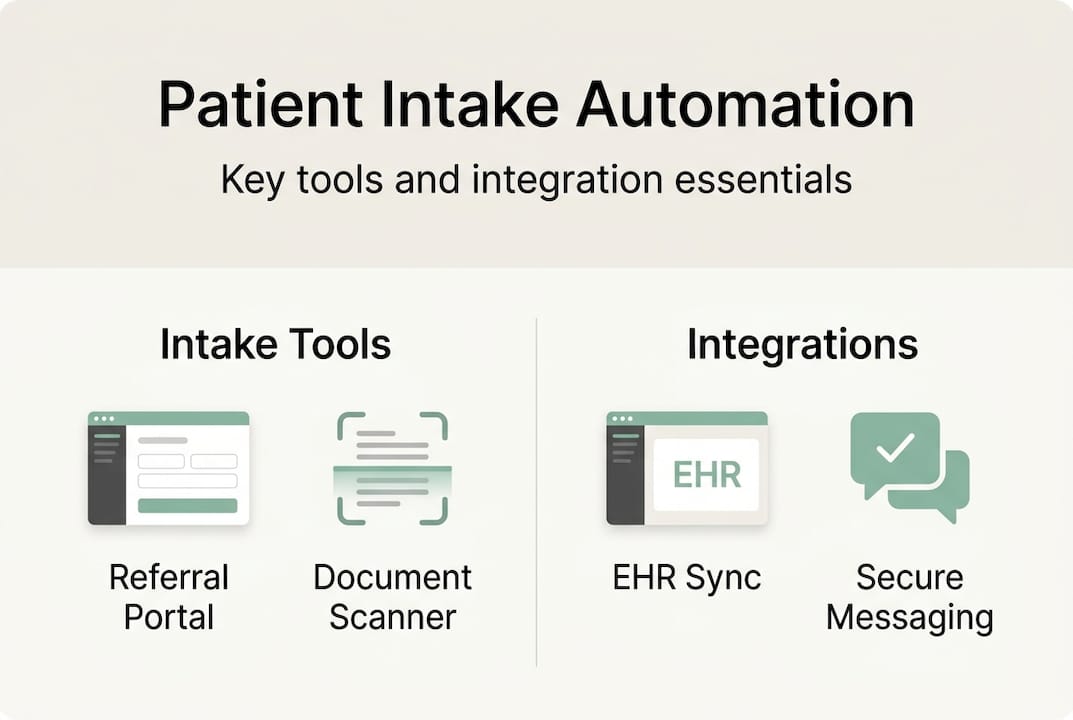
Once you know what your workflow needs, you can build the right technology stack. AI-powered referral systems, document processing, automated eligibility checks, and EHR integrations with platforms like MatrixCare or PointClickCare are the core building blocks. Each module handles a specific pain point in the intake chain.
Here are the key components your automation stack should include:
- AI referral management: Receives, scores, and routes referrals automatically
- Intelligent document extraction: Pulls structured data from PDFs, faxes, and scanned records
- Insurance eligibility verification: Checks coverage in real time without manual portal logins
- EHR integration: Pushes verified data directly into patient charts
- Notification workflows: Alerts staff to action items without email chains
Not all tools are created equal. Some facilities piece together standalone point solutions, while others opt for an integrated platform. Each approach has trade-offs:
| Factor | Standalone tools | Integrated platform |
|---|---|---|
| Setup complexity | Higher, requires custom connections | Lower, pre-built integrations |
| Data consistency | Risk of gaps between systems | Unified data flow |
| Cost structure | Lower upfront, higher long-term | Predictable subscription cost |
| Vendor support | Multiple contacts | Single point of contact |
| Scalability | Limited by each tool’s roadmap | Scales with platform updates |
Security is non-negotiable. Automated intake solutions must handle multi-format PDFs, faxes, and documents up to 70 pages with 100 percent accurate data extraction and full HIPAA compliance. Any gap in document handling creates liability and slows the process you are trying to speed up.
Exploring the role of AI in patient intake and reviewing AI in healthcare admissions case studies will help you evaluate vendors against real-world performance benchmarks.
How to implement: A step-by-step intake automation guide
Rolling out automation without a plan is how facilities end up with expensive software that nobody uses. Phased implementation with staff training and KPI monitoring is the proven path to successful adoption. Here is a practical sequence that works for skilled nursing and rehab settings:
- Map your workflow and select a pilot area. Choose one referral source or one admission type to start. Limit scope so you can measure cleanly.
- Integrate your AI referral and document tools. Test connectivity with your EHR before going live. Confirm that data fields map correctly and that no information is dropped in transfer.
- Automate eligibility checks and train staff. Connect insurance portals and run parallel testing alongside your manual process. Train staff on the new interface before cutting over fully.
- Monitor KPIs weekly for the first 90 days. Track referral turnaround time, documentation error rate, time to bed fill, and revenue impact per admission.
- Scale to full operation. Once the pilot proves results, expand to all referral sources and admission types. Update your standard operating procedures to reflect the new workflow.
Pro Tip: Run the automated and manual processes side by side for the first two weeks of your pilot. This gives you a direct comparison and catches any data transfer issues before they affect real admissions.
Always maintain HIPAA-compliant audit trails throughout every stage of your automated intake process. Every document received, every eligibility check run, and every data transfer must be logged and retrievable for compliance review.
Following structured intake process optimization steps keeps your rollout on track and gives you clear milestones to report to leadership.
Troubleshooting and common pitfalls in intake automation
Even well-planned automation hits obstacles. Knowing what to expect prevents small problems from becoming expensive setbacks. Integration costs, multi-format file handling, data accuracy, and the need for pilot testing are the most frequently cited challenges in healthcare automation projects.
Here are the pitfalls that trip up facilities most often:
- Legacy EHR integration delays: Older systems may require custom API work. Confirm compatibility before signing a vendor contract.
- Incomplete data transfer: Fields that exist in one system may not map cleanly to another. Build a data validation checklist before go-live.
- Staff resistance: Admissions coordinators who built their careers on manual processes may distrust automation. Address this with training, not mandates.
- Compliance anxiety: Staff worry that automated systems will miss something and create liability. Audit trail features and parallel testing resolve this concern.
- Variable document formats: Referral packets arrive as PDFs, faxes, scanned images, and email attachments. Your solution must handle all of them without manual intervention.
Success in intake automation depends on phased rollouts and continuous measurement. Facilities that skip the pilot phase and go straight to full deployment report significantly higher failure rates and staff pushback.
Reviewing the broader landscape of AI in healthcare challenges helps you anticipate issues that are common across the industry, not just your facility.
Measuring success: KPIs and ongoing optimization
Going live is not the finish line. The facilities that get the most from intake automation are the ones that treat measurement as a permanent discipline, not a one-time check. Monitoring referral acceptance rates, processing speed, time to bed fill, paperwork errors, and admissions revenue gain gives you the data to keep improving.
Track these KPIs on a weekly and monthly basis:
- Referral response time: How quickly does your team act on a new referral?
- Intake processing time: From referral receipt to admission decision, how many hours pass?
- Documentation error rate: How often does incomplete or incorrect data require manual correction?
- Time to bed fill: How many days between discharge and the next admission to that bed?
- Revenue per admission: Are faster intakes translating to measurable revenue gains?
Use your analytics dashboard to spot trends. If referral response time creeps up, investigate whether a workflow step has been skipped or a system integration has degraded. Quarterly reviews with your admissions team keep everyone aligned and surface improvement opportunities before they become problems.
| KPI | Target benchmark | Review frequency |
|---|---|---|
| Referral response time | Under 1 hour | Weekly |
| Intake processing time | Under 2 hours | Weekly |
| Documentation error rate | Below 2 percent | Monthly |
| Time to bed fill | Under 24 hours | Monthly |
| Revenue per admission | Trending upward | Quarterly |
Building a culture of ongoing intake optimization means your admissions operation gets sharper every quarter, not just at launch.
Ready to transform your patient intake?
You now have a clear blueprint: assess your workflows, build the right technology stack, implement in phases, and measure relentlessly. The facilities winning on admissions in 2026 are not doing more manual work. They are doing smarter, faster work with the right automation behind them.
Smart Admissions is built specifically for skilled nursing and rehabilitation centers that want to move from reactive to proactive admissions. Our platform automates your entire referral-to-admission workflow, from document extraction to eligibility verification to EHR chart upload. You can explore how automating admissions drives 20 percent faster bed occupancy, review our intake automation solutions in detail, and learn how to manage types of patient referrals more efficiently. Our team handles setup, integration, and ongoing support so your staff can focus on care, not paperwork.
Frequently asked questions
What specific tasks can be automated in patient intake?
Automated patient intake covers AI-powered referral management, document processing and data extraction, insurance eligibility checks, EHR chart uploads, and staff notification workflows. These are the highest-volume, most repetitive tasks in the admissions process.
How much time can automation really save for admissions staff?
Intake time drops from 12 hours to 2 hours with automation, and individual paperwork preparation shrinks from 30 minutes to about 5 minutes per case. Those savings compound across every admission your facility processes.
Will automating intake reduce staff or just shift their duties?
Automation shifts staff from admin to patient care, reducing burnout rather than eliminating positions. There is no evidence that intake automation replaces clinical or admissions roles. It augments them.
What’s required to ensure HIPAA compliance with automated intake?
Choose a solution that provides full audit trails, encrypted data storage, and secure multi-format document handling. Every document and data transfer must be logged and accessible for compliance review.
What are the main risks or challenges in intake automation?
Integration costs, variable document formats, and phased rollout needs are the primary challenges. Pilot programs and strong vendor support resolve most of them before they affect live admissions.